Need help?
Do you have a question about the meitav-tec FMT24-SUPER and is the answer not in the manual?
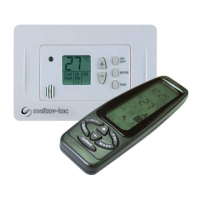
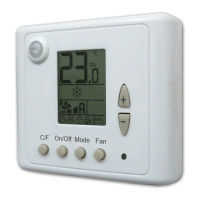
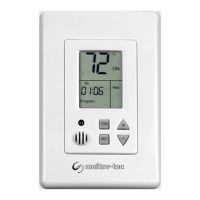
Turn the thermostat ON or OFF using the [ON] button.
View and adjust the desired temperature using the [+] or [-] buttons.
Choose operating modes (Cool, Heat, Auto) and fan settings (Fan only, Auto Fan).
Activate emergency heat for low outdoor temperatures using [SELECT] button.
Activate economy mode with pre-set temperatures by holding [ON] button.
Indicates low ambient temperature with "AL" flashing below 6°C (45°F).
Essential guidelines for proper installation location and safety.
Detailed steps for wiring, mounting, and securing the thermostat.
Wiring diagrams for systems without and with heat pumps.
Enter technician settings by pressing and holding the [SELECT] button.
Adjust temperature limits for cooling/heating and set the temperature scale.
Calibrate measured temperature via offset and configure the "W1" terminal.
Select heater type (Electric/Oil/Gas) and heat pump active mode (heat/cool).
Configure a 3-minute delay for compressor operation or disable it.
 General
| Display | LCD |
|---|---|
| Control Type | Digital |
| Output | Relay |
| Mounting | Wall-mounted |
| Temperature Range | 5°C to 35°C |
| Accuracy | ±0.5°C |
| Power Supply | 24V AC/DC |

 To Next Page