12 Settings
71
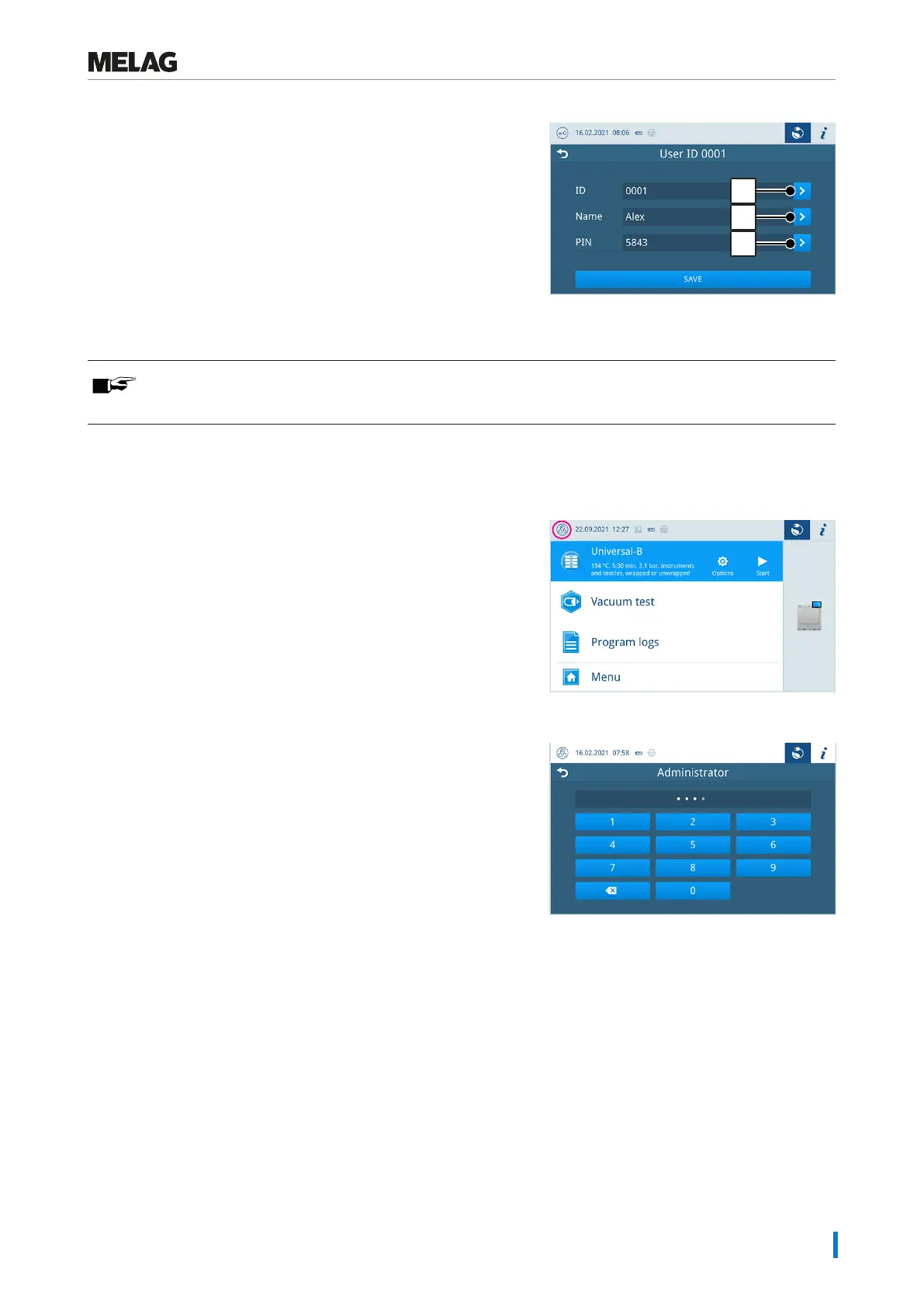
4. Press the buttons with the arrow to change the ID (pos. d), the user
name (pos. e) or the PIN (pos. f).
5. Confirm the changes withOK and accept the changes
withSAVE.
PLEASE NOTE
You can determine the necessity of user authentication via a PIN in theAuthentication menu.
Logging on user role
To log on a user role, proceed as follows:
1. Press the user role button.
2. Select the desired role, e.g. administrator.
3. Enter the associated PIN.
Ê The symbol of the user role button changes.
Ê Further setting options are now available in the menu.




 To Next Page