EasyManua.ls Logo

Melitta solo & milk - User Manual

Melitta solo & milk
278 pages
Go to English
Print Icon
To Next Page IconTo Next Page
Loading...
DEGBFRNL
IT
ESDKSENO
FI
RUPLTRLTEELVCZCNKR
Bedienungsanleitung / Operating Instructions / Mode d'emploi
Gebruiksaanwijzing / Istruzioni per l’uso / Manual de instrucciones
Betjeningsvejledning / Bruksanvisning / Bruksanvisning / Käyttöohje
Руководство по эксплуатации / Instrukcja obsługi / Kullanma kılavuzu
Naudojimo instrukcija / Kasutusjuhend / Lietošanas instrukcija
Návod k obsluze / 操作手册 / 사용 설명서

Table of Contents

Questions and Answers

  • J
    Jeffrey RobertsonAug 18, 2025
    What to do if Melitta solo & milk Coffee Maker coffee does not flow?
    • V
      vstarkAug 18, 2025
      If coffee does not flow from your Melitta Coffee Maker, it could be due to a couple of reasons. First, check if the water tank is not filled or incorrectly inserted; fill the water tank and ensure it is properly inserted. Second, the brewing unit might be clogged; clean the brewing unit.
  • W
    wjohnsAug 20, 2025
    What happens if cleaning or descaling process was interrupted on Melitta Coffee Maker?
    • V
      Valerie CoxAug 20, 2025
      If the cleaning or descaling process on your Melitta Coffee Maker was interrupted, for example, due to a power outage, the appliance will perform a rinsing program autonomously. Follow the instructions on the appliance to complete this process.
  • A
    andrew66Aug 23, 2025
    What to do if Melitta Coffee Maker indicates 'no water' even when the tank is full?
    • H
      heatherwangAug 23, 2025
      If your Melitta Coffee Maker indicates "no water" despite the water tank being full, the float might be blocked. To resolve this, check the condition of the float in the water tank, remove the water, and carefully shake the tank.
  • T
    Timothy LangAug 26, 2025
    Why is my Melitta Coffee Maker coffee only flowing drop-by-drop?
    • C
      Carl MillsAug 26, 2025
      If coffee only flows drop-by-drop from your Melitta Coffee Maker, it could be due to the grinding fineness being too fine. Adjust the grinding fineness to be more coarse. Also, clean the brewing unit. If necessary, perform a descaling or cleaning program.
  • K
    Kara SchmidtAug 28, 2025
    What to do if the symbols for cleaning and stand-by flash alternately on my Melitta solo & milk Coffee Maker?
    • B
      Bradley CarrAug 28, 2025
      If the cleaning and stand-by symbols flash alternately on your Melitta Coffee Maker, the brewing unit might be missing or not properly inserted. Insert the brewing unit properly and lock it. Alternatively, the brewing chamber could be overfilled. In this case, switch off the appliance and switch it on again using the ON/OFF button (repeat if necessary) until standby mode is displayed.
  • L
    Lauren JonesAug 30, 2025
    How to reinsert the brewing unit in Melitta Coffee Maker after removing it?
    • A
      Austin EatonAug 30, 2025
      If the brewing unit can no longer be reinserted into your Melitta Coffee Maker after removal, it might not be properly locked. Check whether the handle for locking the brewing unit is correctly engaged. Another reason might be that the actuator is not in the proper position. To solve this, switch the appliance off and then on again. Press the and buttons simultaneously for longer than 2 seconds to put the actuator into position. Then reinsert the brewing unit and make sure it is correctly locked into place.
  • A
    Anthony PetersenSep 2, 2025
    Why is the grinder on my Melitta Coffee Maker not grinding?
    • T
      Timothy KimSep 2, 2025
      If the grinder in your Melitta Coffee Maker is not grinding, it could be because the beans are not falling into the grinder. Try tapping lightly on the bean container. If that doesn't work, there might be foreign objects in the grinder, call the hotline in this case.
  • J
    Jonathan WilliamsSep 4, 2025
    Why is my Melitta Coffee Maker grinder so loud?
    • R
      Robert GardnerSep 4, 2025
      A loud grinder noise in your Melitta Coffee Maker could indicate foreign objects in the grinder. In this case, call the hotline.
  • M
    Michael TerrellSep 6, 2025
    What does it mean when bean symbols are flashing on Melitta solo & milk Coffee Maker?
    • E
      elizabethbaileySep 7, 2025
      If the bean symbols are flashing on your Melitta Coffee Maker even though the bean container is full, it indicates an insufficient quantity of ground beans in the brewing chamber. Press the button or button to resolve this.
  • K
    Keith YorkSep 9, 2025
    Why is the symbol illuminated on my Melitta Coffee Maker for no reason?
    • G
      garciaerinSep 9, 2025
      If the symbol is illuminated on your Melitta Coffee Maker without a reason, it could mean there is air in the lines inside the appliance. Turn the valve switch 11 clockwise until it stops until water flows out of the appliance. Clean the brewing unit if necessary.

Summary

Safety Instructions

Electrical Safety Warnings

Warning about electrical hazards, damaged cables, and improper repairs.

General Safety Precautions

Burn and Scalding Hazard Warnings

Warning regarding hot steam, fluids, and appliance parts during operation.

Product Overview and Indicators

Machine Component Identification

Identifies and labels all key components of the coffee machine.

Display Light Meanings

Explains the meaning of various light indicators on the display panel.

Initial Setup and Commissioning

General Information for First Use

Guidelines for water use and initial setup procedures before first operation.

Commissioning Process and Warnings

Steps for commissioning the appliance, including vital safety warnings.

Coffee Preparation Guide

Adjusting Coffee Strength and Volume

How to set the desired coffee quantity and strength.

Dispensing Coffee and Espresso

Instructions for preparing single or double cups of coffee.

Milk Frothing and Heating Guide

Steps for frothing milk and heating milk or water.

Milk Frothing and Hot Water Dispensing

Heating Milk

Detailed steps for heating milk using the steam pipe.

Rinsing the Steam Pipe

Procedure for cleaning the steam pipe after use.

Dispensing Hot Water

Instructions for dispensing hot water from the appliance.

Water Hardness and Filter System

Water Filter and Hardness Settings

PRO AQUA Filter Cartridge Installation

Guide on how to install and replace the water filter cartridge.

Setting the Water Hardness Level

Procedure to determine and set the appliance's water hardness level.

Cleaning and Maintenance Procedures

Daily Cleaning Routine

Daily tasks for keeping the appliance clean.

Steam Pipe Cleaning Process

Detailed steps for cleaning the steam pipe.

Brewing Unit Cleaning

Recommended weekly procedure for cleaning the brewing unit.

Integrated Cleaning Program

Instructions for running the automatic cleaning program.

Integrated Descaling Program

Other Appliance Settings

Energy-Saving Mode Configuration

How to set and adjust the energy-saving mode timer.

Appliance Operation Settings

Auto-OFF Function Setup

Setting the automatic shut-off timer for energy saving.

Brewing Temperature Adjustment

How to adjust the brewing temperature for coffee.

Adjusting Grinding Fineness

Guide on adjusting the coffee bean grinding fineness.

Transport, Storage, and Disposal

Venting the Appliance

Procedure for venting the machine after periods of non-use.

Transporting the Machine Safely

Guidelines for safely packing and transporting the appliance.

Proper Product Disposal

Information on the environmentally responsible disposal of the appliance.

Troubleshooting Guide

Common Malfunctions and Solutions

Lists common issues and their corresponding solutions for the coffee machine.

Technical Data and Reset

Troubleshooting Summary

Summary of malfunctions and their remedies.

Appliance Specifications

Detailed technical specifications of the coffee machine.

Resetting to Default Factory Settings

Instructions to restore the appliance to its original factory settings.

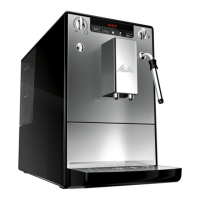
Melitta solo & milk Specifications

General IconGeneral
Milk FrotherYes
Pump Pressure15 bar
Voltage220-240 V
Adjustable Coffee StrengthYes
Adjustable Water QuantityYes
Automatic Shut-OffYes
Capacity2 cups
TypeEspresso Machine
Water Tank Capacity1.2 L
Bean Container Capacity125 g
Dimensions20 x 32.5 x 45.5 cm
Power1400 W
MaterialPlastic
ColorBlack
Special FeaturesRemovable brewing unit

Related product manuals