EasyManua.ls Logo

Mellanox Technologies MCX453A-FCAT - User Manual

Mellanox Technologies MCX453A-FCAT
80 pages
Print Icon
To Next Page IconTo Next Page
Loading...
Mellanox Technologieswww.mellanox.com
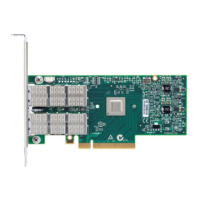
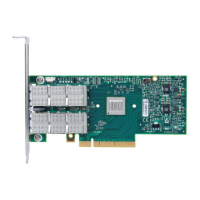
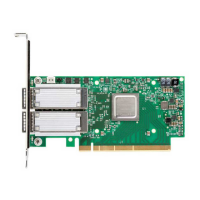
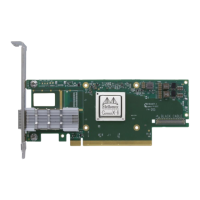
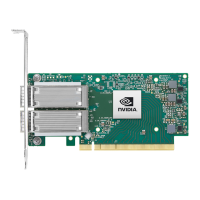
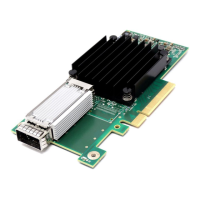
ConnectX®-4 VPI Single and Dual Port
QSFP28 Adapter Card User Manual
P/N:
MCX453A-FCAT, MCX454A-FCAT, MCX455A-FCAT, MCX456A-FCAT,
MCX455A-ECAT, MCX456A-ECAT
Rev 2.0

Table of Contents

Questions and Answers

  • F
    Faith PadillaAug 13, 2025
    What to do if Mellanox Technologies MCX453A-FCAT Computer Hardware adapter no longer works?
    • L
      lsullivanAug 13, 2025
      If your Mellanox Technologies Computer Hardware adapter has stopped functioning, here are a few troubleshooting steps to try: * Reinstall the drivers, as the network driver files may be damaged. * Reseat the adapter in its slot, or try a different slot. * Try using another cable. * Reboot the server.
  • T
    Timothy MorganAug 16, 2025
    How to fix Mellanox Technologies MCX453A-FCAT server unable to find the adapter?
    • M
      Maria HayesAug 16, 2025
      If the server is unable to detect the Mellanox Technologies Computer Hardware adapter, consider the following: * Ensure the adapter is correctly placed. * Verify the adapter slot and adapter compatibility. * Try using the latest drivers or those provided with the adapter. * Ensure the motherboard has the latest BIOS. * Reboot the server. * Install the adapter in a different PCI Express slot.
  • K
    Kathryn GutierrezAug 20, 2025
    Why is the Mellanox Technologies MCX453A-FCAT link indicator light off?
    • N
      Nathan HendersonAug 20, 2025
      If the link indicator light is off on your Mellanox Technologies Computer Hardware, consider these possible solutions: * Ensure that the adapter driver is loaded. * Try a different port on the switch. * Make sure the cable is securely attached. * Check that you are using the proper cables that do not exceed the recommended lengths. * Verify that your switch and adapter port are compatible.
  • A
    Angela LeeAug 23, 2025
    What to do if Mellanox Technologies MCX453A-FCAT adapters stopped working after installing another adapter?
    • K
      Kevin JohnsonAug 23, 2025
      If Mellanox Technologies Computer Hardware adapters stopped working after installing another adapter: * Try removing and reinstalling all adapters. * Check that cables are connected properly. * Ensure your motherboard has the latest BIOS.
  • A
    Alison GonzalezAug 28, 2025
    What to do if Mellanox Technologies MCX453A-FCAT Computer Hardware link light is on, but with no communication established?
    • D
      Dawn AndersonAug 28, 2025
      If the link light is illuminated on your Mellanox Technologies Computer Hardware, but no communication is established: * Check that the latest driver is loaded. * Check that both the adapter and its link are set to the same speed and duplex settings.
  • A
    Anita MortonAug 31, 2025
    How to fix Mellanox Technologies MCX453A-FCAT link indicator light being off?
    • J
      jessicawrightAug 31, 2025
      If the link indicator light is off on your Mellanox Technologies Computer Hardware adapter, ensure that the adapter driver is loaded. You can also try another port on the switch, make sure the cable is securely attached, and verify you are using the proper cables that do not exceed the recommended lengths. Additionally, check that your switch and adapter port are compatible.
  • S
    scotthooverSep 4, 2025
    How to troubleshoot Mellanox Technologies MCX453A-FCAT when server cannot find the adapter?
    • U
      usullivanSep 4, 2025
      If the server is unable to find the Mellanox Technologies Computer Hardware adapter, ensure that the adapter is placed correctly and that the adapter slot and the adapter are compatible. Try installing the adapter in a different PCI Express slot and use the drivers that came with the adapter or download the latest. Also, make sure your motherboard has the latest BIOS and try to reboot the server.
  • S
    Sean GomezSep 7, 2025
    Why Mellanox Technologies MCX453A-FCAT link light is on but there is no communication?
    • L
      leslienavarroSep 7, 2025
      If the link light is on, but no communication is established with your Mellanox Technologies Computer Hardware adapter, first check that the latest driver is loaded. Also, verify that both the adapter and its link are set to the same speed and duplex settings.

Mellanox Technologies MCX453A-FCAT Specifications

General IconGeneral
BrandMellanox Technologies
ModelMCX453A-FCAT
CategoryComputer Hardware
LanguageEnglish

Related product manuals