EasyManua.ls Logo

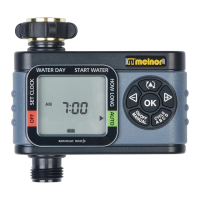
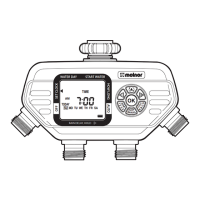
Melnor AquaTimer 63280 User Manual

Melnor AquaTimer 63280
2 pages
To Next Page IconTo Next Page
Page #1 background imageLoading...
Page #1 background image
START WATER HOW LONG
OFF
HOW OFTEN AUTO
SET CLOCK
RAIN DELAY, HOLD
+/- Buttons
Zone Button
Battery Indicator
Manual Watering Button
Cursor Button
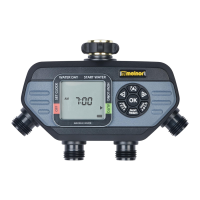
Zone 2
Zone 1
Zone 3
Zone 4
START WATER HOW LONG
OFF
HOW OFTEN AUTO
SET CLOCK
RAIN DELAY, HOLD
We recommend replacing batteries when the indicator reaches
START WATER HOW LONG
OFF
HOW OFTEN AUTO
SET CLOCK
RAIN DELAY, HOLD
START WATER HOW LONG
OFF
HOW OFTEN AUTO
SET CLOCK
RAIN DELAY, HOLD
START WATER HOW LONG
OFF
HOW OFTEN AUTO
SET CLOCK
RAIN DELAY, HOLD
START WATER HOW LONG
OFF
HOW OFTEN AUTO
SET CLOCK
RAIN DELAY, HOLD
SUNDAY MONDAY TUESDAY WEDNESDAY THURSDAY FRIDAY SATURDAY
EVERY 2 DAY
EVERY 1 DAY
EVER
Y
WEEK
WEEK
ONE
WEEK
TWO
WEEK
ONE
WEEK
TWO
EVERY 3 DAY
Note: You will see Zone 1 highlighted at the bottom of
the screen; program Zone 1 before moving on to Zone 2.
1
6
5
4
3
2
Question and Answer IconNeed help?

Do you have a question about the Melnor AquaTimer 63280 and is the answer not in the manual?

Melnor AquaTimer 63280 Specifications

General IconGeneral
BrandMelnor
ModelAquaTimer 63280
CategoryLawn and Garden Equipment
LanguageEnglish

Summary

Understanding Zones

Battery Installation and Timer Setup

Battery Installation & Assembly

Instructions for inserting AA alkaline batteries into the timer's battery holder.

Timer Installation

Attaching the timer to an outside faucet and ensuring the water is left on.

Setting Up Watering Schedules

Setting the Clock

Procedure to set the current time on the water timer using the buttons.

Select When to Water

Choosing the first watering time of the day for automatic cycles.

Select How Long to Water

Setting the duration for each watering cycle, up to 360 minutes.

Select How Often to Water

Configuring the watering frequency, from every hour to every 7 days.

Advanced Timer Operations

Setting Another Zone

Programming additional zones by repeating steps for Zone 1.

Auto Mode

Timer operates automatically based on programmed settings.

Rain Delay Mode

Temporarily suspends watering for up to 7 days due to rain.

Off Mode

Stops all automatic watering for an extended period.

Manual Watering

Manually operate a zone for a selected duration.

Timer Reset

Erases all settings and returns the timer to its original state.

Related product manuals