LED Operation
The TX detector has two LEDs for troubleshooting that are positioned at the top end of the detector.
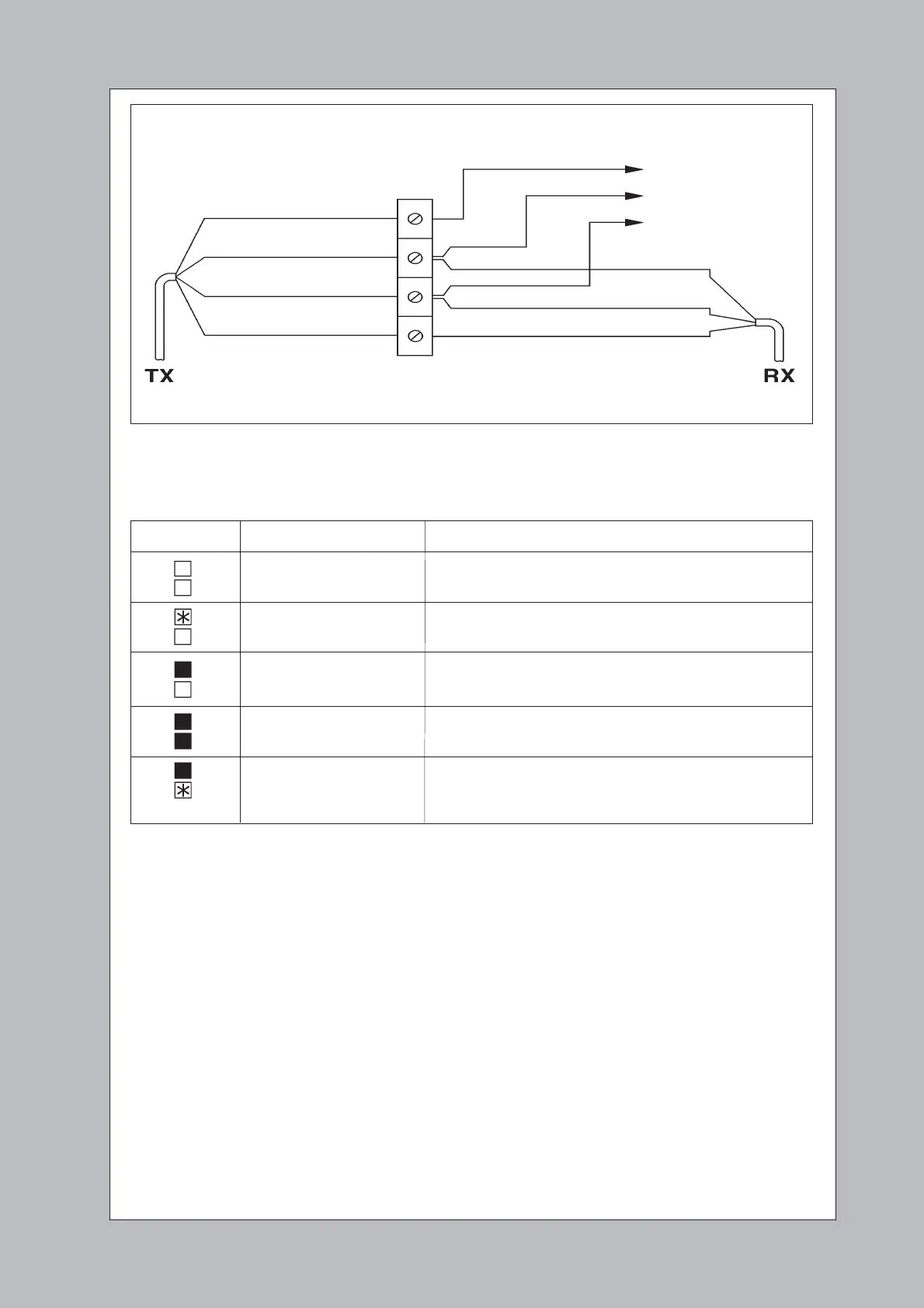
Fig 7. System Connection - Using Direct Connection
LED Status Symptom Possible Cause
No LEDs visible No Power
Check the ‘DC Power’ (red) wire and ‘0V’ (orange) wire
Top LED flashing Link disconnected
Bottom LED off Check the ‘Link’ (white) wire and ‘0V’ (orange)wire
Top LED on Obstruction between detectors
Bottom LED off
Both LEDs on Normal (unobstructed) operation
Top LED on A diode has been timed out
Bottom LED flashing
(fast rate)
TO DOOR OPERATOR OR LIFT CONTROLLER
Door Re-Open
DC Supply (11-30V)
0V
‘DC Supply’ RED
‘0V’ ORANGE
‘LINK’ WHITE
‘Trig Output’ BLUE
YELLOW ‘Timeout Enable’
ORANGE ‘0V’
WHITE ‘LINK’



 To Previous Page