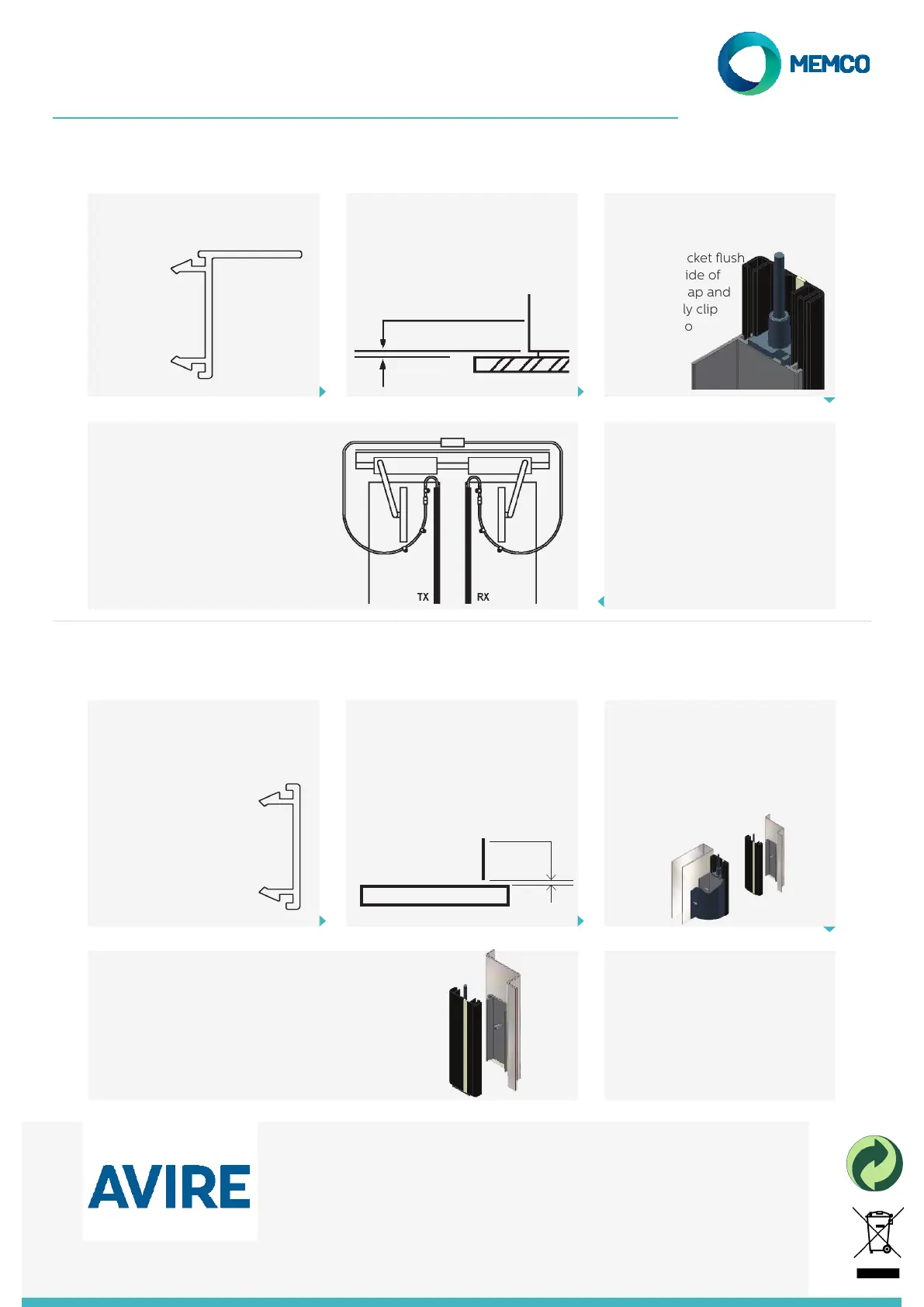
Step 5
Attach cable securely with the
P-clips and screws provided. Avoid
tight bends while providing enough
slack so that cables are not stressed
or stretched as the doors move.
Step 1
Using the correct mounting
bracket
Step 3
If L-Bracket is not tted then
position bracket ush
with underside of
cable end-cap and
progressively clip
detector into
bracket
Step 4
Secure L-Bracket to door using
screws provided. Locate screws
approximately 75mm from top
and bottom and equally space
remaining screws.
4. Step by Step Guide
Fitting detector to door (Centre-Opening)
4. Step by step guide
Fitting Detector to Door (Side Opening)
Step 5
Position underside of cable end cap
and ush with top of bracket. Clip
detector into bracket
Step 1
Using the correct mounting
bracket
Flat-Bracket for mounting
on Slampost or Leading
edge of door
Step 2
Do not t the Flat-Bracket to the
detector, rst position bottom of
Flat-Bracket on slampost 5mm
above car sill
Step 3
Remember to ensure the
detector will align exactly with the
detectors mounted on the door
when the door closes
Step 4
Secure the Flat-Bracket to
the slampost using the screws
provided. Ensure screws are
centred and evenly spaced along
length of bracket.
Step 2
Do not t the Flat-Bracket to the
detector, rst position bottom of
Flat-Bracket on slampost 5mm
above car sill
Door
Slam
5mm from sill
5mm from sill
AVIRE Ltd
Unit 1, The Switchback
Gardner Road
Maidenhead
Berkshire
SL6 7RJ, UK
T: 01628 540 100
F: 01628 621 947
E: sales.uk@avire-global.com
W: www.memco-global.com
W: www.avire-global.com
Memco is a brand of Avire
PA43 IG V01 (GB)



 To Previous Page