EasyManua.ls Logo

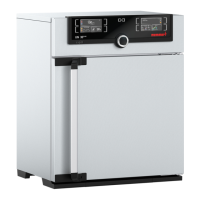
Memmert HCP 108 - User Manual

Memmert HCP 108
48 pages
Print Icon
To Next Page IconTo Next Page
Loading...
OPERATING INSTRUCTIONS
Humidity Chambers
HCP 108
HCP 153
HCP 246

Table of Contents

Question and Answer IconNeed help?

Do you have a question about the Memmert HCP 108 and is the answer not in the manual?

Summary

Operating Instructions

Humidity Chambers HCP Series

Identifies the product line as Memmert Humidity Chambers HCP series.

General Safety and Notes

Important Safety Guidelines

Covers critical safety warnings, handling precautions, and operational responsibilities.

Installation and Setup

Unit Placement and Initial Start-up

Details on physical placement, spacing, accessory options, and first-time operation.

Technical Specifications

Performance Ranges and Equipment

Covers working ranges, standard equipment, material quality, and electrical/water connections.

Oven Operation and Controls

User Interface and Basic Operations

Description of the control panel, door operation, and powering the unit on/off.

Operating Modes and Parameter Setting

Selecting Modes and Adjusting Parameters

Guide to selecting operating modes and adjusting controller parameters.

Normal Operation Mode

Setting Temperature and Humidity

Details on setting continuous temperature and humidity levels in Normal Operation.

Weekly Programmer Mode

Programming Automatic Schedules

Instructions for setting automatic ON/OFF times and schedules for the oven.

Programme Operation Mode

Creating Temperature;Humidity Ramps

Enables setting up to 40 programmable ramps for temperature and humidity cycles.

Programme Operation Example

A practical example demonstrating how to program a multi-stage temperature and humidity cycle.

Printer Interface and Data Output

Connecting and Printing Reports

Information on connecting a printer and initiating printouts of operational data.

Basic Oven Settings (Setup)

System Configuration Options

Configuration for clock, date, alarms, communication, monitoring, and language settings.

Temperature Monitoring and Protection

Safety Limiter Functions

Details on mechanical and electronic temperature limiters, over/undertemperature protection, and ASF.

Active Humidity Control

Humidity Regulation and Indicators

Details on how the unit actively controls and maintains humidity levels, including error indications.

Audible Alarm Signals

Understanding Alarm Notifications

Explanation of the different audible alerts for system faults and operational status.

Sterilisation Chip Card

Sterilisation Procedure and Note

Information on using the STERICard for sterilisation and an important note on its scope.

User-ID-Card (Optional)

User Authentication and Lock Function

Description of the optional User-ID-Card for user authentication and lock function.

Calibration Procedures

Temperature and Humidity Calibration

Step-by-step guide for calibrating temperature and humidity to ensure accuracy.

PC Communication Interface

RS232 C and RS485 Connectivity

Details on connecting the oven to a PC using RS232C and RS485 interfaces for control and data.

Report Memory and Data Logging

Accessing and Printing Logged Data

Procedures for accessing and printing logged operational data from the internal memory.

Cleaning Procedures and Cautions

Safe Cleaning Guidelines

Guidelines for safe cleaning, including warnings about appropriate cleaning agents and methods.

Maintenance and Adjustments

Routine Maintenance Tasks

Instructions for routine maintenance like lubrication, hinge adjustment, and seal checks.

Fault Rectification Checklist

Troubleshooting Common Faults

A guide to diagnosing and resolving common faults and error messages shown on the display.

Response to Supply Failure

Power Interruption Behaviour

How the oven behaves and recovers after power interruptions in different operating modes.

CE Conformity Declarations

Compliance with European Directives

Official declarations of conformity with European directives for EMC and low voltage.

Customer Service and Contact Information

Memmert Support Channels

Contact details for Memmert customer service, sales, and technical support.

Summary

Operating Instructions

Humidity Chambers HCP Series

Identifies the product line as Memmert Humidity Chambers HCP series.

General Safety and Notes

Important Safety Guidelines

Covers critical safety warnings, handling precautions, and operational responsibilities.

Installation and Setup

Unit Placement and Initial Start-up

Details on physical placement, spacing, accessory options, and first-time operation.

Technical Specifications

Performance Ranges and Equipment

Covers working ranges, standard equipment, material quality, and electrical/water connections.

Oven Operation and Controls

User Interface and Basic Operations

Description of the control panel, door operation, and powering the unit on/off.

Operating Modes and Parameter Setting

Selecting Modes and Adjusting Parameters

Guide to selecting operating modes and adjusting controller parameters.

Normal Operation Mode

Setting Temperature and Humidity

Details on setting continuous temperature and humidity levels in Normal Operation.

Weekly Programmer Mode

Programming Automatic Schedules

Instructions for setting automatic ON/OFF times and schedules for the oven.

Programme Operation Mode

Creating Temperature;Humidity Ramps

Enables setting up to 40 programmable ramps for temperature and humidity cycles.

Programme Operation Example

A practical example demonstrating how to program a multi-stage temperature and humidity cycle.

Printer Interface and Data Output

Connecting and Printing Reports

Information on connecting a printer and initiating printouts of operational data.

Basic Oven Settings (Setup)

System Configuration Options

Configuration for clock, date, alarms, communication, monitoring, and language settings.

Temperature Monitoring and Protection

Safety Limiter Functions

Details on mechanical and electronic temperature limiters, over/undertemperature protection, and ASF.

Active Humidity Control

Humidity Regulation and Indicators

Details on how the unit actively controls and maintains humidity levels, including error indications.

Audible Alarm Signals

Understanding Alarm Notifications

Explanation of the different audible alerts for system faults and operational status.

Sterilisation Chip Card

Sterilisation Procedure and Note

Information on using the STERICard for sterilisation and an important note on its scope.

User-ID-Card (Optional)

User Authentication and Lock Function

Description of the optional User-ID-Card for user authentication and lock function.

Calibration Procedures

Temperature and Humidity Calibration

Step-by-step guide for calibrating temperature and humidity to ensure accuracy.

PC Communication Interface

RS232 C and RS485 Connectivity

Details on connecting the oven to a PC using RS232C and RS485 interfaces for control and data.

Report Memory and Data Logging

Accessing and Printing Logged Data

Procedures for accessing and printing logged operational data from the internal memory.

Cleaning Procedures and Cautions

Safe Cleaning Guidelines

Guidelines for safe cleaning, including warnings about appropriate cleaning agents and methods.

Maintenance and Adjustments

Routine Maintenance Tasks

Instructions for routine maintenance like lubrication, hinge adjustment, and seal checks.

Fault Rectification Checklist

Troubleshooting Common Faults

A guide to diagnosing and resolving common faults and error messages shown on the display.

Response to Supply Failure

Power Interruption Behaviour

How the oven behaves and recovers after power interruptions in different operating modes.

CE Conformity Declarations

Compliance with European Directives

Official declarations of conformity with European directives for EMC and low voltage.

Customer Service and Contact Information

Memmert Support Channels

Contact details for Memmert customer service, sales, and technical support.

Memmert HCP 108 Specifications

General IconGeneral
BrandMemmert
ModelHCP 108
CategoryLaboratory Equipment
LanguageEnglish

Related product manuals