10
OPERATION (CONTINUED)
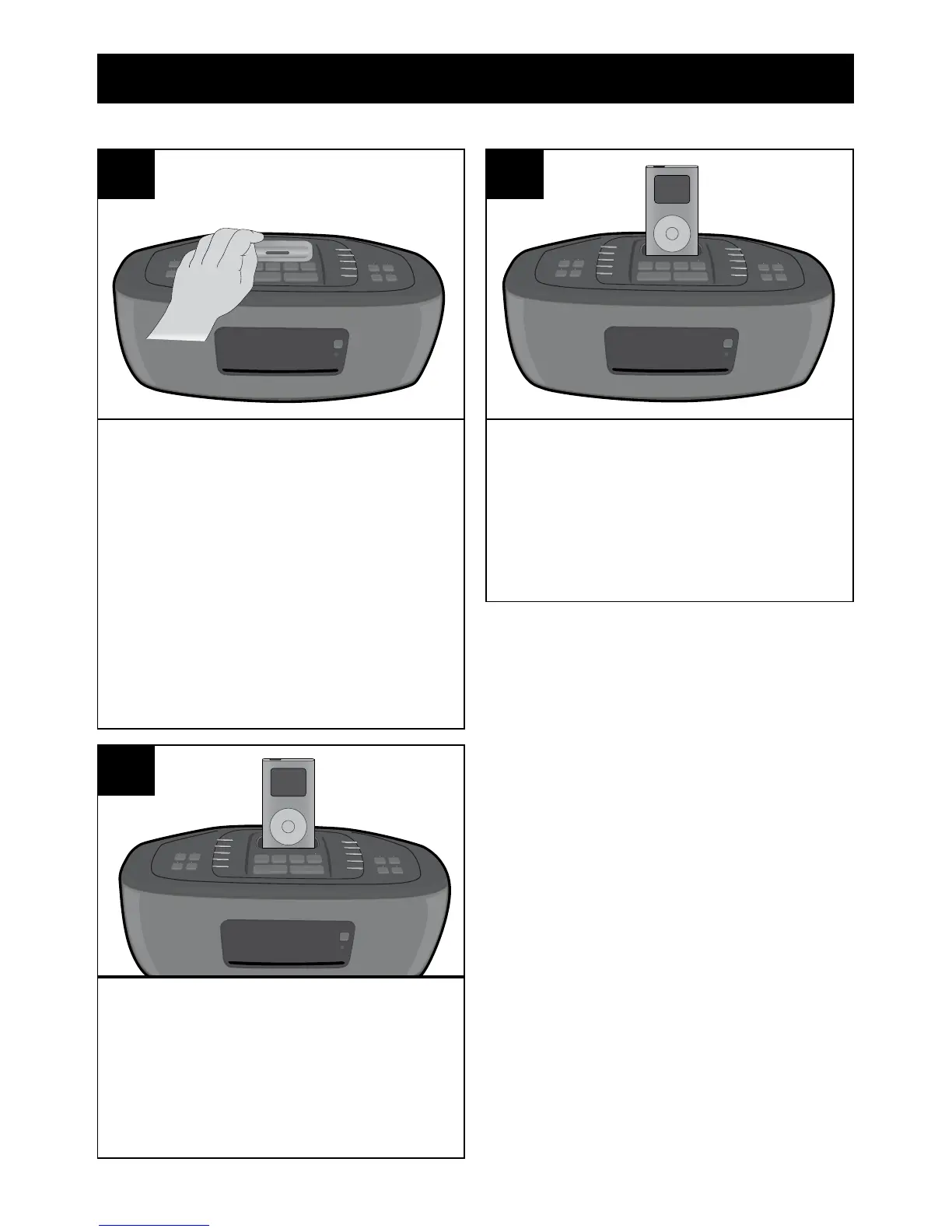
Insert the Universal Dock included
(A) into the iPod
compartment (B) (as shown),
making sure the tabs are facing
front, and slip the tabs into place.
Press the rear side of the Universal
Dock until it is positioned inside the
iPod compartment.
NOTE: If using the iPhone, locate
the correct Universal dock to use
as shown on page 21.
1
The iPod will charge as long as
this unit is connected with the
AC adapter.
Please see the next page for
instructions on using an iPod with
this unit.
3
Slide the iPod (A) into the
Universal Dock (B) (as shown).
connector on the iPod slides onto
the connector on this unit.
2
NOTES:
to this unit, it will be in the
Pause mode. When the iPod is
removed, the unit will remain in
iPod mode.
the Dock out to remove it.
inserted into the dock, whether
this unit is on or off, the iPod’s
for the iPhone, the music will
pause. After finishing the call,
INSERTING AN iPod



 To Next Page