OPERATION
8
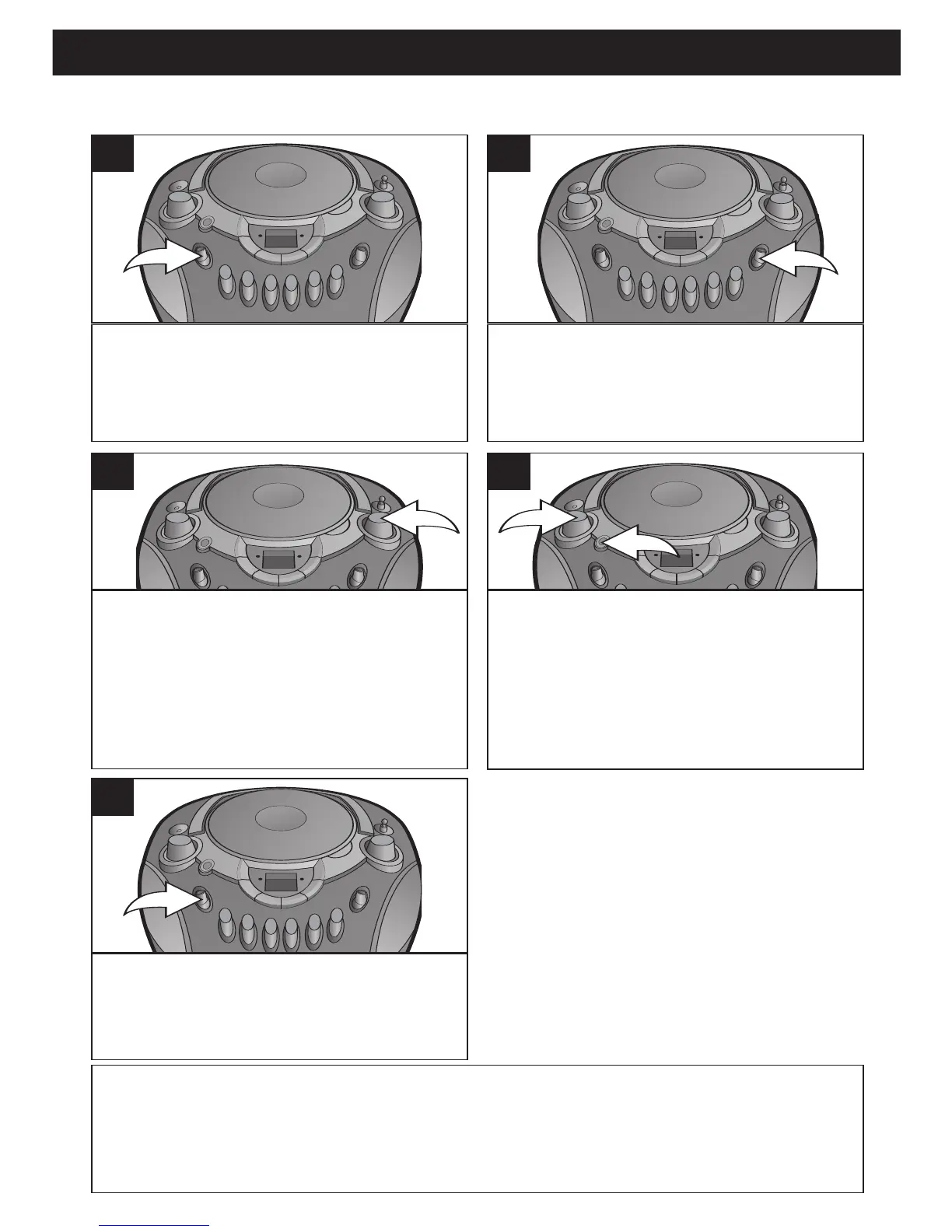
Slide the Function switch to the
RADIO position to turn the unit on
and select Radio mode; the POWER
indicator will light.
1
Slide the BAND switch to select AM
or FM.
2
Tune a desired station by turning the
TUNING control. The frequencies are
located around the TUNING control.
3
Adjust the VOLUME control 1 and
BASS BOOST button
2 as desired.
Press the BASS BOOST button
2 to the
“in” position to enhance the bass sound.
4
To turn the radio off, slide the Function
switch to the TAPE/OFF position.
5
LISTENING TO THE RADIO
ANTENNAS
AM
–This unit has a built-in ferrite rod antenna, which provides adequate reception in most
areas. If reception is weak, turn the unit to improve reception.
FM–The FM Antenna is for FM reception only. If reception is weak, adjust the length and the
angle of the antenna.



 To Next Page