EasyManua.ls Logo

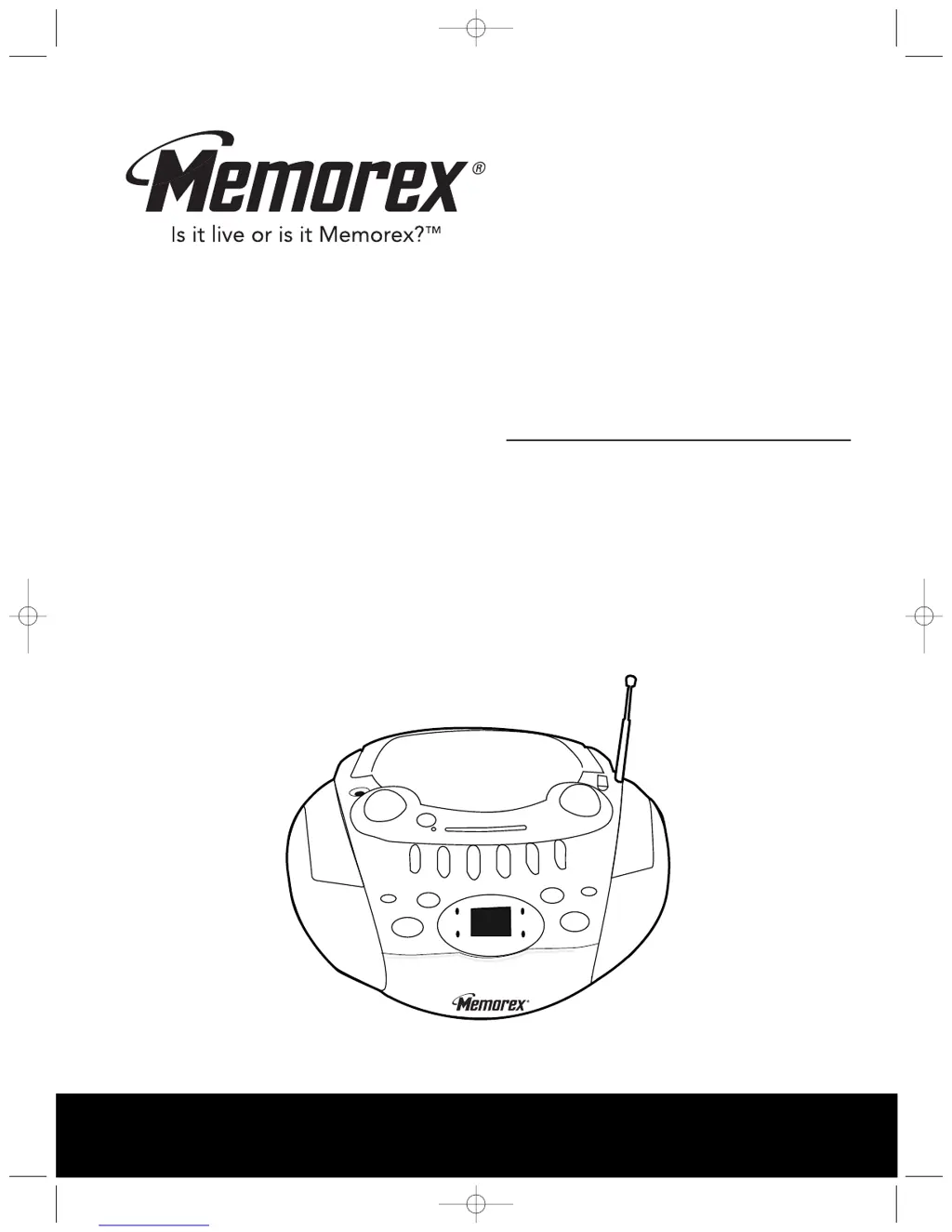
Memorex MP3126 - User Manual

Memorex MP3126
17 pages
Print Icon
To Next Page IconTo Next Page
Loading...
Before operating this product,
please read these instructions completely.
User’s Guide
Portable CD Player with
AM/FM Stereo Radio and
Cassette Recorder
MP3126
MP3126.OM.QXD 5/5/03 10:11 AM Page 17

Questions and Answers

  • E
    Emily LopezJul 28, 2025
    Why is there no sound from my Memorex MP3126 CD Player?
    • C
      Cindy YorkJul 28, 2025
      If there is no sound from your Memorex CD Player, ensure the power cord is properly connected. Also, check if batteries are needed, and if so, make sure they are fresh and correctly installed.
  • S
    Sylvia SmithAug 1, 2025
    What to do if Memorex CD Player skips?
    • K
      Kim BurnsAug 1, 2025
      If your Memorex CD Player skips while playing, it might be due to a dirty or scratched disc. Try wiping the disc with a cloth or using another disc.
  • S
    Sheryl BirdAug 6, 2025
    What to do if my Memorex MP3126 has no sound?
    • R
      Richard PenaAug 6, 2025
      If there is no sound coming from your Memorex CD Player, ensure that the volume is not set to the minimum. Increase the volume to an audible level.
  • L
    lopezneilAug 10, 2025
    How to fix Memorex CD Player that will not play CD?
    • W
      Wayne CummingsAug 10, 2025
      If your Memorex CD Player will not play, first ensure that the function switch is set to the CD position. Also, check that the CD is inserted correctly, with the label side facing up.
  • V
    Valerie GarciaAug 14, 2025
    Why is the sound distorted on my Memorex MP3126 radio?
    • M
      Maria FreemanAug 14, 2025
      If you are experiencing noise or distorted sound on radio broadcasts with your Memorex CD Player, try the following: * Retune the AM or FM broadcast station. * Reorient the FM telescopic antenna. * Rotate the unit until the best AM reception is obtained.
  • K
    Keith PorterAug 18, 2025
    Why is there no sound on AM or FM on my Memorex MP3126?
    • J
      jennifergrantAug 19, 2025
      If there is no sound on AM or FM on your Memorex CD Player, ensure the function switch is set to AM or FM. Also, check that the volume is not at the minimum; increase the volume if needed.
  • H
    heather60Aug 23, 2025
    How to fix Memorex CD Player that will not record?
    • R
      Robert HughesAug 23, 2025
      If your Memorex CD Player will not record, check if the erase prevention tab has been removed. If it has, cover the hole with adhesive tape.

Summary

Safety Precautions

Electrical Hazard Warnings

Covers risks of electric shock, dangerous voltage, and surge protection.

Radio Interference and Laser Safety

Addresses FCC rules regarding radio frequency energy and laser safety.

General Safety Information

Provides essential operating, handling, and user information.

Hearing Safety Guidelines

Establishing Safe Listening Levels

Guidance on setting volume to prevent hearing damage and distortion.

Understanding Noise Decibel Levels

Lists sound levels and identifies noises dangerous under constant exposure.

Detailed Safety Instructions

General Operating and Electrical Safety

Covers precautions for operation, power sources, wiring, and environment.

Servicing, Maintenance, and Installation Safety

Advice on repairs, parts replacement, mounting, and heat considerations.

Location of Controls

Device Controls and Indicators

Identifies all buttons, switches, jacks, indicators, and ports on the unit.

Power and Battery Information

Power Source Options

Details operation using AC household current or DC batteries.

Battery Installation and Precautions

Guide to installing batteries and important usage warnings.

Headphone Jack Connection

Information on connecting headphones for private listening.

Radio Operation

Tuning and Listening to Radio

Steps to select AM/FM, tune stations, and adjust volume.

Antenna Usage for Radio Reception

Guidance on using AM ferrite rod and FM telescopic antennas.

CD Operation Basics

Inserting a Compact Disc

Instructions on opening the CD door and properly placing a disc.

CD Playback Features

Playing and Controlling CD Playback

How to play, pause, skip, search, and stop CD tracks.

CD Playback FAQ and Notes

Answers common questions and provides important usage notes.

CD Repeat Modes

Repeating a Single Track

How to set the unit to play one selected track continuously.

Repeating All Tracks on Disc

How to set the unit to play the entire CD continuously.

CD Programming

Programming Custom Track Order

Steps to create a custom playback sequence of up to 32 tracks.

CD Programming Notes

Additional details and tips for programming playback sequences.

Cassette Playback

Inserting and Playing Cassettes

Guide to loading cassettes and starting playback.

Controlling Cassette Playback

Using volume, fast forward, rewind, and pause controls.

Stopping and Removing Cassettes

How to stop playback, eject the cassette, and remove it.

Cassette Recording

Making Tape Recordings

Instructions for recording from radio or CD to a blank cassette tape.

Cassette Care and Recommendations

Preventing Accidental Tape Erasure

How to use the erase prevention tabs on cassettes.

Cassette Tape Usage Advice

Recommendations for tape lengths, quality, and handling slack.

Care and Maintenance

Compact Disc Care

Guidelines for handling, cleaning, and storing CDs.

Unit Cleaning Instructions

How to clean the unit's exterior and internal components.

Troubleshooting Guide

Radio and Cassette Troubleshooting

Solutions for common radio reception and cassette playback issues.

CD Player and General Troubleshooting

Solutions for CD playback problems and general unit issues.

Customer Support Information

Contact details for setup assistance, operating support, and service.

Product Specifications

General, Radio, and CD Specifications

Technical details on power sources, radio frequency ranges, and CD capabilities.

Memorex MP3126 Specifications

General IconGeneral
BrandMemorex
ModelMP3126
CategoryCD Player
TypePortable CD Player
Disc CompatibilityCD, CD-R, CD-RW
Programmable Memory20 tracks
Audio OutputStereo
Battery Type2 x AA batteries
Playback ModesRepeat
Headphone Jack3.5mm
Power SourceAC Adapter, Battery
Dimensions140 x 140 x 30 mm

Related product manuals