10
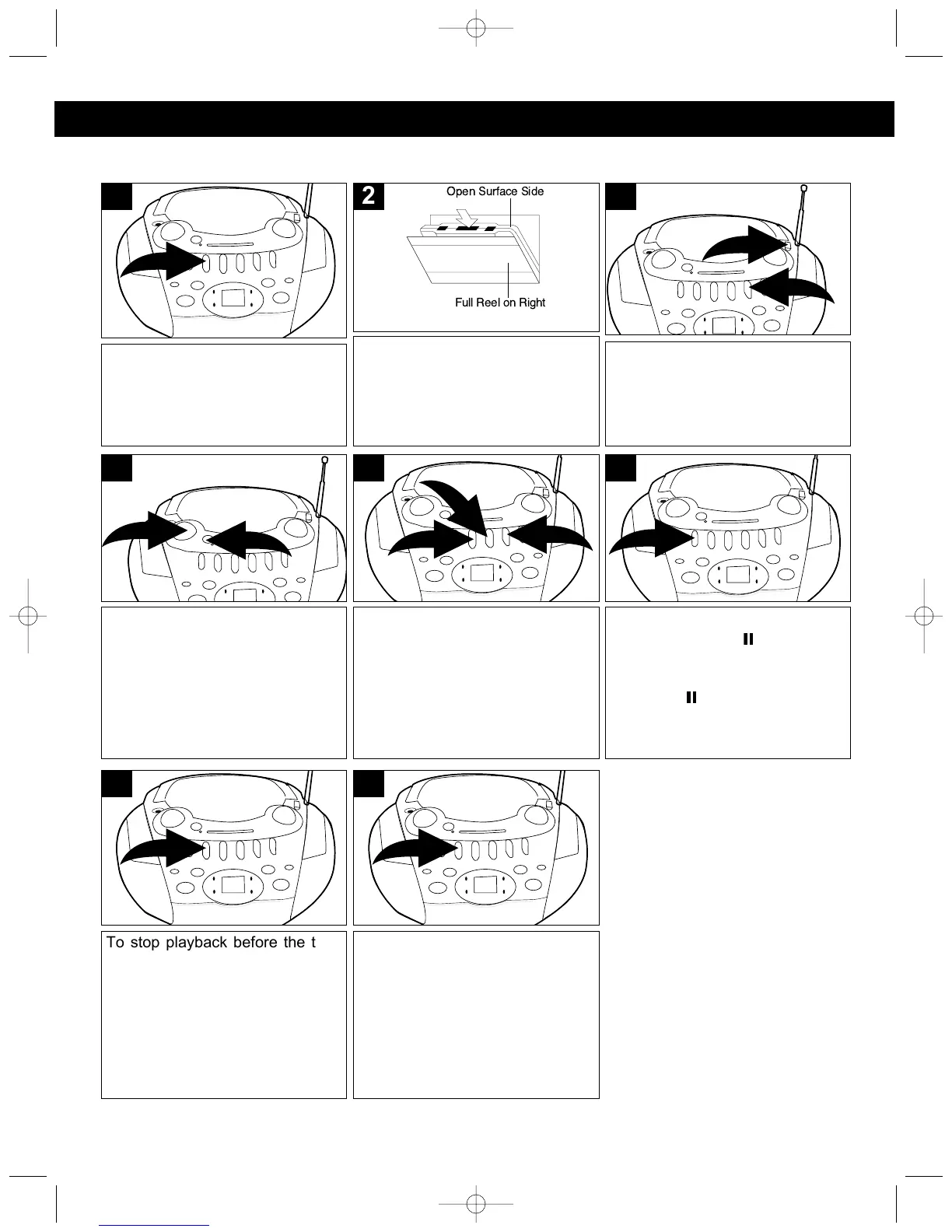
Press the STOP/EJECT (■ )
button to open the cassette
compartment.
1
Adjust the VOLUME ❶ control
and X-BASS ❷ button as desired.
Press the X-BASS button ❷ to the
in position to enhance the bass
sound.
2
1
4
Slide the Function switch ❶ to the
TAPE position, then press the
PLAY (¥) button ❷ to begin
playback.
2
1
3
Insert a pre-recorded cassette into
the slots in the Cassette Door with the
open end facing up and the full reel
on the right side. Close the cassette
door.
Full Reel on Right
Open Surface Side
2
To stop playback before the tape
ends, press the STOP/EJECT (■)
button. The PLAY (¥) button is
released and the tape motor
shuts off.
7
When the tape reaches the end,
the auto-stop mechanism
activates, the PLAY (¥) button is
released and the tape motor
shuts off. Press the STOP/EJECT
(■) button to open the cassette
compartment and remove the
cassette.
8
To advance or rewind the tape
rapidly, press either the F.FWD
(¥¥) ❶ or REWIND () ❷
button. When you reach the
desired point, press the PLAY
(¥) button ❸ to resume normal
playback.
3
1
2
5
To pause playback momentarily,
press the PAUSE ( ) button. The
tape movement stops but the tape
motor is still running. Press the
PAUSE ( ) button again to
release pause and resume
normal playback.
6
PLAYING CASSETTE TAPES
CASSETTE OPERATION
MP3126.OM.QXD 5/5/03 10:11 AM Page 10



 To Next Page