11
OPERATION (CONTINUED)
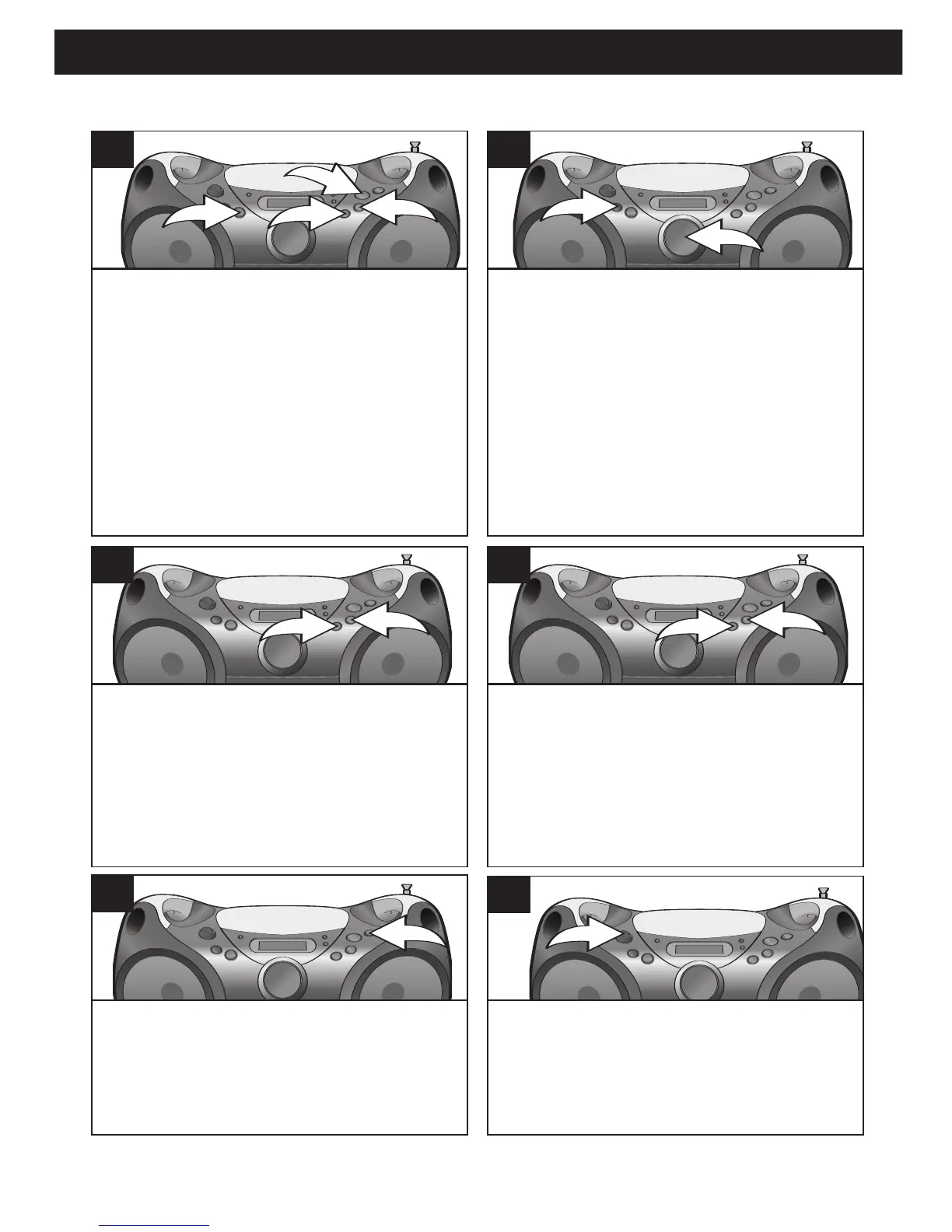
When the disc is through playing, it will
stop rotating. Press the STOP (
■) but-
ton to stop the disc before it is finished.
8
To turn the unit off, rotate the Function
control to the OFF position.
9
TO PLAY A DISC (CONTINUED)
To skip forward or backward through
the tracks/files on the disc, press the
Skip/Search o 1 or n 2 button.
6
To start from a specific album/file on
a MP3 disc,
while in the Stop mode,
select the desired album (folder) by
repeatedly pressing the ALBUM UP but-
ton
1. While “ALBUM” and the album
number are blinking in the display, press
the PLAY/PAUSE (
®/p) button 2 to
start playback. Then use the
Skip/Search
o 3 or n 4 button to skip to
the desired file.
4b
Adjust the VOLUME control 1 and
BASS BOOST button 2 as desired.
Press the BASS BOOST button 2 to
the “in” position to enhance the bass
sound.
5
To search forward or backward
through the playing track/file, press
and hold the Skip/Search o 1 or n 2
button; a chattering noise will be
heard. Stop pressing the button to
return to normal playback.
7
SEE NOTES ON THE NEXT PAGE



 To Next Page