27
VCR SETUP MENU (CONTINUED)
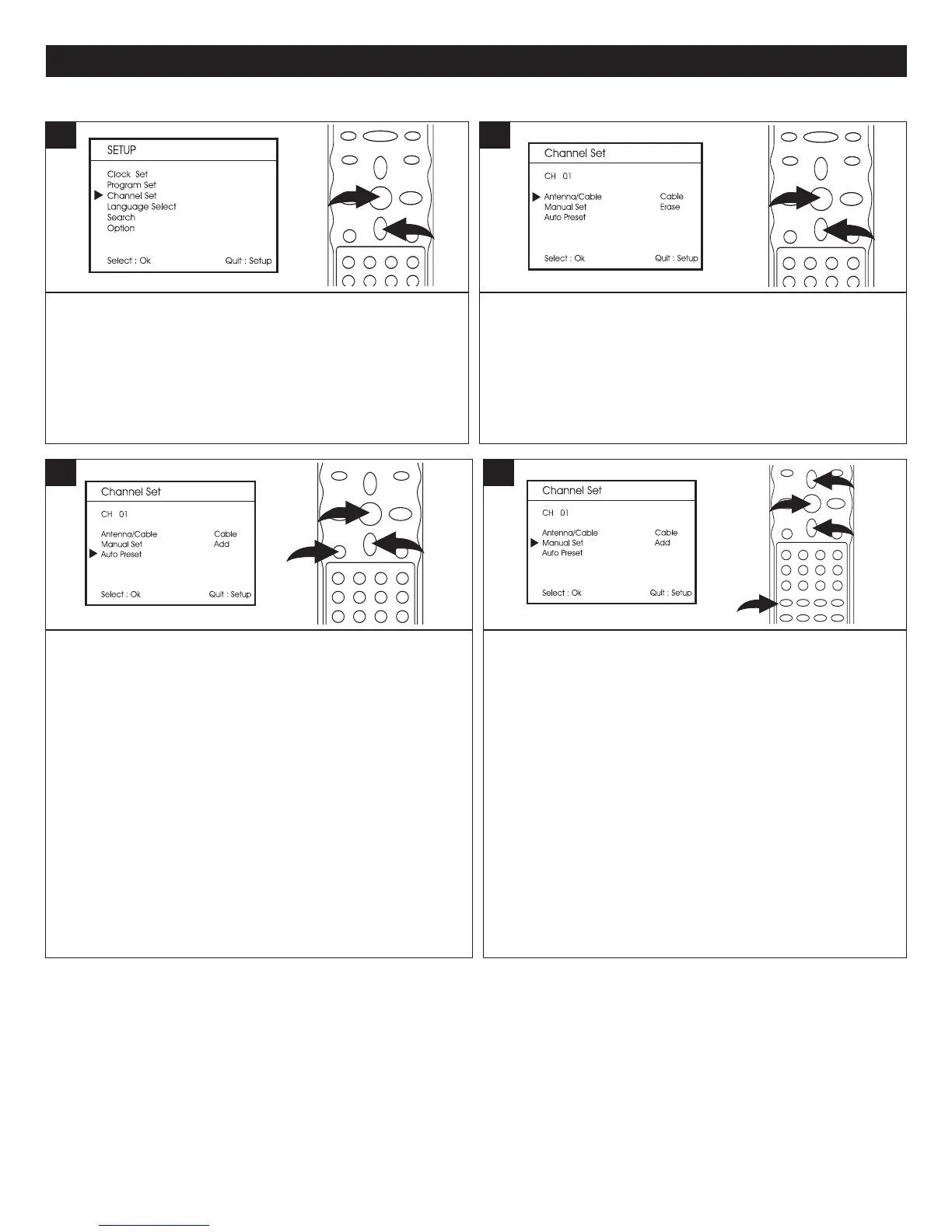
Enter the VCR mode and the Setup screen as described on
page 24; the Setup menu will appear. Scroll to Channel Set
using the Navigation (
†) button 1. Press the OK button 2
to select it; the Channel menu will appear.
1
Press the Navigation (†) button 1 to select the
“Antenna/Cable” input option and press the OK button
2
repeatedly to select “Antenna” or “Cable”.
2
SETTING THE CHANNEL MENU
Press the Navigation (†) button 1 to select the Manual Set
option. Press the Number buttons 2 to enter the channel
number which you want to Add or Erase. Press the OK
button 3 repeatedly to select "Add" or "Erase".
Add–channels that are added can be accessed using the
Navigation/Channel Up/Down (π,†) buttons 1.
Erase–channels that are erased cannot be accessed using
the Navigation/Channel Up/Down (π,†) buttons 1.
NOTE: For CABLE, to enter a channel number over "99”,
press the 100 button first, then enter the second and third
digits of the channel number; i.e., for Channel 105, press
the 100 button, then press the "0" and "5" Number buttons.
4
TO AUTO PRESET CHANNELS: To automatically program
all strong stations in, scroll to Auto Preset using the
Navigation (
†) button 1. Press the OK button 2 to select it;
the unit will start memorizing channels. (“Please Wait” will
appear on the screen.)
NOTE: To cancel searching, press the SETUP button 3 .
3


 To Next Page
 Loading...