- 4 -
PRODUCT USE
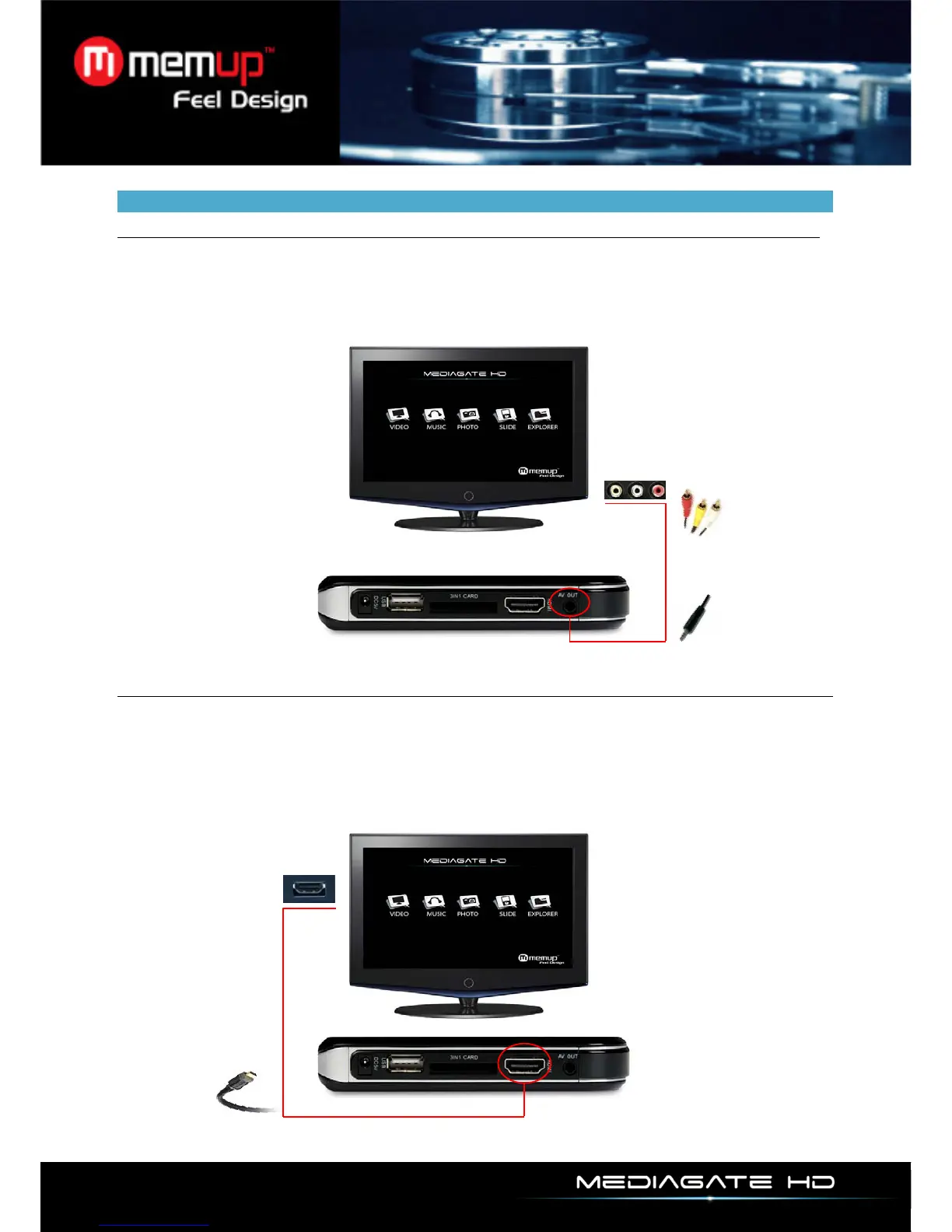
Connect composite AV cable
Make sure your MediaGate HD and TV are correctly plugged with a jack/RCA cable (included), using
scart adapter if necessary.
Then, press [TV SYSTEM] button on MediaGate HD remote control to choose the AV output mode. The
menu appears on TV if correct AV input is selected.
HDMI mode
Make sure your MediaGate HD and TV are correctly plugged with an HDMI cable (not included).
Then, press [TV SYSTEM] button on MediaGate HD remote control to choose the HDMI output mode.
The menu appears on TV if correct HDMI input is selected.



 To Next Page