- 17 -
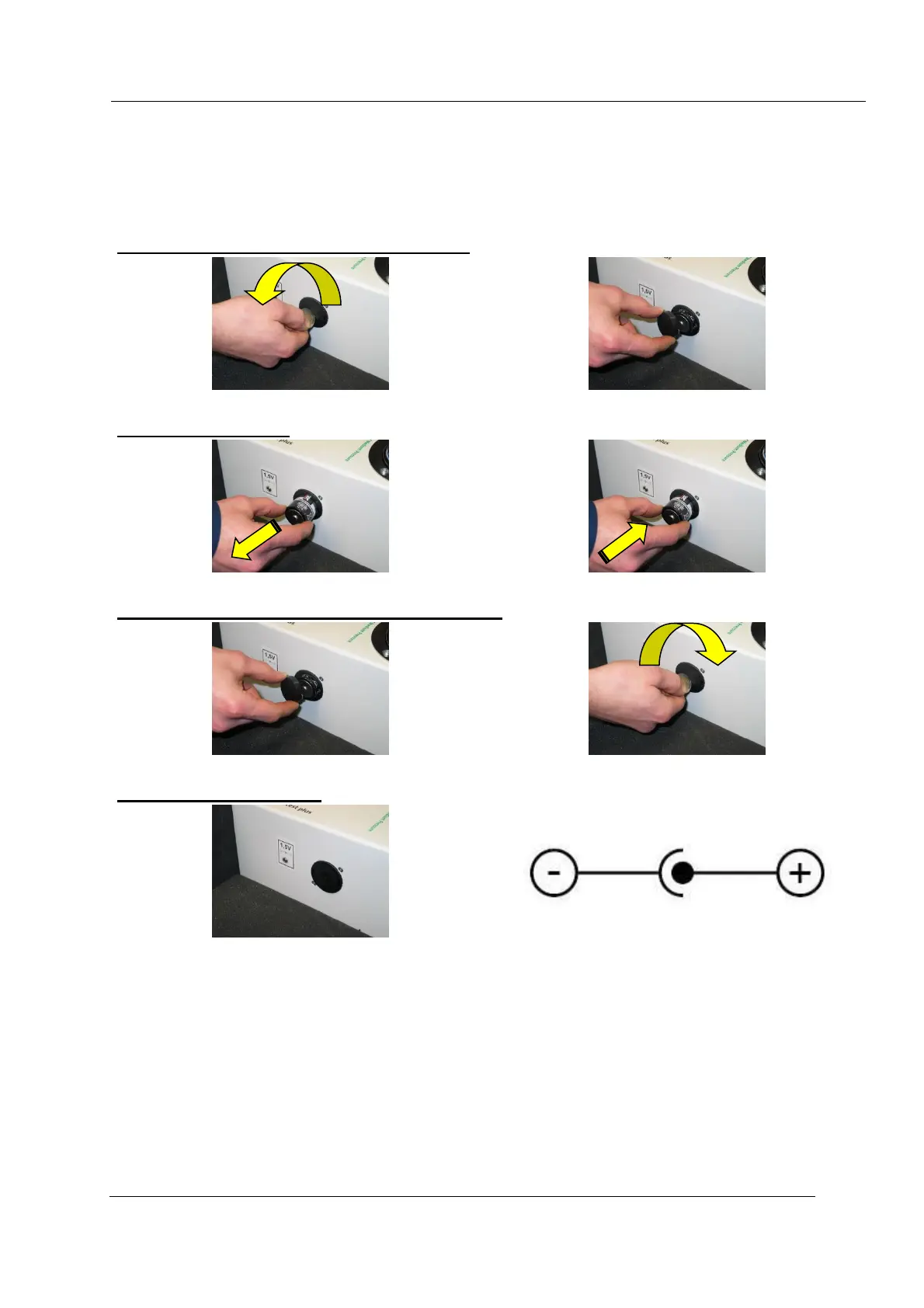
Inserting/replacing the battery
The built-in battery compartment is located on the side of the tester. One battery (type D cell) is
needed for powering the tester's internal pump.
To insert or replace the battery, proceed as follows:
Remove the battery-compartment cover
Turn the battery-compartment cover to the left and remove it.
Remove the empty battery and insert a new one. Always observe the correct polarity!
Put the battery-compartment cover back on
Put the battery-compartment cover back on and turn it to the right to lock it in place.
Next to the battery compartment, there is a jack for a power adapter (230 V AC / 1.5 V DC, 1A).
Always verify that the output voltage (1.5 V) and polarity of the power adapter are correct. Plug the
power adapter's DC cord into the tester's DC jack. The use of a power adapter automatically
disconnects the battery.


 To Next Page