QuestionsSolutions
How to adjust the knob
and how to use it?
Rotate the knob clockwise to increase resistance, and rotate the knob
counterclockwise to reduce resistance.
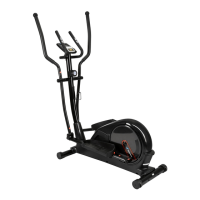
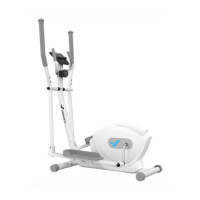
Elliptical machine resistance is adjustable, the mechanical knob is to
help achieve multi-gear variable speed.
What should be done
when the handrails
shake slightly?
Check whether the four bolts connecting the left and right armrests are
fixed firmly.
What should be done
when the machine
shakes in the process
of use?
Check whether the twelve angles of the two ends of the rear foot pipe
are leveled.
What should be done
when the pedals loosen?
Check that the two bolts on the pedal are locked tight.
What should be done
when there is no display
on the monitor?
Replace the batteries.
Check whether the positive and negative battery terminals are installed
correctly.
What should be done
when Bluetooth cannot
connect to the machine?
Please make sure the Bluetooth of your cell phone is open.
Please make sure the machine is disconnected from other devices
Bluetooth before connecting.
The device can only be connected to the APP when in motion, when
connected, please step on the pedals more than twice to activate the
Bluetooth.
Troubleshooting
The elliptical machine is still malfunctioning. Please contact
Customer Support (see page 22).
The elliptical machine is still malfunctioning. Please contact
Customer Support (see page 22).
The elliptical machine is still malfunctioning. Please contact
Customer Support (see page 22).
The elliptical machine is still malfunctioning. Please contact
Customer Support (see page 22).
The elliptical machine is still malfunctioning. Please contact
Customer Support (see page 22).
The elliptical machine is still malfunctioning. Please contact
Customer Support (see page 22).
20



 To Next Page