VesselView Mobile
Page: 17
Back to Main Page
8M0127340 eng December 2017 © 2017 Mercury Marine
Why is My Map Not Working?
• A blank screen and other technical issues will result if Location
Services are disabled on your mobile device. Enable your Location
Services to correct the issue.
• Compass calibration is a mobile device requirement and is not
controlled by the app. Sometimes this requirement will be set by the
data carrier associated with your device.
• Points of interest are centered on your current location. They move
when you get to the
edge of the map.
• Points of interest requires Location Services to be on and an internet
connection.
NOTE: iPhones
®
earlier than 6s will ask you to calibrate the compass and turn
on Wi-Fi. Usually, this happens only the first time you open the app following
installation.
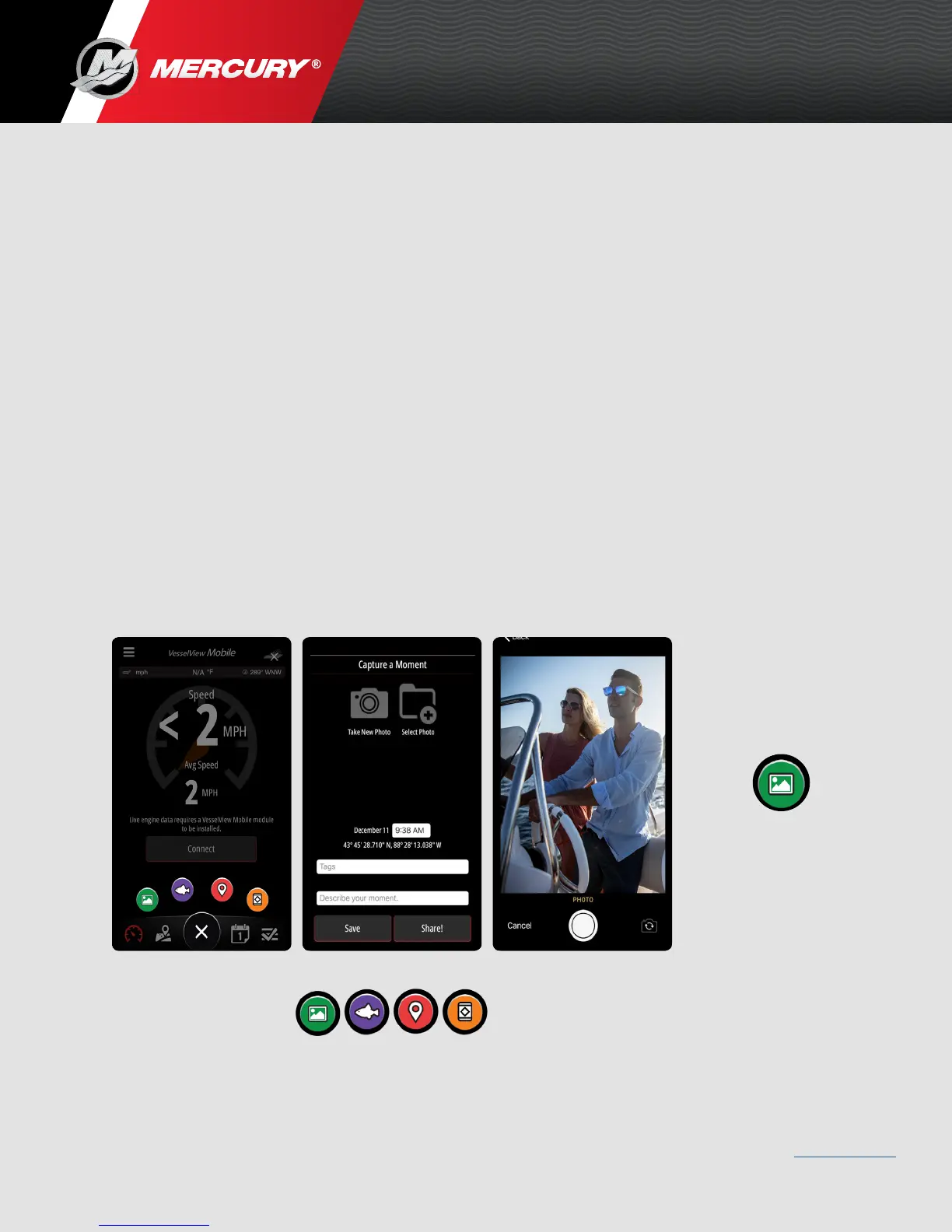
What is Capture a Moment?
• Photos saved using the Capture a Moment feature appear on the
calendar in the app, as well as in your mobile device photo gallery.
• Saved Capture a Moment includes your location.
Your location will not be shared with anyone unless you share that
particular moment.
Capture
a
Moment
Capture
a
Moment
Add
Catch
Add
Location
Add
Hazard



 To Next Page
 Loading...