VesselView Mobile
Page: 23
Back to Main Page
8M0127340 eng December 2017 © 2017 Mercury Marine
How Do I Select My Preferred Dealers?
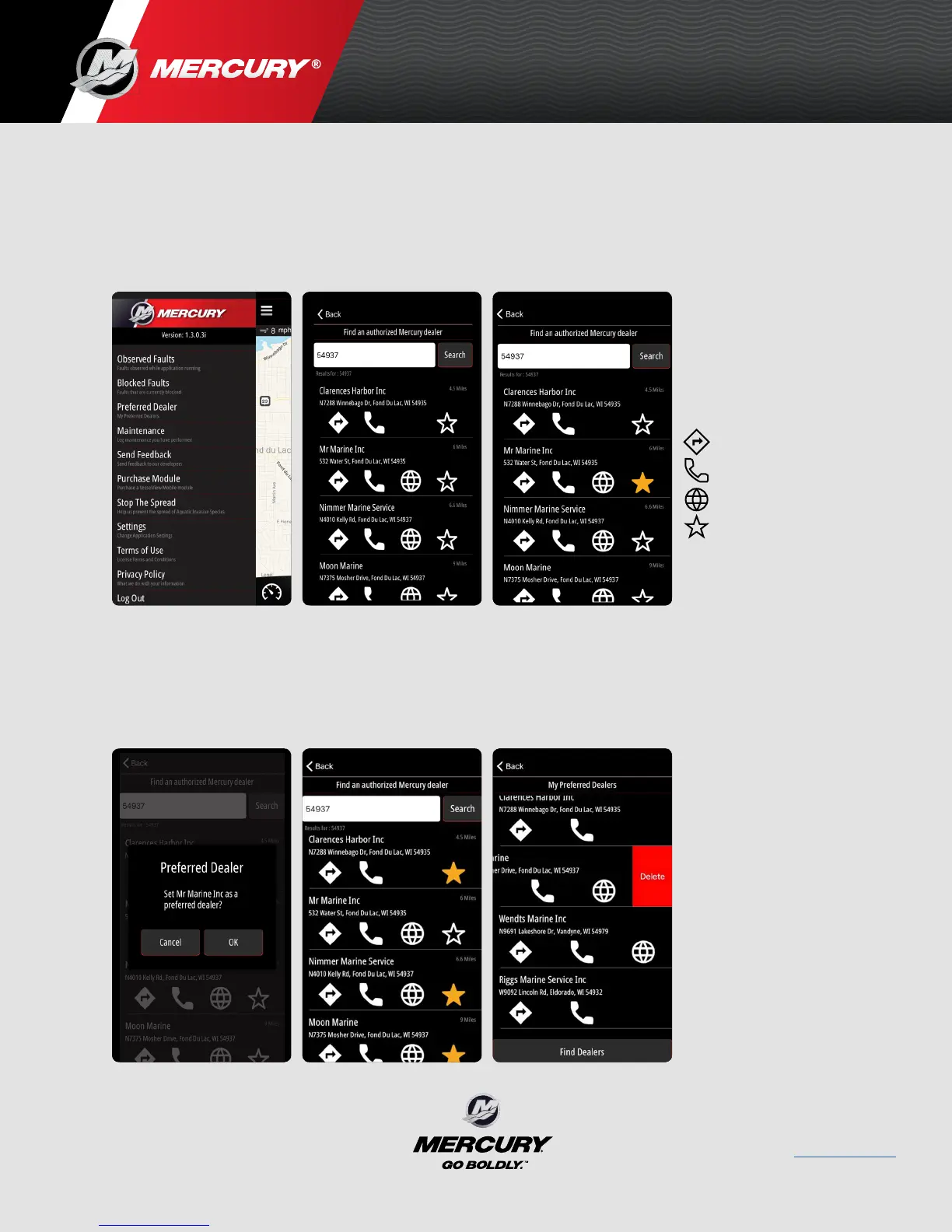
• Go to the menu in the upper left corner.
Select Preferred Dealer. (The list is based on location. You can
search based on city, zip code, or name.
• Once you found your Preferred Dealer add the to your list by tapping
the star icon on the far right.
• Once you have a Dealer identified, select the star to make them a
preferred dealer.
• You can select multiple preferred dealers per profile.
• To delete a preferred dealer tap dealer you wish to remove, swipe left
and select the Delete button to remove a Preferred Dealer.
Directions
Call
Location/Navigation
Favorites
8M0125577 MAY 2017



 To Previous Page
 Loading...