56
Setting up the digital surround controller
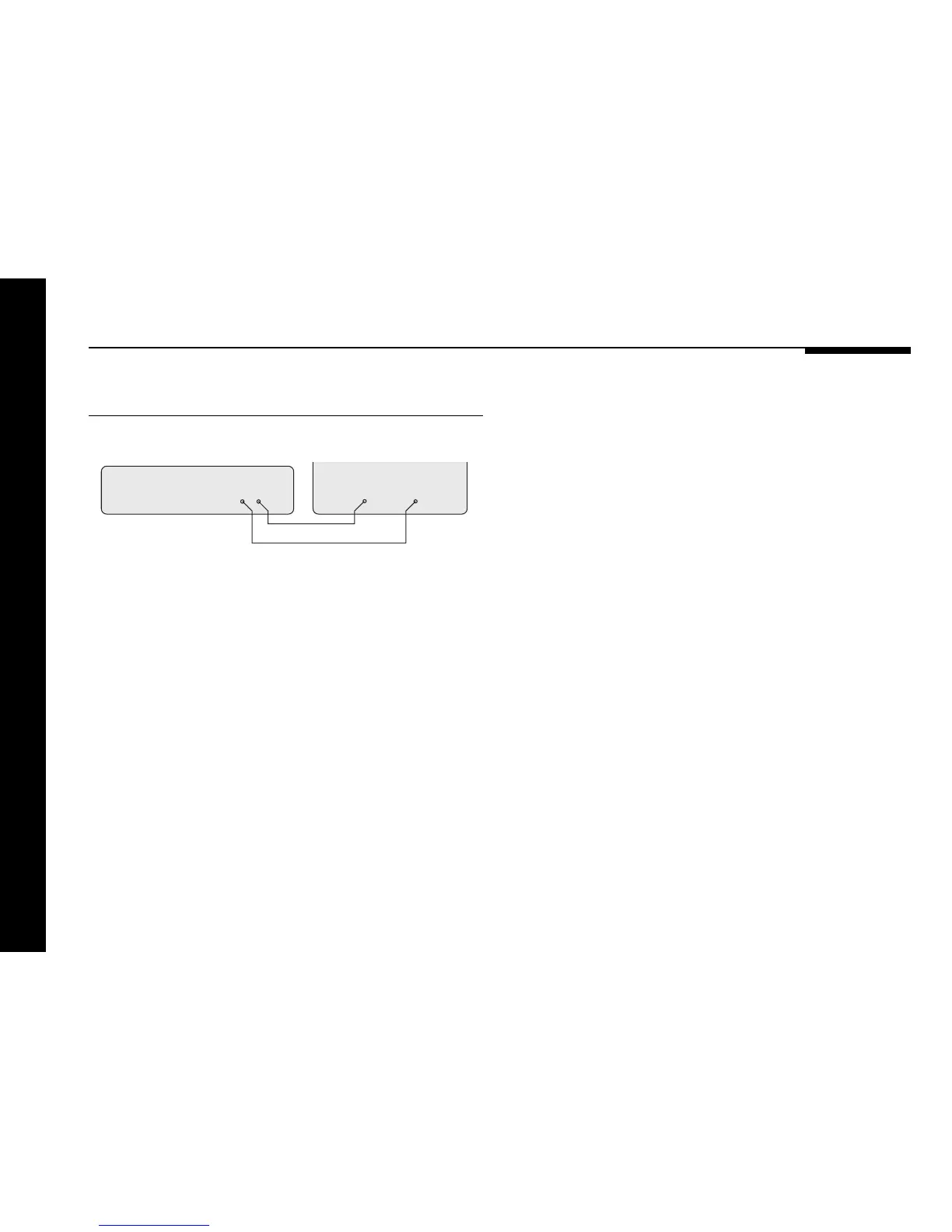
To connect to a television or monitor
S-video lead
561 Digital Surround Controller
MONITOR IN
Television
S-video Composite
VIDEO OUT
Main Outs
Composite video lead
The 561 digital surround controller provides switching of both
composite and S-video sources.
● Connect the composite Main Outs VIDEO OUT socket to the
composite input of your television or monitor using a
composite video lead.
S-video sources are converted to composite and are also
available on the composite output.
However, for highest quality from S-video sources it is
recommended that you connect the S-video Main Outs VIDEO
OUT socket to the S-video input of your television or monitor,
using an S-video lead, and select this when viewing an S-video
source.
The 561 adds a text overlay to the video signal from the Mains
Outs video outputs, to provide additional information about its
operation in the form of a textual on-screen display (OSD). In
normal operation this repeats the information provided on the
561 front panel display. During calibration, and when resetting
the 561, the on-screen display provides additional guidelines to
help you perform the calibration sequence.
The on-screen display automatically locks to an NTSC, PAL, or
SECAM signal, and requires an input signal to operate.
Connecting video


 To Next Page