58
Setting up the digital surround controller
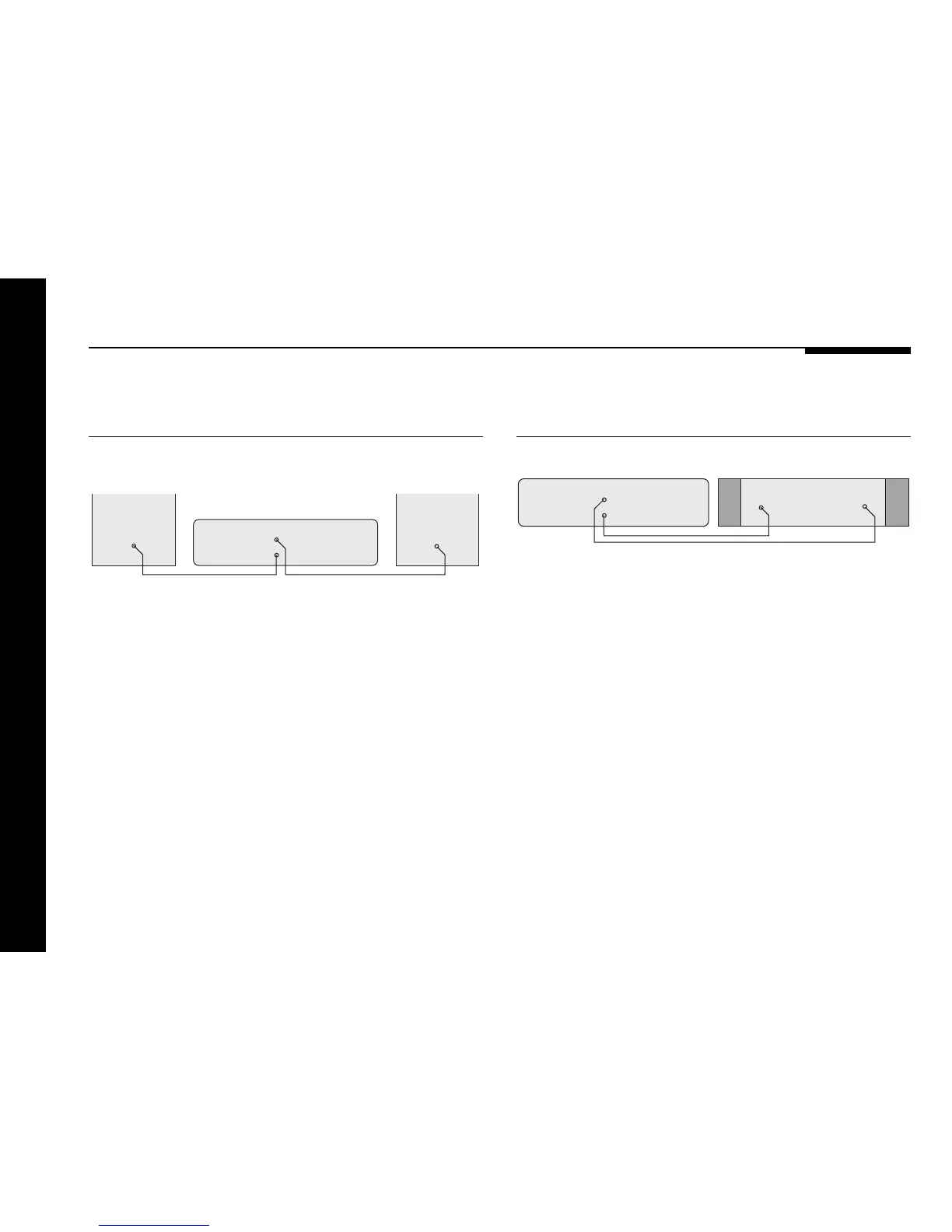
To connect to active loudspeakers
(eg Meridian M33s)
R
561 Digital Surround Controller
L
M33 Active
Loudspeaker
Audio leads
INPUT
Main/Side
INPUT
M33 Active
Loudspeaker
● Connect the appropriate ANALOGUE OUT sockets from the
digital surround controller to the speaker inputs, using
screened audio cable.
You can connect the 561 to up to two pairs of active
loudspeakers and a centre speaker.
To connect to a stereo power
amplifier (eg Meridian 556)
556 Stereo Power Amplifier
INPUTINPUT
R
561 Digital Surround Controller
L
Audio leads
Main/Side
● Connect the appropriate ANALOGUE OUT sockets from the
digital surround controller to the stereo power amplifier line
inputs, using screened audio cable.
● Connect the speaker outputs from the stereo power amplifier
to suitable speakers.


 To Next Page