M6 User Guide
7
To create a Sooloos system
The M6s can be used in conjunction with a 218 Zone Controller
to make a superb Sooloos system.
You can browse and control music using the Sooloos application
on an iPad, iPhone, or iPod Touch, or the Control:PC/Control:
Mac application on a computer.
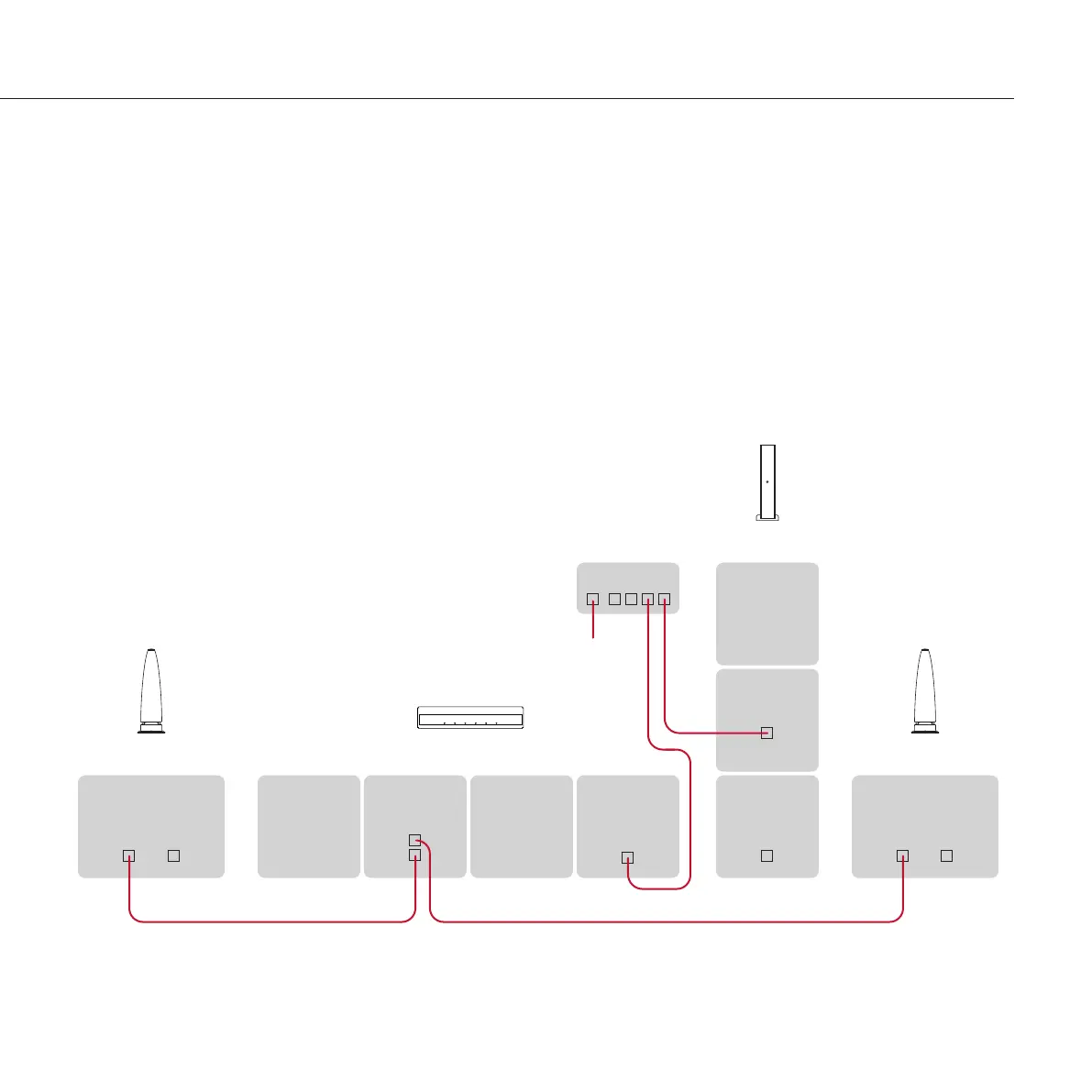
Connect the Network sockets from the Media Core 200 and
the 218 Zone Controller to LAN network connections on your
Router, using CAT5 cables.
Make sure the WAN/Internet port on the Router is connected
to the rest of your network, or to your Cable/DSL Modem.
•
•
Connect the lower SpeakerLink output (labelled Master) from
the 218 Zone Controller to one of the M6 loudspeakers,
using a Meridian SpeakerLink lead.
Connect the upper SpeakerLink output (labelled Slave) from
the 218 Zone Controller to the other M6 loudspeaker, using a
Meridian SpeakerLink lead.
For information on configuring your Media Core 200 please
refer to the
Media Core 200 User Guide
.
•
•
MERIDIAN
SPEAKERLINK
INPUT OUTPUT
M6
M6
MERIDIAN
SPEAKERLINK
INPUT OUTPUT
SpeakerLink lead
Media Core 200
SPEAKERLINK
OUT
NETWORK
Router
SPEAKERLINK
OUT
NETWORK
218 Zone Controller
SpeakerLink lead
Internet


 To Next Page