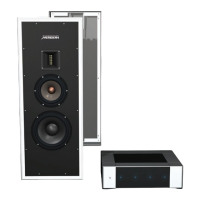
To use a pair of M6 loudspeakers in a
Meridian Digital Theatre
M6s are ideal as the front and rear loudspeakers in a Meridian
Digital Theatre, in conjunction with a Meridian Digital Surround
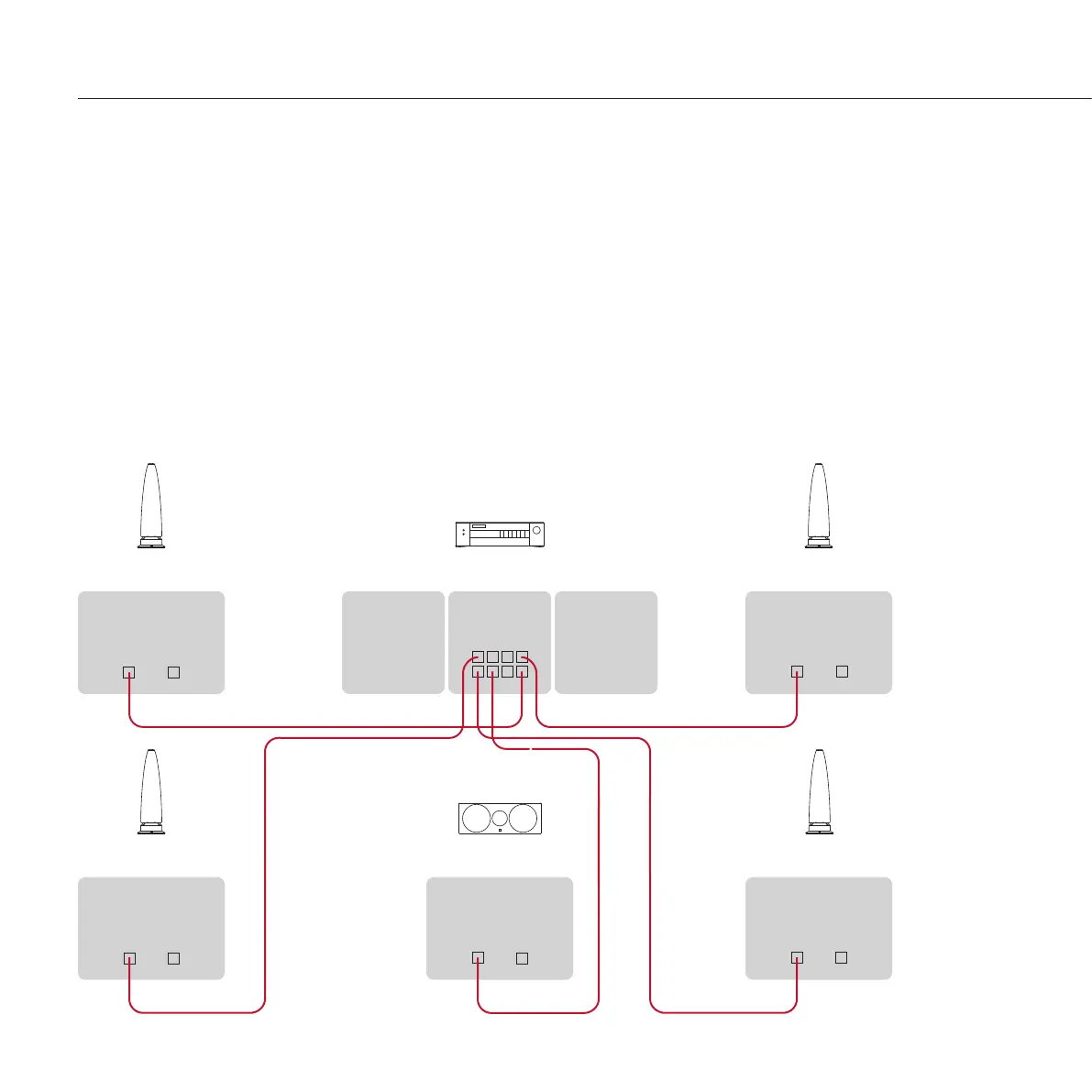
Controller such as the G65. The following diagram shows how
to connect the loudspeakers using “home run” wiring.
Connect the L+R SpeakerLink output on the lower row
(labelled Master) of the G65 to the front left M6 loudspeaker,
using a Meridian SpeakerLink lead.
Connect the appropriate SpeakerLink outputs on the G65
to each of the remaining loudspeakers, using Meridian
SpeakerLink leads.
•
•
Make sure the Channel selector on each M6 is set to the
L/C position on the base of the left loudspeaker and to the R
position on the base of the right loudspeaker.
Alternatively you can connect the loudspeakers using “daisy
chain” wiring: connect the front and rear L loudspeakers to
the G65, and then link each pair of loudspeakers together by
connecting the output from the L loudspeaker to the input of
the R loudspeaker.
•
Meridian Surround Controller
Centre
M6 – Front L
M6 – Front R
MERIDIAN
SPEAKERLINK
INPUT OUTPUT
MERIDIAN
SPEAKERLINK
INPUT OUTPUT
MERIDIAN
SPEAKERLINK
INPUT OUTPUT
SpeakerLink leadSpeakerLink leadSpeakerLink lead
MERIDIAN
SPEAKERLINK
INPUT OUTPUT
M6 – Rear L
M6 – Rear R
MERIDIAN
SPEAKERLINK
INPUT OUTPUT
SpeakerLink lead
SpeakerLink lead
MERIDIAN
SPEAKERLINK


 To Next Page