2
Welcome to the M80 Compact Entertainment System
This section explains how to set up your product in six simple steps.
1 Unpack the product
Your M80 is supplied with the following
components:
Power cord.
Rod antenna.
DAB-optimised coil antenna.
Wire antenna.
Remote control.
Meridian i80 iPod Dock.
i80 iPod Dock cable.
This User Guide.
If any of these items are missing please contact
your supplier.
We recommend you retain the packaging in case
you need to transport the unit at a later date.
Before you begin
Before you begin installation you should ensure
that your product is set to the correct voltage for
your local supply, as indicated by the label on the
back panel next to the power input.
If it is not, do not try to use the unit, and contact
your dealer.
•
•
•
•
•
•
•
•
2 Position the product
Although you can position your product almost
anywhere convenient, for best results bear the
following considerations in mind:
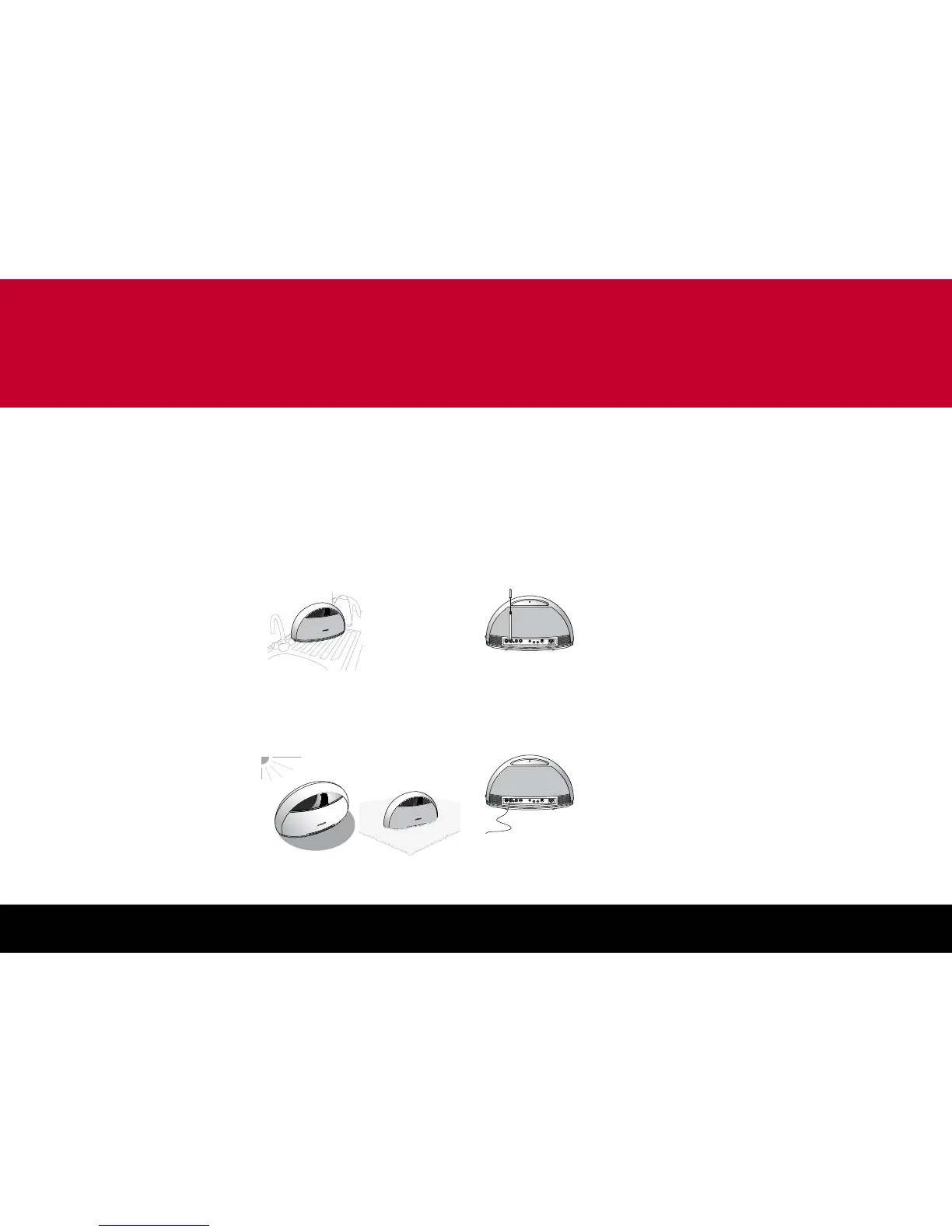
Avoid wet locations
The product is an electrical appliance, and so
should not be positioned in a location where it
may get splashed or wet, such as in a bathroom
or on a kitchen sideboard.
If the product overheats, protection circuits switch
it off until it has cooled down.
3 Connect an antenna
The product includes an internal antenna, and in
areas of strong reception this will be sufficient to
receive a good signal on the DAB and FM bands.
If you do not achieve good results with the
internal antenna, you may use one of the external
antennas supplied, or connect another suitable
external (eg cable or outdoor) antenna, as follows:
Telescopic rod antenna
The telescopic antenna provides very good
reception for FM, AM, and DAB.
Attach the rod antenna to the socket marked
Ant. 1.
Extend it to its full extent.
Wire antenna
If you prefer not to have the antenna visible, the
wire antenna can be draped behind furniture, or
run up a wall.
•
•
The wire antenna provides very good reception
for FM, AM, and DAB, but experiment with the
lay of the wire to get the best signal strength.
Attach the wire antenna to the socket marked
Ant. 1
DAB-optimised coil antenna
A UK DAB-optimised coil antenna may be
included.
Attach the antenna to the socket marked
Ant. 1.
Cable or external antenna
In difficult reception areas (eg some high-rise
or shielded buildings) it may be necessary or
preferable to connect an external antenna, or a
radio feed provided by a Cable supplier or in the
building infrastructure.
Attach the antenna cable to the socket marked
Ant. 1.
Change the antenna setting
If you have fitted an external antenna, you need
to change the antenna setting for the band you
want to use; see
To set up the antennas
, page
15.
Note: In some circumstances you may want to
use more than one external antenna to get the
best reception on two or three bands. Meridian
provides an FAQ on this subject on their website:
http://www.meridian-audio.com/apps/ant80.htm
•
•
•


 To Next Page