8
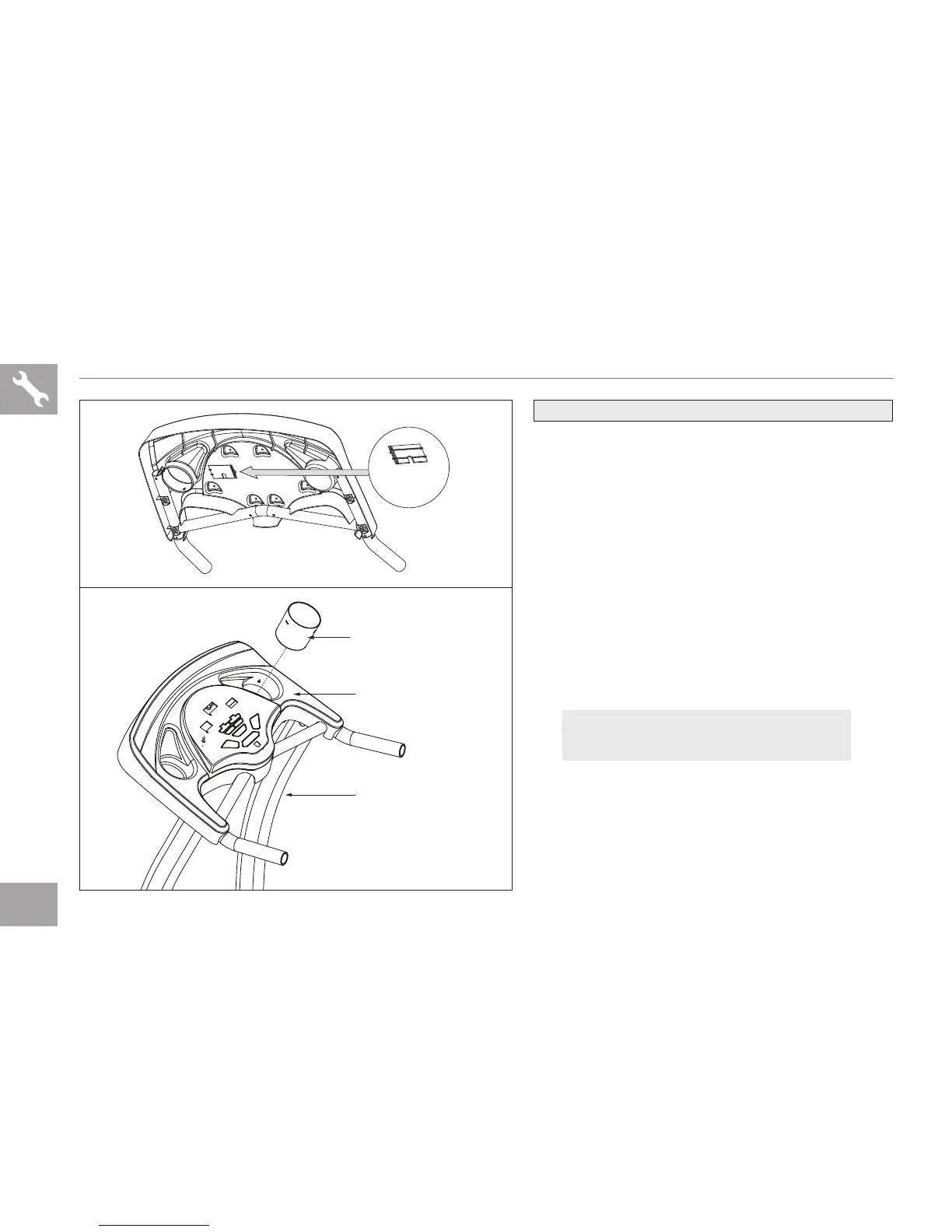
ASSEMBLY STEP 3
CONSOLE
CABLE
COVER
A Connect the CONSOLE CABLES and carefully
tuck wires in CONSOLE MAST to avoid
damage.
NOTE: Do not pinch console cable. Be sure the
console cable prongs are aligned and the ends
are tightly seated into each other.
B Attach CONSOLE CABLE COVER.
C Slide the WATER BOTTLE HOLDER down
into the hole in the CONSOLE and snap
together.
WATER BOTTLE HOLDER
CONSOLE
CONSOLE MAST
NOTE: There is no hardware bag for Assembly Step 3.
NOTE: Be careful not to pinch any wires
while assembling the masts.


 To Next Page