18
Battery of the remote control:
The batteries in the remote have an extremely long life.
If the transmission range decreases, the batteries must be replaced. Batteries are not covered by the warranty.
Replacing battery (CR2032):
REPLACE BATTERIES IN REMOTES
To prevent SERIOUS INJURY OR DEATH: observe the following instructions for the battery
- NEVER allow small children near batteries.
- If battery is swallowed, immediately notify doctor.
- Danger of explosion if battery is replaced improperly.
- Replacement only by identical or equivalent type.
- Dispose of old battery properly. Batteries should not be treated as household waste. All consumers
are required by law to dispose of batteries properly at the designated collection points.
- Never recharge batteries that are not meant to be recharged.
- Do not short-circuit batteries or take them apart.
- If necessary, clean contacts on batteries and contacts
before loading.
- Never expose batteries to excessive heat such as sunshine, fire or the like!
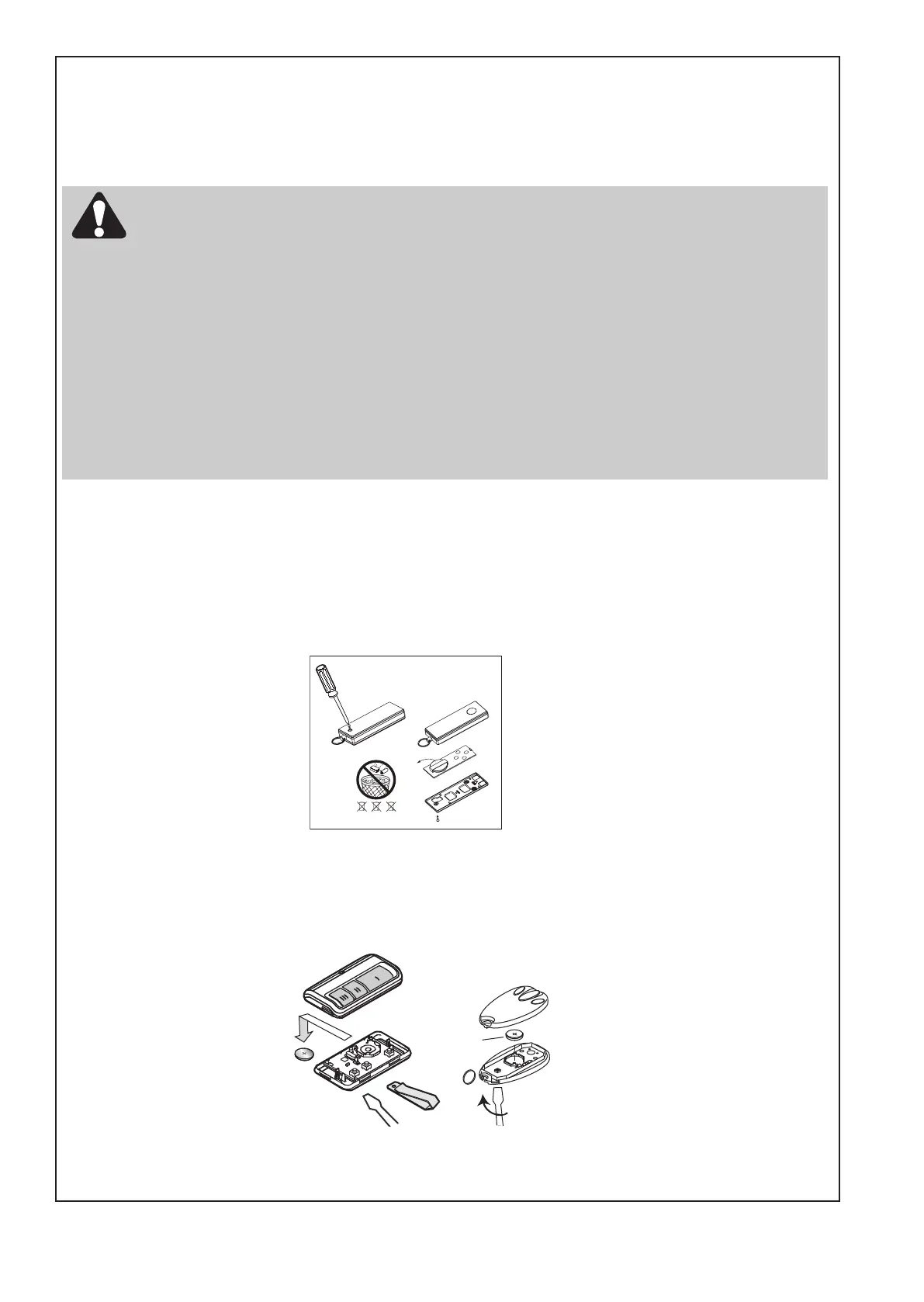
To replace battery for E945M & optional remote control transmitters - E943M & E940M, use a
screwdriver blade to pry open the case as shown. Insert battery positive side up.
To replace battery for optional remote control transmitter E950M, turn remote control around and open
the case with a screwdriver. Lift cover and lift control board below. Slide battery to one side and
remove. Observe polarity of battery!
Assemble again with a new battery in reverse process.
or
Carefully
Remove Battery
(CR2032 x 1)



 To Next Page