14
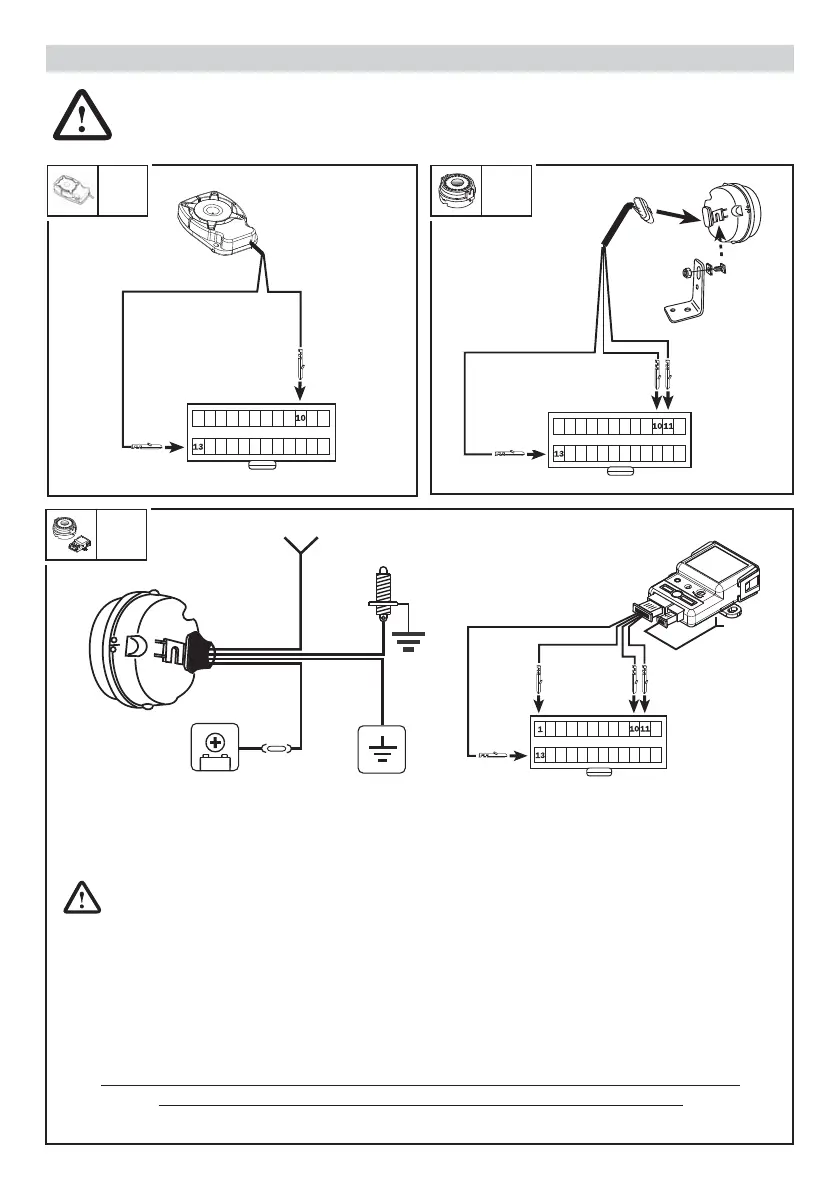
The Meta EasyCan control unit automatically recognises the siren model and adapts to it.
It recognises it by means of an acoustic BOOP the instant the alarm system is powered; to ensure the
siren responds make sure the installer connects it before powering the alarm system.
COMBINING THE SIREN TO THE ALARM (SIREN SELF-LEARNING PROCEDURE)
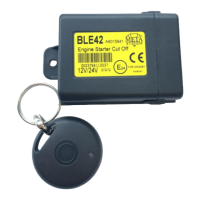
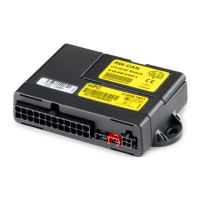
Phase 1: disconnect the connector of the alarm control unit and plug in the four pins leading from the
module wiring. Plug the 2-pole connector with the antenna wire into the module.
Leave the connector of the alarm control unit UNCONNECTED during phase 2.
Phase 2: power the siren and within the next 30 seconds press 5 times the bonnet push button connected
to the siren or, if the bonnet push button is not connected to the siren, give 5 GND pulses on the purple siren
wire. When the start of the self-learning phase of its radio module is con rmed, the siren sounds, giving a
Beep Boop Beep Boop after which it remains in the learning phase for 3 minutes.
Phase 3: power the alarm control unit within the 3 minutes the siren is set for combination and when the
combination is con rmed, the siren sounds, giving a Bip Beep Bip Beep.
CAUTION! RISK OF EXPLOSION IF BATTERY IS REPLACED BY AN INCORRECT TYPE.
DISPOSE OF USED BATTERIES ACCORDING TO THE INSTRUCTIONS.
SIRENS COMBINABLE WITH Meta EasyCan
Fig. 6 Fig. 7
M03
M05
Fig. 8
WFR
BLACK/RED
RED/DARK BLUE
BLACK
RED BLACK
CONNECTOR
ON CABLE
FROM ALARM
CONTROL UNIT
BONNET
PROTECTION
ANTENNA
RED BLACK
RED/DARK BLUE
PURPLE
PURPLE RED
BLACK
MOUNT
2A FUSE
CONNECTOR
ON CABLE
FROM ALARM
CONTROL UNIT
ANTENNA
CONNECTOR
ON CABLE
FROM ALARM
CONTROL UNIT


 To Next Page