3
www.metcal.com
4. SELECTING HEATER TIPS
OK International’s Heater Tips come in a wide variety of tip geometries and temperature ranges
(contact your local OK International Representative or visit our website for more information).
These tip geometries cover a broad range of tasks from delicate precision work to heavy ground
plane soldering.
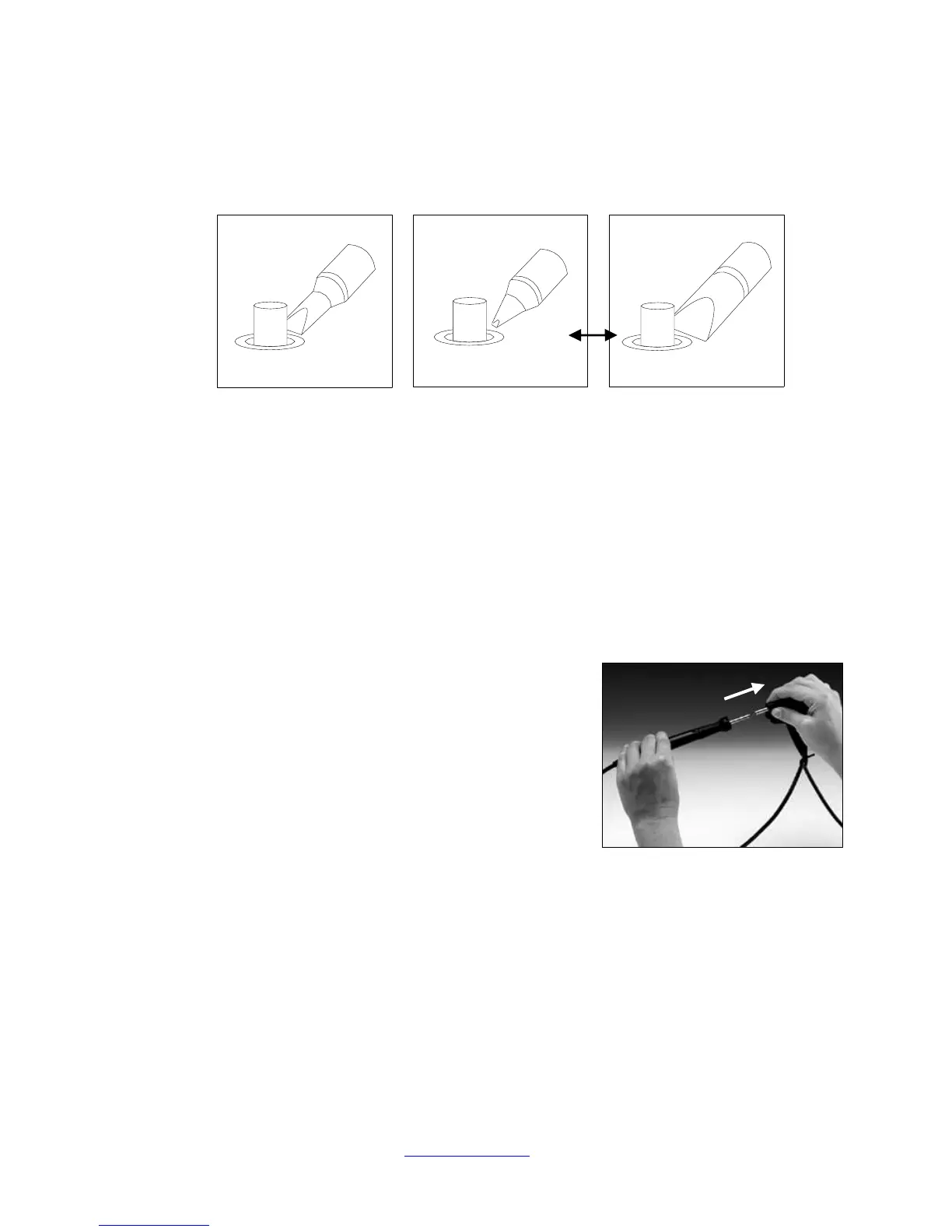
1. Pick a tip that maximizes contact area between the tip and solder joint. Maximizing contact
area gives the most efficient heat transfer, producing high quality solder joints quickly.
2. Pick a tip that allows good access to the solder joint. Shorter tip lengths allow more precise
control. Longer or angled tips may be needed for soldering densely populated boards.
3. Pick the lowest temperature tip cartridge that will accomplish the task. This minimizes the
potential for thermal damage. The temperature series is marked on the shaft of the Heater
Tip.
5. REPLACING HEATER TIPS
1. Push the Power Switch “Off.” Removal of the
Heater Tip with the power On will result in damage
to the coil assembly.
2. Pull out the heater tip using the supplied AC-CP2
Cartridge Removal Pad. DO NOT USE METAL
TOOLS (SUCH AS PLIERS) TO REMOVE
HEATER TIPS, AS THIS CAN DAMAGE THE
HEATER.
CAUTION: THE HEATER TIP MAY BE HOT!
1. Push a new heater tip into the solder handle with the supplied AC-CP2 Cartridge Pad.
2. Push the Power Switch “On.” The new heater tip will heat up to temperature in less
than 20 seconds.



 To Next Page