95-8160G
Kit Assembly
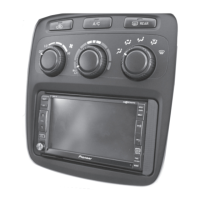
Double DIN radio provision
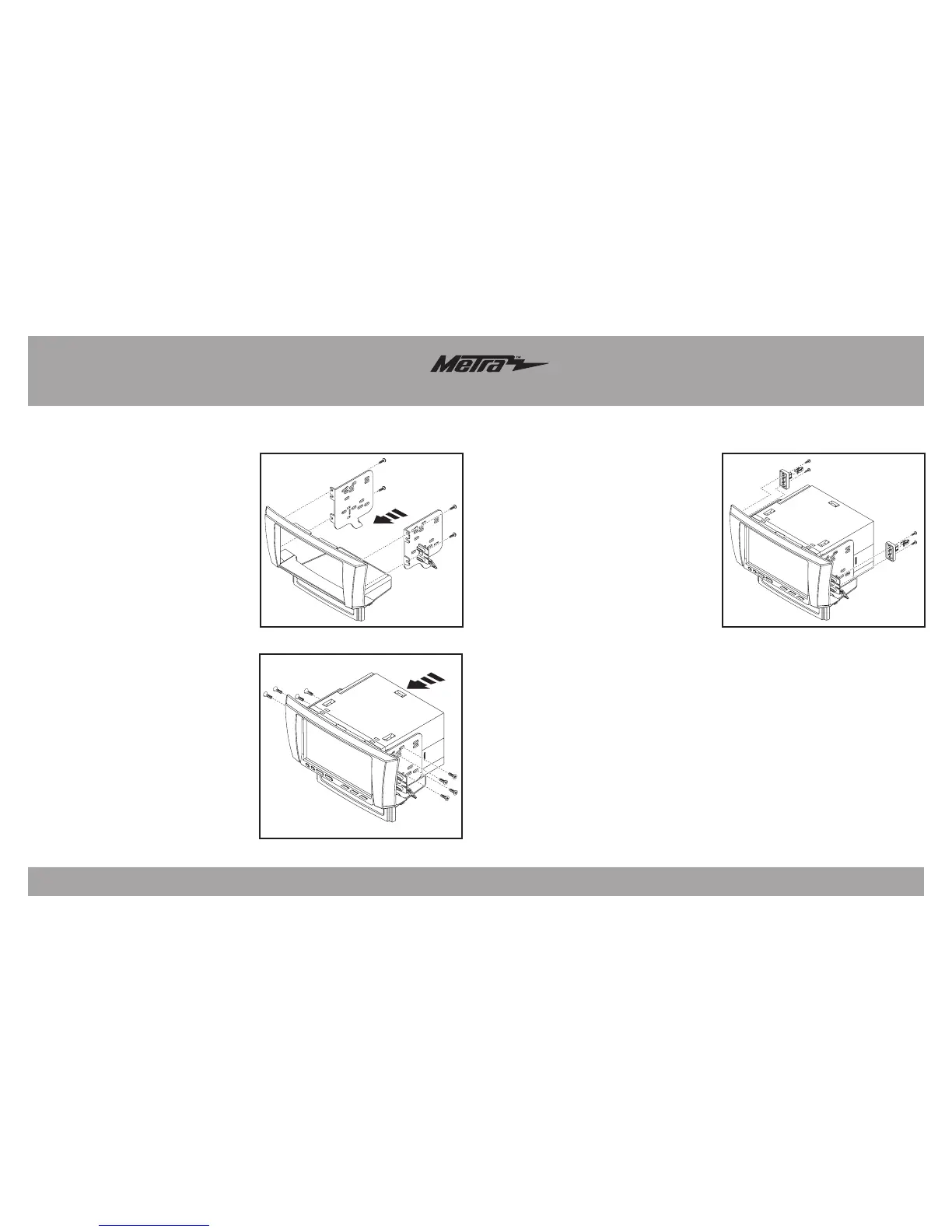
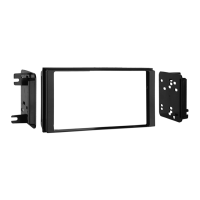
1. Attach the brackets to the radio
housing trim panel using the (4)
#8 x 3/8” screws supplied.
(Figure A)
2. Slide the radio into the bracket/
radio housing assembly and secure
to the assembly using the screws
supplied with the radio. (Figure B)
3. Mount the two panel clip brackets
to the radio housing using the
supplied (4) #4 x 3/8” screws.
(Figure C)
4. Attach the (2) white plastic panel
clips to the panel clip brackets.
(Figure C)
5. Locate the factory wiring harness
in the dash. Metra recommends
using the proper mating adapter
from Metra or AXXESS. Re-connect
the negative battery terminal and
test the unit for proper operation.
6. Note: the factory antenna
connection is located at the
tuner brain on the passenger
side rear of the trunk and will
need to be routed through the
vehicle to connect with the
aftermarket radio.
7. Reassemble dash in reverse order
of disassembly.
3
(Figure A) (Figure C)
(Figure B)



 To Next Page