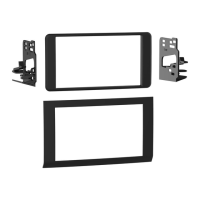
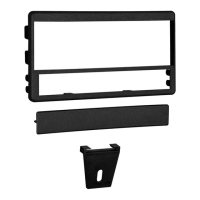
Kit Assembly 99-5600
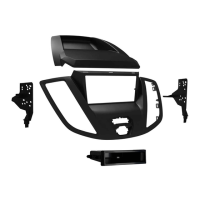
1. Cut and remove the shaft supports from
the radio housing. (Figure A)
2. Slide the DIN cage into the housing and
secure by bending the metal locking
tabs down.
3. Slide the aftermarket head unit into the
cage until secure.
4. Locate the factory wiring harness in the
dash. Metra recommends using the
proper mating adapter from Metra or
AXXESS. Re-connect the negative
battery terminal and test the unit for
proper operation.
5. Mount the rear support bracket to the
back of the unit. Snap the head unit/
kit assembly into the sub-dash (be sure
the rear support bracket engages the
support shelf in the dash). (Figure B)
6. Reassemble dash in reverse order
of disassembly.
Note: If an equalizer will be included,
slide the unit into the back of the radio
housing and secure. If an equalizer will
NOT be included, snap the equalizer
dummy plate into the opening.
DIN head unit provision
(Figure A)
(Figure B)


 To Next Page