STACKED ISO DIN HEAD UNIT PROVISION
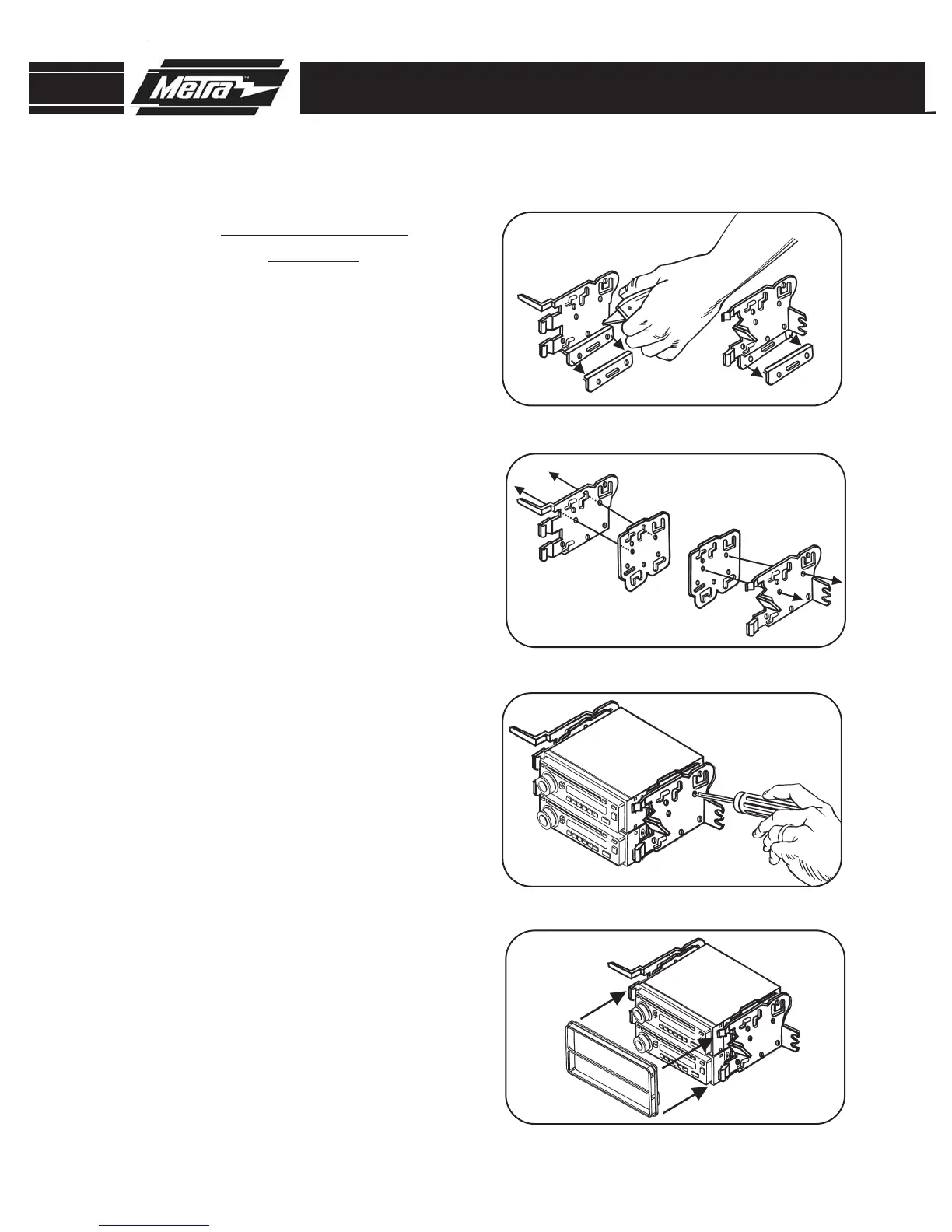
Cut and remove the bottom portion
(Displayed) of the mounting brack-
ets. (
Figure A)
1
A
Attach the ISO spacers to the mount-
ing brackets by inserting the (4)
bosses on each spacer into the (4)
holes in each bracket. (
Figure B)
2
Attach the mounting brackets to the
DDIN head unit with the screws sup-
plied with the unit. (
Figure C)
3
Attach the DDIN faceplate over the
head unit by snapping the bracket
clips into the faceplate slots.
(
Figure D)
4
B
C
D
99-8205
KIT ASSEMBLY
7
NOTE: 2005-2008 Matrix not
applicable.



 To Next Page