MI 3200 TeraOhm 10 kV Measurements
34
Ustep ... Voltage step approx. 25 V (fixed value - not presetable)
Ustart .. Starting voltage
Tstep ... Test voltage duration per step
Tend .... Constant test voltage duration after reaching End value
t ........... Time
Ub ....... Breakdown voltage
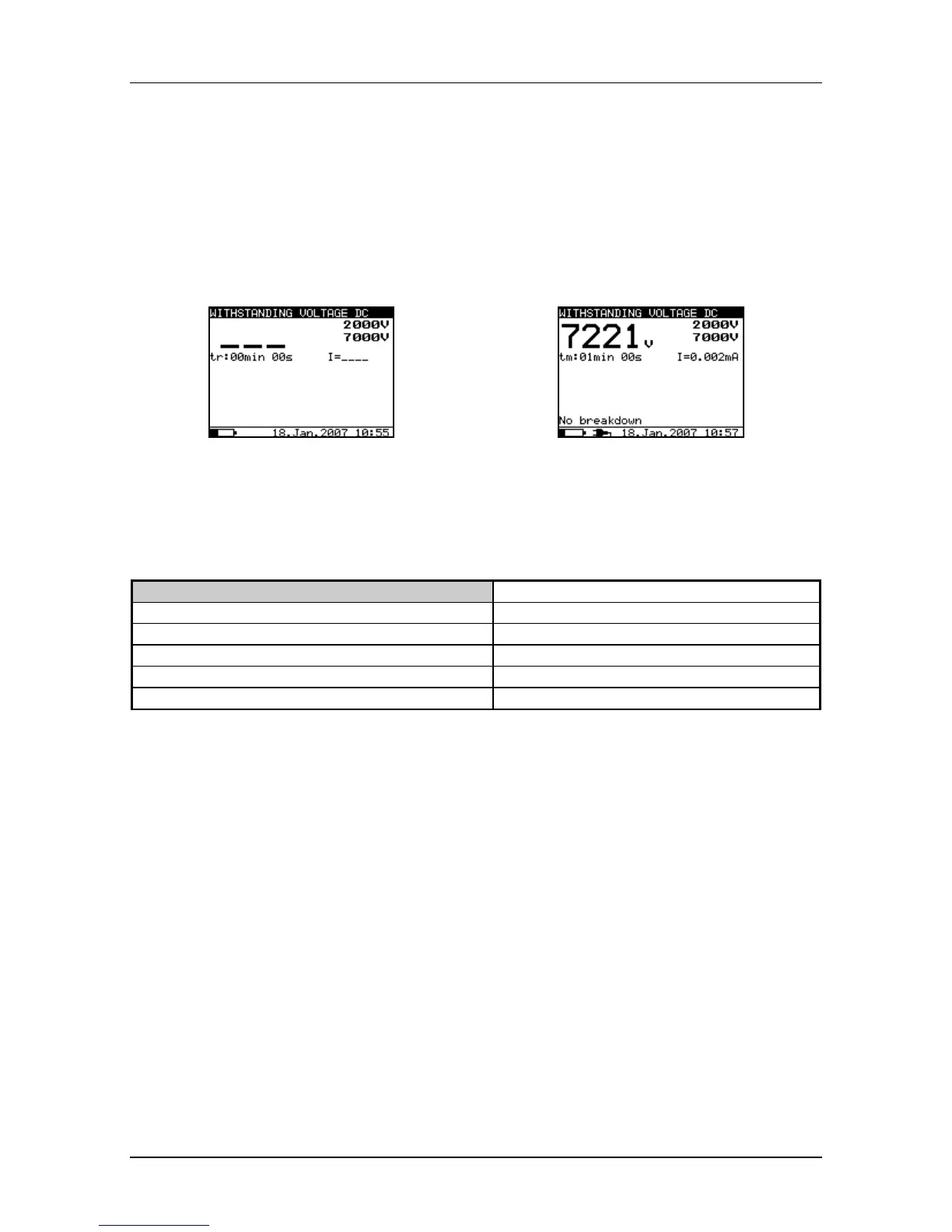
Selecting this function displays the following states. The Fig. 28 shows the initial screen
and a screen with results after the completion of a measurement.
Initial display
Display with results
Fig. 28. Withstanding Voltage function display states
Legend of displayed symbols:
WITHSTANDING VOLTAGE DC
Name of selected function
2000V
Start test voltage
7000V
Stop test voltage
7221V
Actual test voltage – measured value
I=0.002mA
Actual test current – measured value
tm:01min 00s
Timer information
Measuring procedure:
- Connect the test leads to the instrument and to the measured object.
- Press the START/STOP key to start the measurement.
- Wait until the set timers run out or until breakdown occurs, (the result will be
displayed).
- . Wait for the object under test is discharge.
- The result can be saved by pressing the MEM key twice, see the chapter 6.1 Store,
Recall and Clear Operation.
Note:
- Breakdown is detected when the measured current reaches or exceeds the set
current level Itrig.
Notes:
- The timer shows the time needed to complete each step during the measurement
and it shows the total measurement period after the completion of the measurement.
- A high-voltage warning symbol appears on the display during the measurement to
warn the operator of a potentially dangerous test voltage.







 To Next Page