
 Need help?
Do you have a question about the Metz MECABLITZ 54 MZ-4/4I and is the answer not in the manual?
Welcomes the user and encourages reading the manual.
Lists available flash modes and special functions.
Critical safety advice for flash unit operation and handling.
Instructions for attaching/removing the flash unit and SCA adapters.
Details on compatible battery types and their replacement.
Steps to turn the flash unit on, off, and basic operation.
How to select and set flash modes like TTL, Auto, Manual, and Stroboscopic.
How to activate additional features like Bleep, REAR, and Modelling Light.
How to set ISO, Zoom, Aperture, and EV values for exposure control.
Explains TTL mode for automatic flash exposure control via camera.
Lists specific TTL sub-modes like E-TTL and remote TTL.
Explains auto mode using the flash unit's built-in sensor.
Details specific auto remote modes like Ad1 and Ad2.
Explains manual mode for direct light output control.
Covers sub-modes like M-HSS for high-speed synchronisation.
Explains how to use bounce flash for softer light and uniform rendition.
Details using the secondary reflector for fill-in light during bounce flash.
Advice for bounce flash in automatic and TTL modes.
Guidance for bounce flash in manual mode.
Explains controlling flash units wirelessly as slaves.
Setting up and using TTL remote mode with Metz controllers and slaves.
Setting up and using Auto remote mode with Metz controllers and slaves.
Using modelling light to preview lighting in remote modes.
Explains using fill-in flash to soften shadows and reduce contrast.
How to use fill-in flash in TTL mode with compatible cameras.
How to use fill-in flash in automatic mode for balanced exposure.
Explains using stroboscopic mode for motion studies and special effects.
How the "o.k." indicator confirms correct exposure.
Explains the use of the AF beam for focusing.
How the bleep function provides acoustic feedback for flash operations.
How to lock controls to prevent accidental changes.
Setting the flash unit to power down automatically.
How to use REAR sync for motion blur effects.
Using modelling light to preview lighting distribution.
Adjusting zoom reflector position for different camera formats.
Performing a series of shots with different exposure corrections.
How to reset specific functions to their default values.
Automatic or manual adjustment of the zoom reflector position.
Using the built-in wide-angle diffuser for wider coverage.
Adjusting exposure values to compensate for challenging lighting situations.
How to turn off manual exposure correction.
Tips for cleaning the unit and maintaining the flash capacitor.
Lists guide numbers, flash durations, recycling times, and dimensions.
Defines common terms related to flash photography and camera operation.
Lists system adapters, filters, power packs, and diffusers.
Basic steps to resolve issues like display errors or non-operation.
Problems related to setting and using REAR mode.
Problems with activating E-TTL mode, especially with secondary reflector or remote systems.
Reasons for not achieving flash readiness in remote mode.
Covers problems with remote controller operation and its interaction with other functions.
Incompatibility between REAR mode and HSS high-speed synchronisation.
Reasons why ISO might not be displayed in certain modes or with specific cameras.
Troubleshooting steps when the flash unit fails to fire.
Environmental guidelines for disposing of used batteries responsibly.
 General
| Battery Type | 4x AA batteries |
|---|---|
| AF Assist | Yes |
| Guide Number | 54 (ISO 100, 105mm) |
| Zoom Range | 24-105mm |
| Flash Modes | TTL, Manual |
| Swivel Head | Yes |
| Compatibility | Canon, Nikon, Sony |
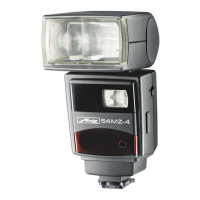
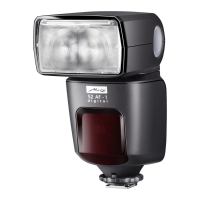
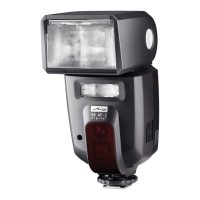
| Flash Type | Shoe Mount Flash |




 To Next Page