... 15
7
8
5 6
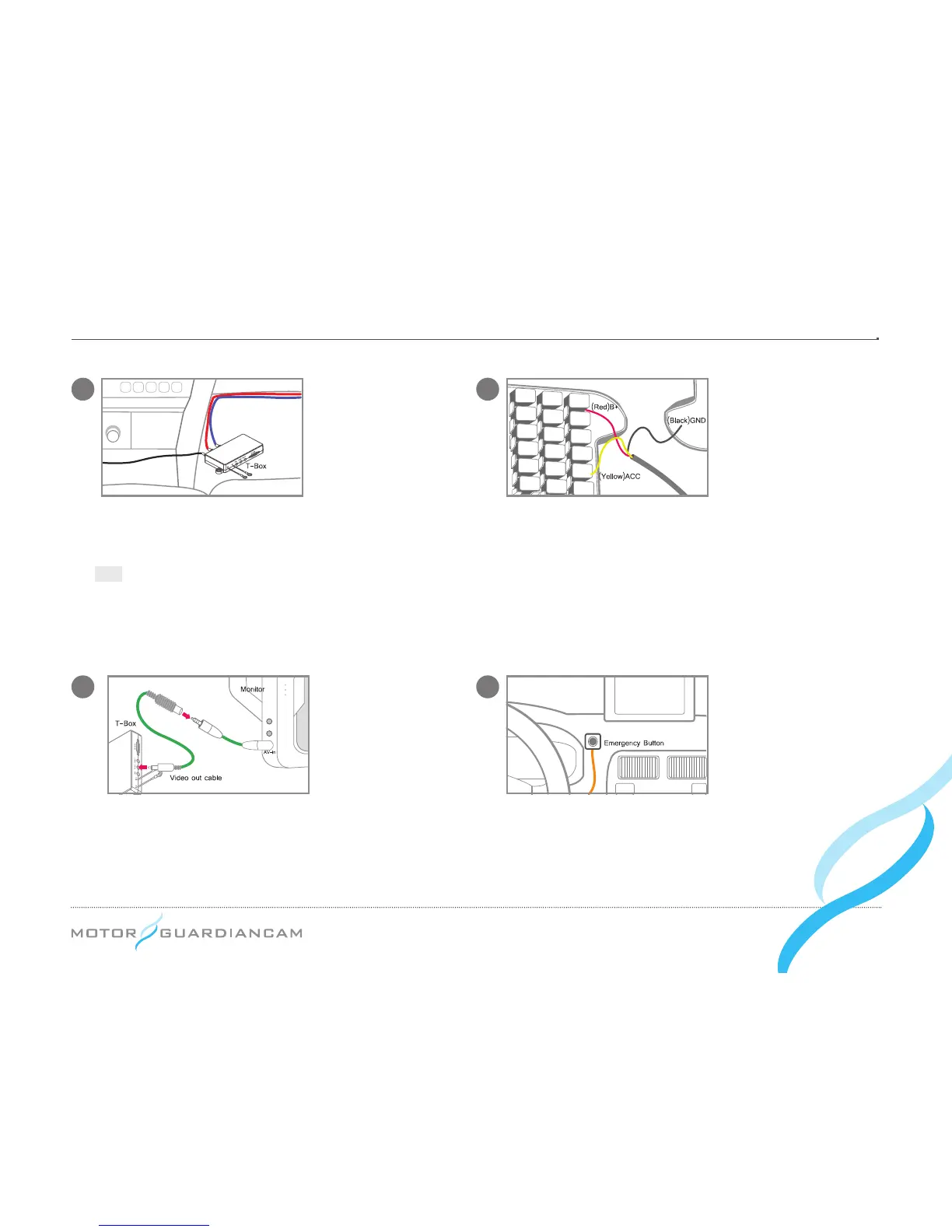
To activate Video-Out, connect the T-Box and the
monitor with the RCA cable as seen in the diagram.
Use the included remote control to activate Video-
Out features.
Mount the Emergency Button in a convenient place
and plug it into the T-Box.
Place the T-Box in the desired location and mount using
adhesive or screws.
Tip
Recommended Placement :
Underneath the seat or dashboard
When connecting the wire to the fuse, connect the
“ground wire” rst.
•
#
[Red] B+
(e.g. internal light, emergency light, or other
always-on power supply)
•
#
[Yellow] ACC
(e.g. cigarette lighter power or ignition
switch)
•
#
[Black] GND
(e.g. car frame)



 To Next Page