... 28
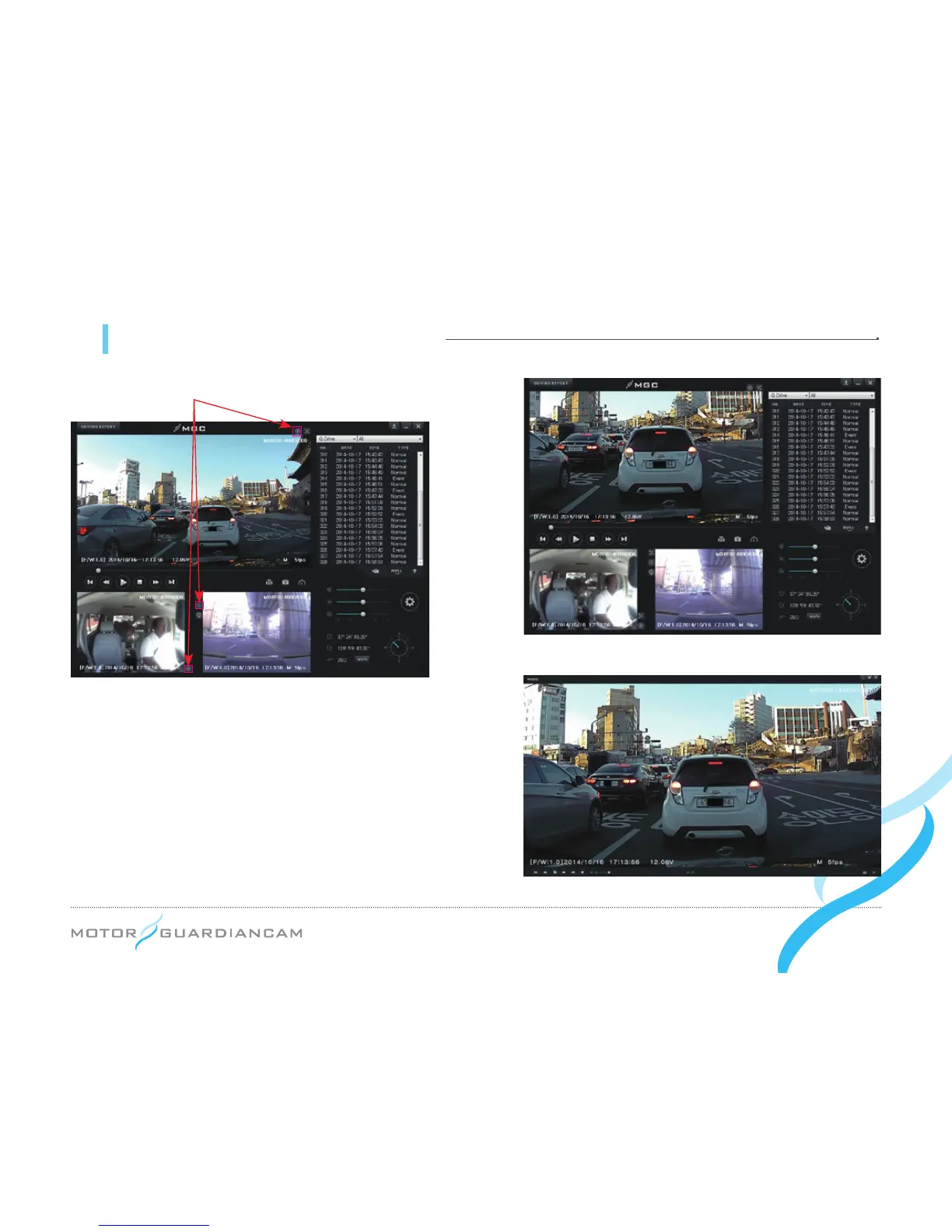
11 MDR-5000 viewer - Digital Zoom
Full screen button
●
#
It is possible to zoom in or out a video by scrolling the mouse
wheel after clicking on the front, interior, or 3rd cam video
during playback, or by activating the Zoom In button.
●
#
Drag and move the screen that was enlarged by the Digital
Zoom. You will be able to see it on an expanded screen of
the desired size.
●
#
Digital Zoom can be used even though the full screen is
being used for playback.
[Enlarged front video on the main screen]
[Enlarged video on the full screen]


 To Next Page