... 29
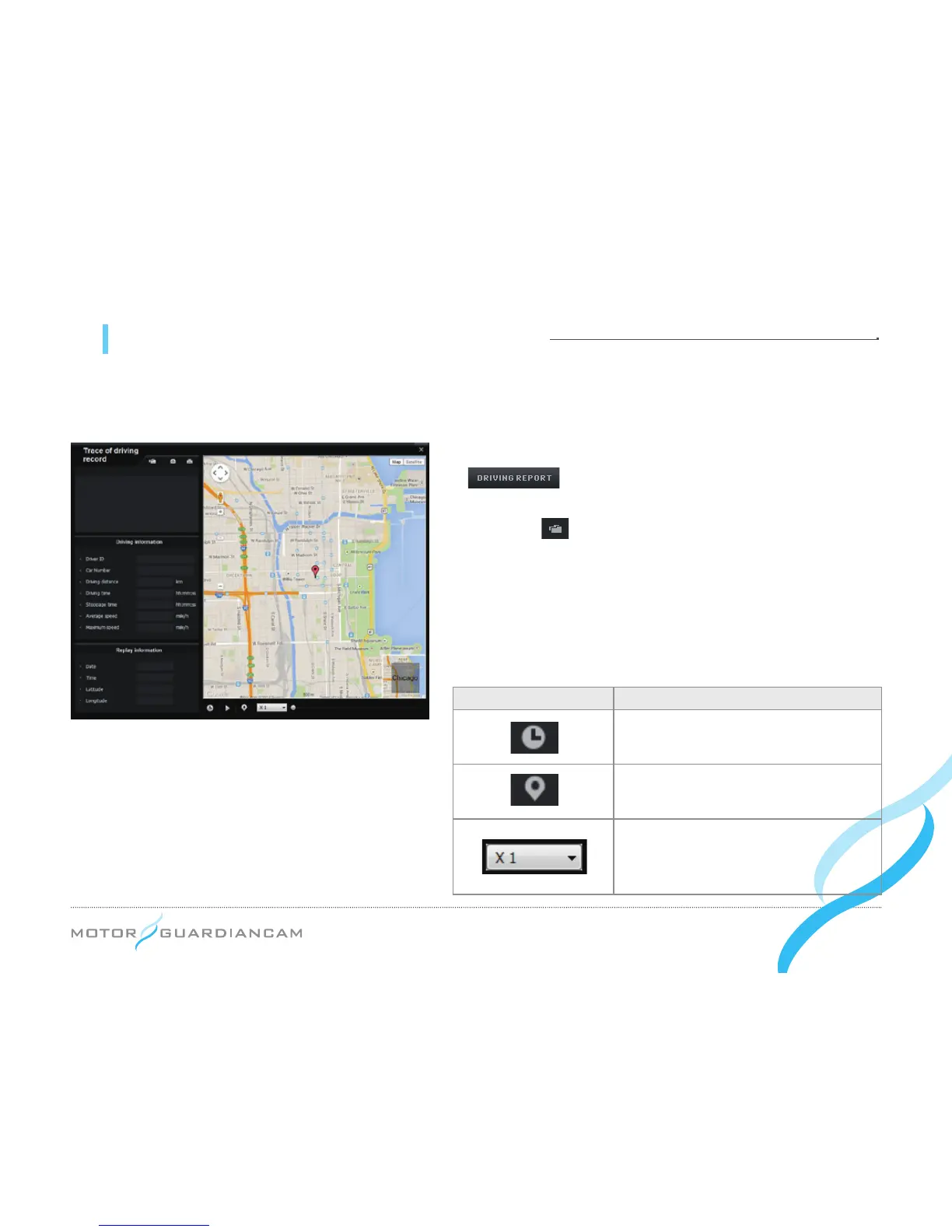
11 MDR-5000 Viewer - Trace of driving record
● Drive records are recorded every 10 seconds only while driving. Up to one-month drive records per Dat le can be
stored. However, this function is supported only when the GPS is able to normally receive signals.
1.
#
After inserting the SD card into the PC, press the
1.
#
button on the viewer. The driving record mode
window (left) will appear.
2.
#
Press the button (left) and select a .dat file in the Setup
folder of the SD card. The driving records sorted by date
will be displayed.
3.
#
Click on the desired items to see the travel route on the
map.
*
Up to 5 .dat files can be stored.
Icon Description
This shows the driving date and time
during the playback of the driving routes.
This marks driving routes during the
playback of driving routes.
This is to control the speed of playing
back driving routes by 1/2, 1, 2, or 4
times.


 To Next Page