... 31
12 Drive recorder setting - Screen/Timer setup
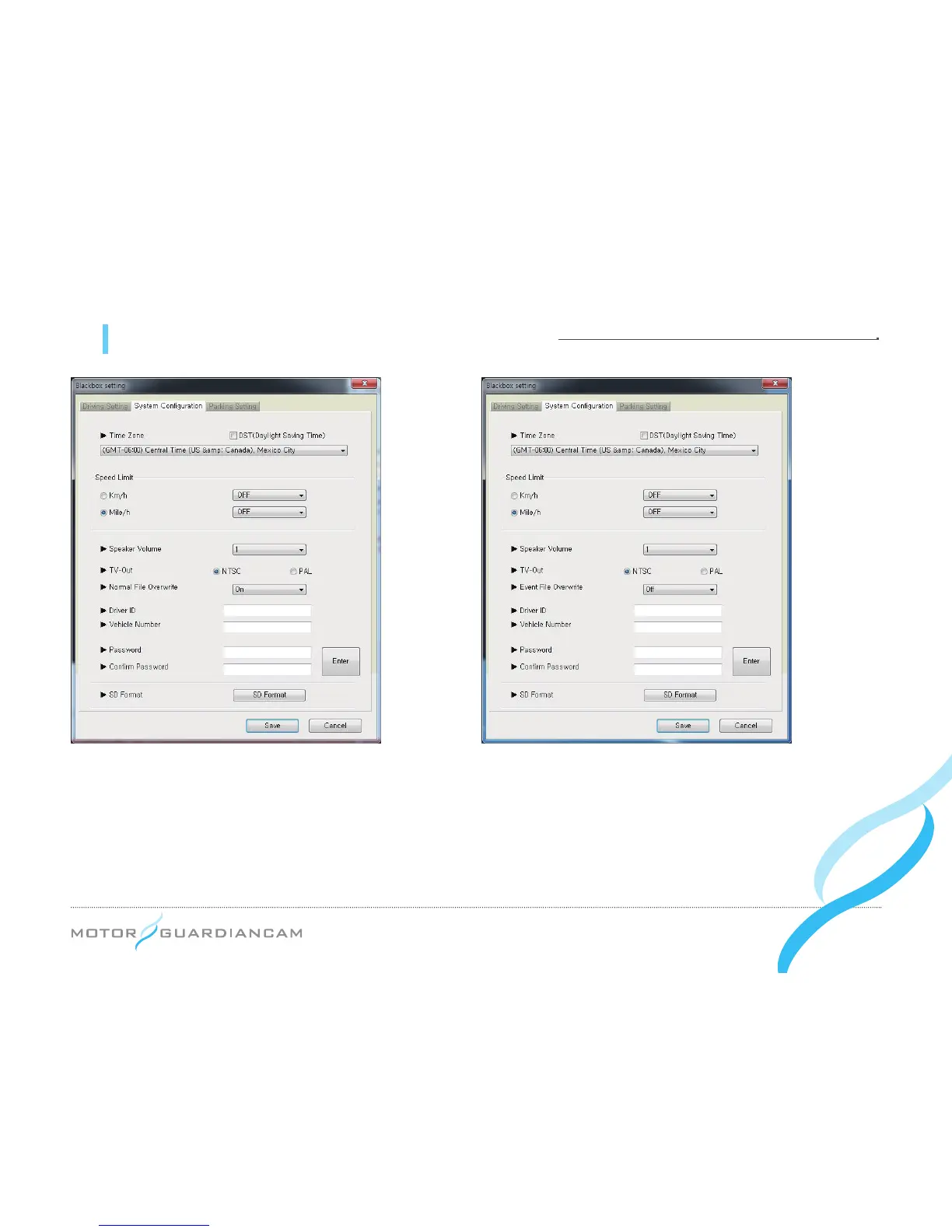
[System Configuration]
1.
#
This menu is intended to decide the Time Zone, Speed Limit, Speaker Volume, TV-out format, Overwrite, driver
information, and viewer passwords. It is also used to format the SD card.
2.
#
The Time Zone suitable for the user’s residential area should be set for accurate time recording.
3.
#
If the driving speed exceeds the set Speed Limit, the recorded video will be changed into the event video.
4.
#
Overwrite function is differently adopted between MDR-5000A and MDR-5000U
MDR-5000A : Normal, Event File Overwrite (Default : On), MDR-5000U : Event File Overwrite (Default : Off)
MDR-5000A MDR-5000U


 To Next Page