EasyManua.ls Logo

MGE UPS Systems Protection Center 420 - User Manual

MGE UPS Systems Protection Center 420
28 pages
Print Icon
To Next Page IconTo Next Page
Loading...
3400745300/AC - 1
Installation and
user manual
English
Français
Deutsch
Italiano
Español
Nederlands
Português
EÏÏËÓÈο
Polski
www.mgeups.com
MGE UPS SYSTEMS
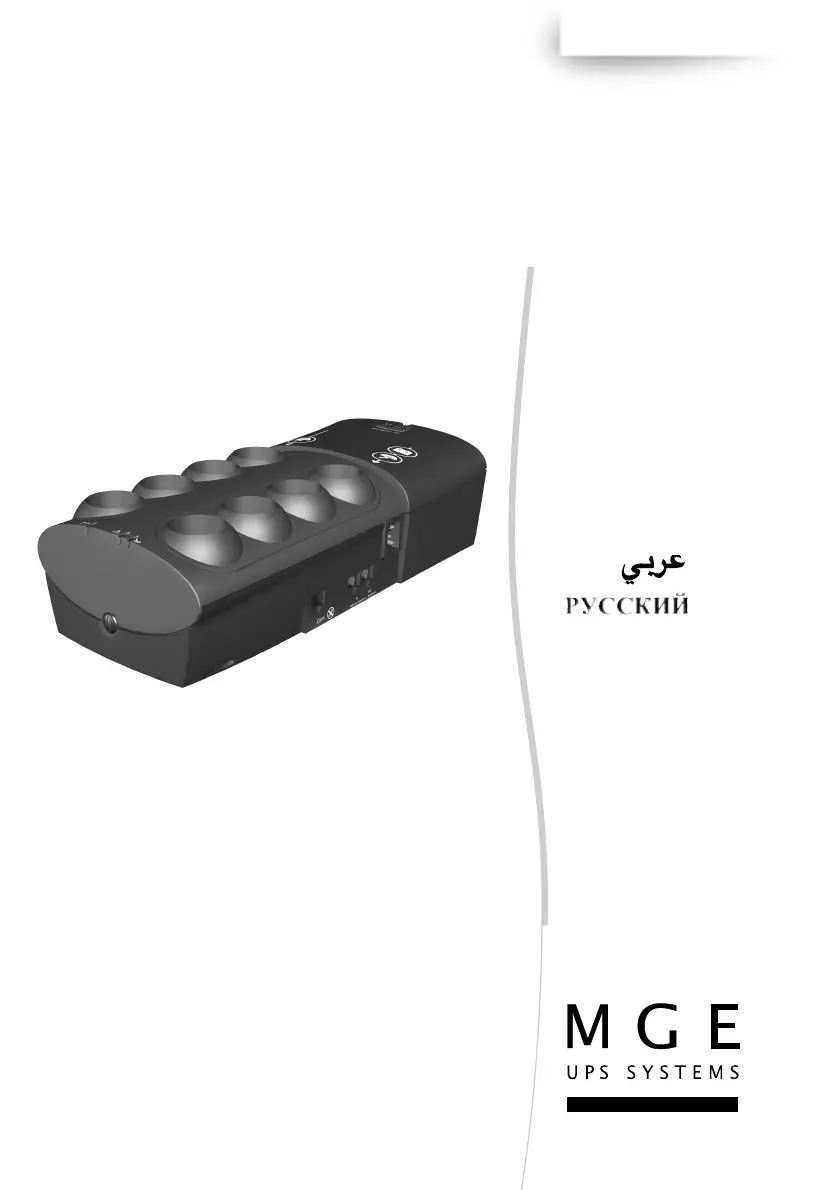
Protection Center
420/500/675
T
H
E
U
N
I
N
T
E
R
R
U
P
T
I
B
L
E
P
O
W
E
R
P
R
O
V
I
D
E
R

Questions and Answers

  • C
    Colleen GonzalezAug 12, 2025
    Why is my MGE UPS Systems Protection Center 420 UPS operating on battery power?
    • A
      Andrew DavidsonAug 12, 2025
      If your MGE UPS Systems UPS is operating on battery power, it's possible that the circuit breaker located under the UPS has been tripped due to an overload. To fix this, disconnect some of the equipment plugged into the UPS and then reset the circuit breaker by pressing the corresponding button.
  • M
    Maxwell SmithAug 16, 2025
    How to fix MGE UPS Systems Protection Center 420 battery backup outlets not working?
    • K
      katherinemcneilAug 16, 2025
      If the battery backup outlets on your MGE UPS Systems UPS are not supplying power, make sure that the power button is pressed and the indicator light turns green.
  • A
    April SimpsonAug 20, 2025
    What to do if connected devices aren't supplied when AC power fails on my MGE UPS Systems Protection Center 420 UPS?
    • N
      Nathan JonesAug 20, 2025
      If your devices are not receiving power from the MGE UPS Systems UPS during an AC power failure, ensure that they are connected to the battery backup outlets.
  • M
    michaelsheppardAug 25, 2025
    What to do if the red LED is on and the audio alarm beeps every 30 seconds on my MGE UPS Systems UPS?
    • T
      Timothy ChenAug 25, 2025
      If the red LED is on and the audio alarm beeps every 30 seconds on your MGE UPS Systems UPS, it indicates that the battery backup outlets are overloaded. To resolve this, disconnect some of the equipment connected to the battery backup outlets.
  • S
    stephaniewoodAug 27, 2025
    How to fix MGE UPS Systems Protection Center 420 UPS filtered outlets not working?
    • H
      henrydonnaAug 27, 2025
      If the filtered outlets on your MGE UPS Systems UPS are not supplied with power, there could be a couple of reasons. First, check if the wall outlet itself is receiving power. If the wall outlet is working, the issue might be that the circuit breaker located under the UPS has been tripped due to an overload. In this case, disconnect some equipment and reset the circuit breaker by pressing the button.
  • J
    Joanne AtkinsAug 31, 2025
    Why is the green button flashing and the alarm beeping on my MGE UPS Systems Protection Center 420?
    • S
      Sharon WilliamsAug 31, 2025
      If the green button on your MGE UPS Systems UPS is flashing and the audio alarm is beeping, it means the UPS is frequently running on battery power due to a poor AC power source. To address this, have a professional check your electrical installation or try using a different wall outlet.
  • A
    Alexis HarperSep 3, 2025
    What does it mean when the red LED is flashing on my MGE UPS Systems Protection Center 420 UPS?
    • K
      Kimberly ReyesSep 3, 2025
      If the red LED on your MGE UPS Systems UPS is flashing, it indicates that the battery has reached the end of its life and needs to be replaced.
  • T
    tylerlucasSep 7, 2025
    How to resolve telephone line disturbance with MGE UPS Systems UPS?
    • C
      Christine BarnesSep 7, 2025
      If you are experiencing telephone line disturbances or modem access issues with your MGE UPS Systems UPS, it's possible that surge protection on the telephone line is no longer functioning. Disconnect the telephone line from the wall outlet to resolve this.

Summary

MGE Protection Center UPS

Installation and User Manual

Guide for installing and operating the MGE Protection Center UPS.

Packaging and Quick Start

Product Packaging Contents

Details the items included when purchasing the UPS.

Initial Setup Procedure

Visual steps for connecting the UPS and peripherals for the first time.

Technical Characteristics

UPS Performance Specifications

Detailed electrical and performance metrics for the 420/500/675 VA models.

Surge Protection Test Results

Data from surge protection tests according to IEC 61643-1.

Operating the UPS

Usage Conditions and Connections

Guidelines for operating environment, connecting to power, and attaching peripherals.

UPS Controls and Indicators

Explanation of the UPS's buttons, LEDs, and circuit breaker for operation.

Troubleshooting and Settings

Diagnosing and Resolving Issues

A guide to identify common problems and their solutions.

Adjusting UPS Settings

Instructions on how to configure input voltage and audio alarm settings.

Wall Mounting Template

Mounting Hole Specifications

Dimensions and layout for drilling holes for wall mounting.

MGE UPS Systems Protection Center 420 Specifications

General IconGeneral
BrandMGE UPS Systems
ModelProtection Center 420
CategoryUPS
LanguageEnglish

Related product manuals