- 6 -
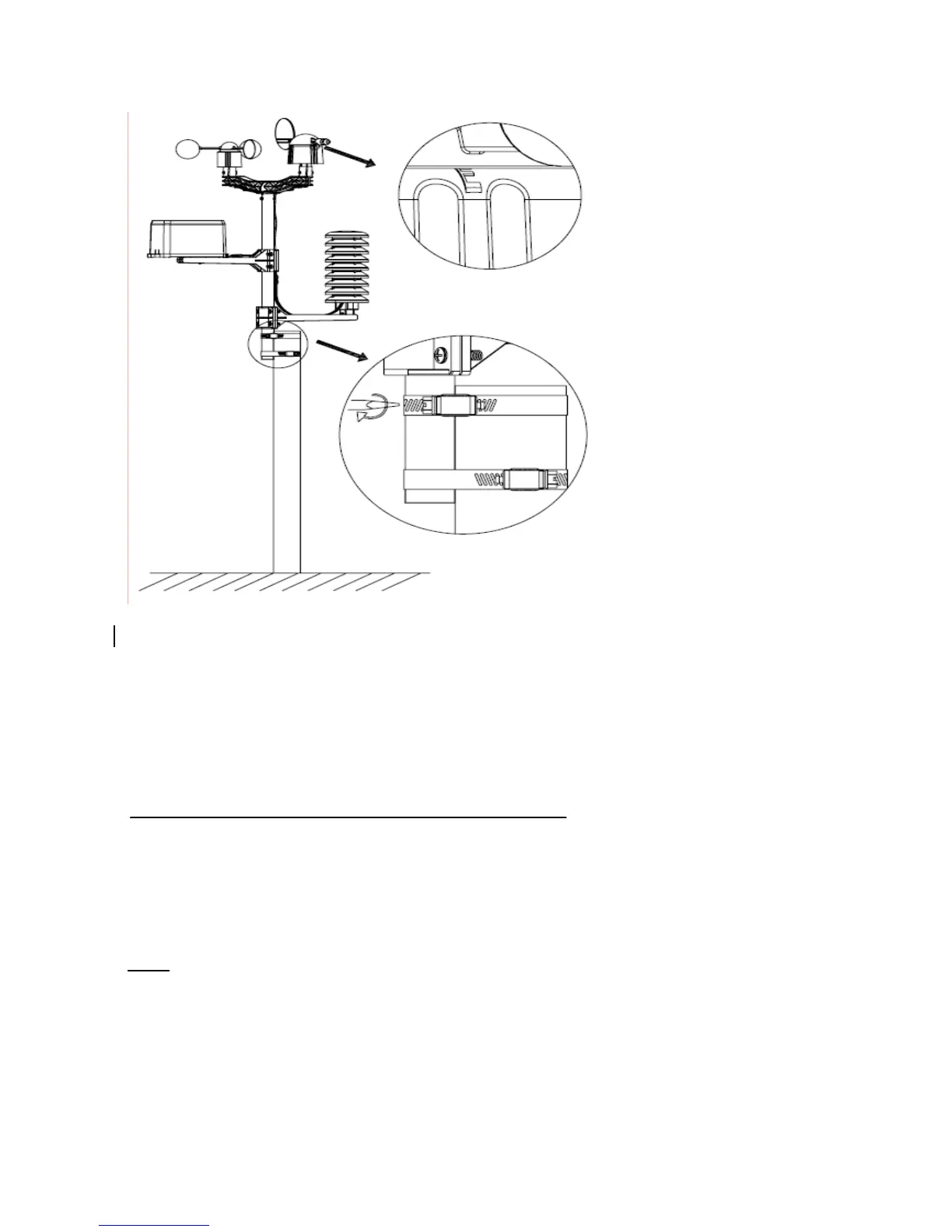
Positioning
Once you have verified that all of the components of the weather station are working, they can be
positioned in their permanent places. Before permanently mounting, make sure that all
components work properly together at their chosen mounting or standing locations. If e.g. there
appear to be problems with the 433 MHz radio transmission, they can mostly be overcome by
moving the mounting locations.
Program Mode
The base station has six keys for easy operation: MENU key, UP/+ key, DOWN/- key, ENTER
key, HISTORY key, ON/OFF key
Note: Because of the default settings already determined by the manufacturer it may not b
necessary for the majority of user to perform-except the relative pressure(see further down)-any
further basic settings and changes, however, can be easily made.
Note:
Keeping the UP/+ or DOWN/- key depressed when setting certain units in the manual
setting mode will increase/decrease digits in greater steps.
The setting procedure can be exited at any time by either pressing the HISTORY key or waiting
for the 30-second time-out to take effect.
The basic settings can now be performed in the following order:
Time


 To Next Page