- 7 -
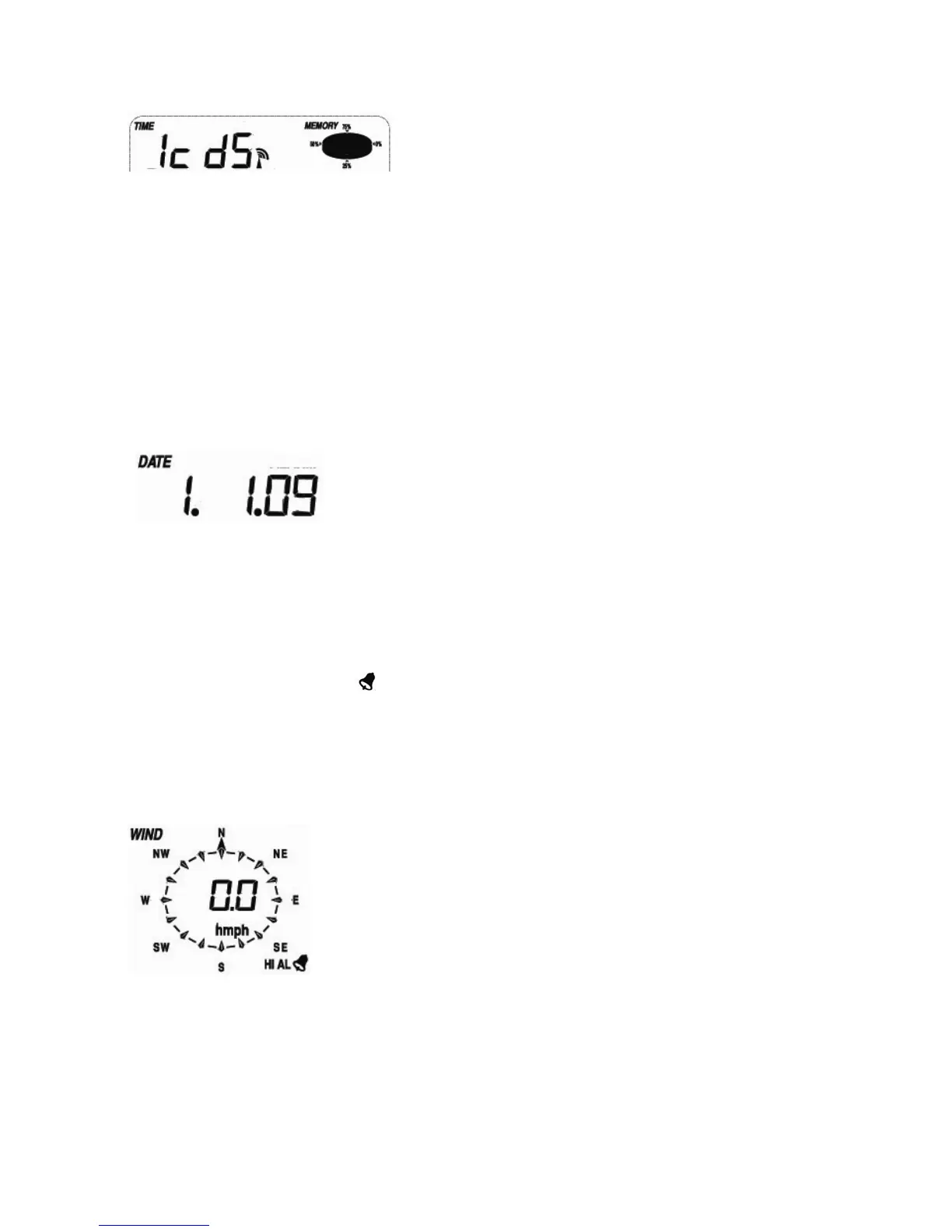
- Press the MENU key to select the TIME section, TIME section digits will start flashing. Enter
LCD contrast setting mode (level 1-8, default level 5), press the UP/+ or DOWN/- key to set the
value.
- Press the ENTER key to select the following modes:
z Time zone
Note: At Europe, 0 for GMT+1 time zone, 1 for GMT+2 time zone, -1 for GMT time zone.
At America, -4 for Atlantic time zone, -5 for Eastern Time zone, -6 for Central Time
Zone, -7 for Mountain Time zone, -8 for Pacific time zone, -9 for Alaska time zone, -10
for Hawaii time zone.
z 12/24h time display select (default 12 hours)
z Manual time setting (hours/minutes)
Press the UP/+ or DOWN/- key to set the value.
Date
- Press the MENU key twice to select the DATE section, DATE section digits will start flashing. Press
the
UP/+ or DOWN/- key to shift the display of DD-MM-YY, DD-MM-WEEK and Time alarm display
(Default DD-MM-YY format),
- Press the ENTER key to select the following modes, press the UP/+ or DOWN/- key to select
the format or set the value:
z Select DD-MM or MM-DD format. (Default DD-MM format)
z Calendar setting (year/month/date)
z Time alarm setting. (Hours/minutes). Press the ON/OFF key to on/off the alarm. If alarm is
enabled, an alarm symbol
appears in the display indicating the alarm function has been
enabled.
Note: When a set weather alarm condition has been triggered that particular alarm will sound for
120 seconds. The corresponding value, ‘HI AL” or “LO AL” and the alarm symbol are flashing
until the weather condition doesn’t meet the user set level. Press any key to mute the alarm.
Wind
- Press the MENU key the third time to select the WIND section, WIND section digits will start flashing.
Press the
UP/+ or DOWN/- key to shift the display of average wind speed and Gust (Default average wind
speed),
- Press ENTER key to select the following modes, then press the UP/+ or DOWN/- key to select
the display or set the value:
z Select the wind speed unit between km/h, mph, m/s, knots, bft. (Default mph)


 To Next Page