EasyManua.ls Logo

MicaSense RedEdge-MX - User Manual

MicaSense RedEdge-MX
23 pages
Print Icon
To Next Page IconTo Next Page
Loading...
MicaSense RedEdge-MX™ and DLS 2
Integration Guide
Revision 04
November 2020
Seattle, WA
© 2020 MicaSense, Inc MSPN 900-00022
Question and Answer IconNeed help?

Do you have a question about the MicaSense RedEdge-MX and is the answer not in the manual?

Summary

Introduction

Firmware

Firmware Updates

Instructions on how to obtain and install the latest sensor firmware version.

Whats Included?

Included Items List

Reference to the official packing list for a comprehensive inventory of kit contents.

Lens and Imager Information

Multispectral Capabilities

Description of the multispectral imaging features and performance characteristics.

Center Wavelengths and Bandwidth

Detailed spectral characteristics, including center wavelengths and bandwidths for each sensor band.

RX02+ Camera Specifications

Specific spectral data for RedEdge-MX cameras with serial numbers RX02 or higher.

Imager;Band Number and Output

Band Mapping

A mapping that associates numerical imager identifiers with specific spectral bands.

RX01 Camera Specifications

Specific spectral data for RedEdge-MX cameras with serial number RX01.

Imager Numbering

Table detailing the numerical designation assigned to each spectral band.

Measurements and Attachment Points

Mounting Holes and Screws

Specifications for the M3 screw holes and recommended mounting practices.

Physical Dimensions and Mass

Table listing the length, width, height, and total mass of the camera and DLS 2.

Recommendations for Installation

Optimal Sensor Placement

Advice on positioning the sensor for an unobstructed view of the target area.

Vibration Isolation

Recommendation to implement vibration isolation for maintaining image quality.

Orientation and Protection

Guidelines for sensor orientation, landing protection, and lens care.

Configuration Options

Default + Overlap Mode

Configuration using DLS 2 GPS for automatic capture based on forward overlap.

Flight Calculator Integration

Using the Flight Calculator to set overlap percentage based on altitude and GSD.

HTTP API Triggering

Configuring the camera to trigger via HTTP API commands from an onboard computer.

MAVLink with PixHawk

Integration with PixHawk flight controllers using the MAVLink serial API.

Aircraft GPS Integration

Using external aircraft GPS data via API for sensor positioning and attitude.

HTTP Connection Setup

How to establish an HTTP connection using Ethernet or Wi-Fi adapters.

Serial Connection Setup

Establishing a serial connection for MAVLink communication.

Input and Output

Camera Interface Connectors

Overview of the RedEdge-MX camera's connectors for peripherals and aircraft integration.

PWR;TRG Connector Details

Pinout and specifications for the external power and trigger connector.

Power Input Specifications

Details on nominal voltage, input range, and average power consumption.

Power Supply Requirements

Ensuring the power supply meets peak wattage and voltage protection requirements.

Trigger Signal Types

Information on using rising-edge, falling-edge, and PWM signals for triggering.

Trigger Voltage and Timing

Specifications for trigger signal voltage levels and expected PWM timing.

COMM Connector (Serial;Ethernet)

Pinout and specifications for the serial and Ethernet data communication connector.

Power Supply Specifications

Voltage and Power Consumption

Required voltage range, standby, and average/peak power draw.

Powering Methods

Options for powering the sensor, including aircraft batteries and external packs.

Power Source Compliance

Verification that the power source meets specified voltage and wattage.

USB Port

Supported Wi-Fi Adapters

List of compatible Edimax Wi-Fi adapters for wireless connectivity.

Capture Rate

SD Card Impact on Capture Rate

How the storage device's speed influences the maximum capture rate.

Mission Planning for Capture Rate

Adjusting flight parameters to match the capture rate for optimal data acquisition.

Automatic Capture;Triggering

Capture Methods Overview

Introduction to Overlap, Timer, and External Trigger capture modes.

Overlap Capture Mode

Detailed explanation of the recommended overlap capture mode for consistent coverage.

Timer Capture Mode

How timer mode captures images at set intervals and potential issues.

External Triggering

Enabling external triggers for precise capture control.

Disabled Capture Mode

Explanation of the 'Disabled' mode for disabling automatic capture functions.

External Trigger

Trigger Signal Types

Information on using rising-edge, falling-edge, and PWM trigger signals.

HTTP API (Ethernet and Wi-Fi)

API Access and Data Format

Methods for accessing the API and the JSON data format used.

IP Addressing and Capture Command

Default IP addresses and HTTP requests for capturing images.

API Resources

Links to additional resources and examples for the HTTP API.

Downwelling Light Sensor 2 (DLS 2)

DLS 2 Functionality

How the DLS 2 measures ambient light and sun angle for image correction.

DLS 2 GPS Data

The DLS 2's role in providing GPS data or utilizing external GPS sources.

DLS 2 Installation Guidelines

General recommendations for installing the DLS 2 for optimal performance.

DLS 2 Measurements and Attachment Points

DLS 2 Dimensions and Mounting

Table of DLS 2 dimensions and specifications for its mounting holes.

DLS 2 Connectors and Buttons

Connectors and Indicators

Details on the JST-GH connector, trigger button, and status indicator.

Older DLS 2 RF Connector

Mention of the RF connector present on older DLS 2 models.

DLS 2 Installation Guidelines (Continued)

Fixed-wing Installation

Specific installation advice for fixed-wing aircraft to prevent shadowing and reflections.

Multirotor Installation

Specific installation advice for multirotor aircraft regarding height and obstructions.

Interference Considerations

Avoiding potential interference from paint or other aircraft components.

Example Integration

Overview

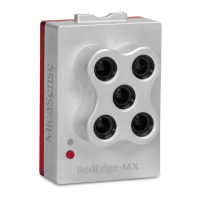
The MicaSense RedEdge-MX™ is a multispectral sensor designed for integration with various aircraft, offering flexible options from standalone operation to fully customized integrations. It is typically used for agricultural and environmental monitoring, capturing images across multiple spectral bands to assess plant health and other land characteristics. The sensor is often paired with the Downwelling Light Sensor 2 (DLS 2), which measures ambient light and sun angle to correct for global lighting changes during flight, ensuring accurate data collection even under varying light conditions.

Technical Specifications:

  • Pixel Size: 3.75 μm
  • Resolution: 1280 x 960 (1.2 MP x 5 imagers)
  • Aspect Ratio: 4:3
  • Sensor Size: 4.8 mm x 3.6 mm
  • Focal Length: 5.4 mm
  • Field of View: 47.2 degrees horizontal, 35.4 degrees vertical
  • Output Bit Depth: 12-bit
  • Ground Sample Distance (GSD):
    • @ 120 m (~400 ft): 8 cm/pixel per band
    • @ 60 m (~200 ft): 4 cm/pixel per band
  • Dimensions:
    • Length: 83 mm
    • Width: 59 mm
    • Height: 45.4 mm
  • Mass: 231.9 g (Camera + DLS 2)
  • Power Input:
    • Nominal Voltage: 5.0 V DC
    • Input Voltage Range: 4.0V-15.8V DC
    • Average Power:
      • 3.5 Watts average, 8.0 W peak (Camera Not Providing Power to External GPS Module)
      • 4.0 Watts average, 8.5 W peak (Camera Providing Power to External GPS Module)
    • Standby Power: 5.5 W
    • Maximum Operating Voltage: 15.8 V
    • Peak Power Supply Requirement: 10 W
  • Trigger Input (PWM):
    • Nominal Voltage: 3.0 V DC
    • Voltage Range: 0.0 V DC to 5.0 V DC
    • Absolute Maximum Voltage: 5.1 V DC
    • PWM Trigger Expected Range: 1.0 ms to 2.0 ms
  • Center Wavelengths and Bandwidth (RX02 or higher serial number cameras):
    • Blue: 475 nm (32 nm bandwidth)
    • Green: 560 nm (27 nm bandwidth)
    • Red: 668 nm (16 nm bandwidth)
    • Red edge: 717 nm (12 nm bandwidth)
    • Near infrared: 842 nm (57 nm bandwidth)
  • Center Wavelengths and Bandwidth (RX01 serial number cameras):
    • Blue: 475 nm (20 nm bandwidth)
    • Green: 560 nm (20 nm bandwidth)
    • Red: 668 nm (10 nm bandwidth)
    • Red edge: 717 nm (10 nm bandwidth)
    • Near infrared: 840 nm (40 nm bandwidth)
  • DLS 2 Dimensions:
    • Height: 14.03 mm
    • Width: 46.00 mm
    • Length: 63.50 mm
    • Weight: 49 g

Usage Features:

The RedEdge-MX offers multiple configuration options for integration, catering to various user needs and aircraft types.

  • Default + Overlap Mode: This is a common configuration utilizing the DLS 2's integrated GPS. Users connect the DLS 2 to the camera and provide power to the camera. The sensor automatically captures images based on user-defined overlap settings, ensuring sufficient coverage for mosaic creation in photogrammetry software. Capture begins when the aircraft is within a specified altitude tolerance of the target altitude and captures frequently enough to maintain the desired overlap percentage.
  • Default + Trigger by HTTP API: In this mode, an onboard computer triggers the camera at user-determined intervals via the HTTP API. This allows for more customized capture control compared to automatic triggering.
  • MAVLink with PixHawk or similar flight controller: The RedEdge-MX can be triggered using a PixHawk flight control system via the serial API, which uses the MAVLink v1.0 messaging protocol. This enables seamless interaction with common flight controllers.
  • DLS 2 with Aircraft GPS: For advanced users seeking greater control, the RedEdge-MX can receive position and attitude data from the aircraft's GPS via HTTP (Ethernet, Wi-Fi) or serial (MAVLink) using MicaSense APIs. This overrides the DLS 2's internal GPS data, providing flexibility in GPS source.
  • HTTP Connection: The camera supports HTTP communication via a USB Ethernet adapter or USB Wi-Fi adapter connected to one of its USB 3 ports. The HTTP API allows for powerful interfacing, with data exchanged in JSON format. The sensor's IP address is 192.168.10.254 via Wi-Fi access point and 192.168.1.83 via Ethernet by default. Captures can be commanded via GET or POST requests to the /capture URL.
  • Serial Connection: A standard TTL-level serial port is available for tighter integration with host aircraft, supporting MAVLink API communication at 57600 baud.
  • External Triggering: The sensor can be triggered by a rising-edge pulse, a falling-edge pulse, or a PWM signal. This provides flexibility for integration with various external triggering mechanisms. When using PWM, the camera detects a transition from a "long" to a "short" PWM (or vice-versa).
  • Timer Mode: The RedEdge-MX can capture images at a set timer period, defaulting to every two seconds. However, the capture rate is heavily dependent on the storage device's write speed, and inconsistent capture intervals may occur if the aircraft's ground speed is not constant.
  • Disabled Mode: This mode is used when triggering via Skyport (PSDK), HTTP API, or the serial (MAVLink) API. It disables the camera's automatic triggering functions, requiring trigger commands directly from the drone.
  • USB Port: The RedEdge-MX features a USB port that supports Edimax Wi-Fi adapters (EW-7811Un and EW-7611ULB, with the latter requiring firmware version 7.0.0 or higher).
  • Capture Rate: The maximum capture rate is approximately 1 second per capture, heavily dependent on the storage device. The included 128 GB SD card supports this rate. Users should adjust mission or flight plans to ensure the capture interval does not exceed this maximum.
  • DLS 2 Functionality: The DLS 2 is an advanced incident light sensor that measures ambient light and sun angle, recording this information in the metadata of TIFF images. This data is crucial for correcting global lighting changes during flight, enhancing the accuracy of processed imagery. It also provides GPS data to the RedEdge-MX unless an external GPS source is used.

Maintenance Features:

  • Firmware Updates: It is crucial to keep the sensor's firmware updated to ensure optimal performance and access to the latest features. Firmware updates are available on the MicaSense website.
  • Vibration Isolation: While the multispectral sensors feature a global shutter and can withstand some vibration, vibration isolation between the sensor mounting platform and the aircraft is recommended to prevent degradation of image quality.
  • Lens Protection:
    • A lens cover is provided for storage and should be used to prevent scratching the lenses.
    • Avoid setting the RedEdge-MX lens-side-down.
    • During flight, a lens cover is not recommended as it can filter wavelengths. Instead, protect the sensor with a recessed installation or by using landing gear.
  • Power Supply Considerations: Ensure the power supply can reliably source 8.0W during operation and remains within the specified input voltage range (4.0V-15.8V DC) at all times to prevent unreliable operation or damage. The camera has under-voltage and over-voltage protection circuitry.
  • Grounding: When using multiple "grounds" for power and trigger, only one ground should be connected to the camera, typically the ground corresponding to the power source. If the trigger signal and power source grounds are different, they should not be electrically joined at the camera.
  • DLS 2 Installation Guidelines:
    • The DLS 2 should always be the highest object on the aircraft to avoid shadows or reflections and have a clear view of the sky.
    • Keep the DLS 2 away from devices that could interfere with GPS signals (e.g., data links, video transmitters).
    • Ensure the DLS 2 is still and motionless during startup for proper calibration.
    • The 6-pin connector on the DLS 2 should face forward in the flight direction.
    • For fixed-wing aircraft, install the DLS 2 at the high-point of the fuselage to avoid shadowing or reflections from the aircraft's body, tail, or propellers.
    • Do not recess or embed the DLS 2 sensor body below the metallic base.
    • Avoid bright or metallic paint near the DLS 2 light sensor, as it can interfere with incoming light values.
    • For multirotor aircraft, install the DLS 2 on a rigid post as the highest object, ensuring no obstructions in its field of view to the sky.
    • Keep the DLS 2 away from the aircraft's GPS to prevent interference with GPS reception.

MicaSense RedEdge-MX Specifications

General IconGeneral
BrandMicaSense
ModelRedEdge-MX
CategoryDigital Camera
LanguageEnglish

Related product manuals