November 2020
Page 19 of 21
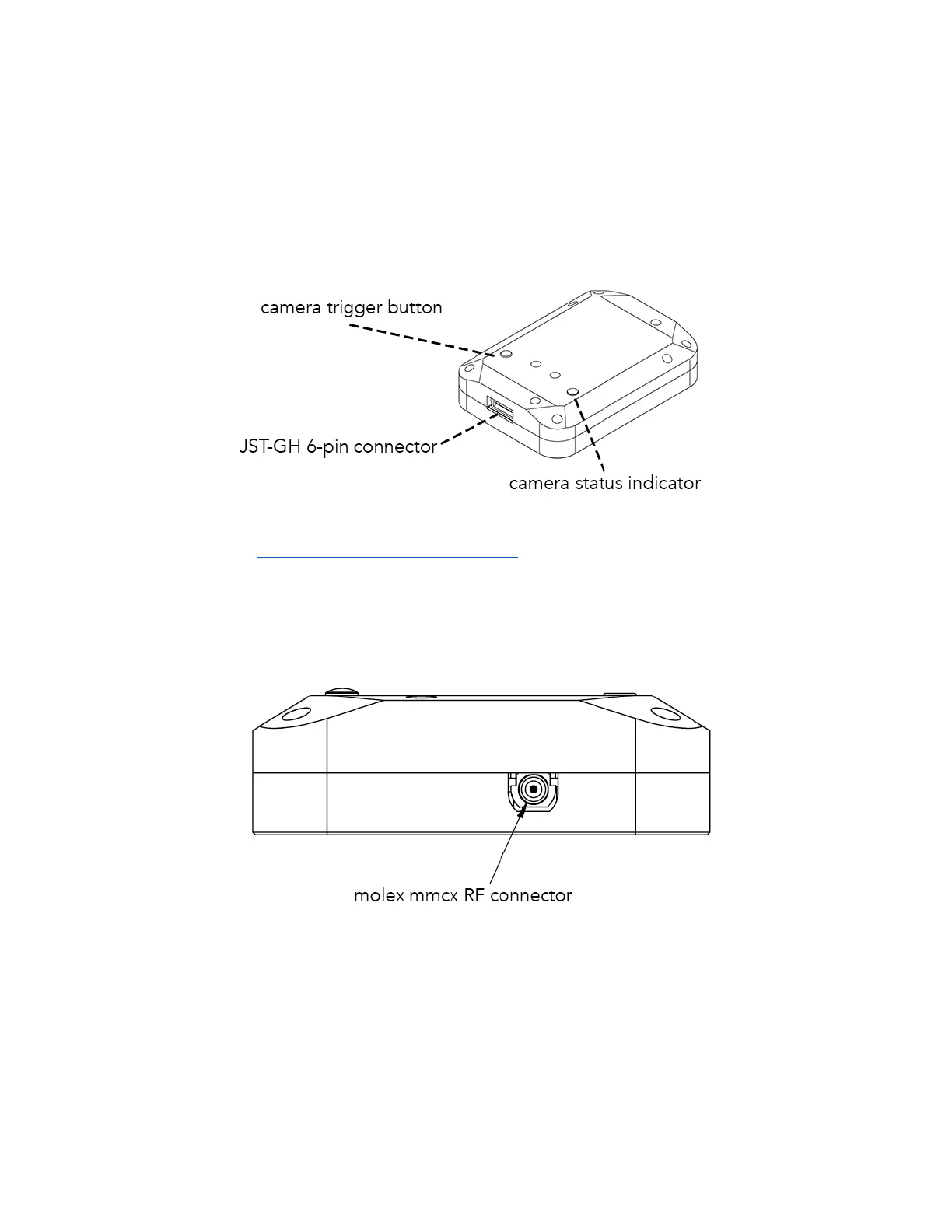
DLS 2 Connectors and Buttons
The sensor kit includes all required interface cables to connect to the DLS 2.
The LED camera status indicator mimics the LED signals on the RedEdge-MX. The signal types
are outlined in the User Guide for MicaSense Sensors. The camera trigger button will command
a capture on the RedEdge-MX. This is useful for capturing a preflight image of the calibration
panel, but care should be taken not to cover or shade any of the light sensors when pressing
the button.
Older DLS 2 have an RF connector. This connector is not used by the DLS 2 or camera.


 To Next Page