Copyright © 2009-2014 Micca. All rights reserved. Page | 13
5.1.2 List View
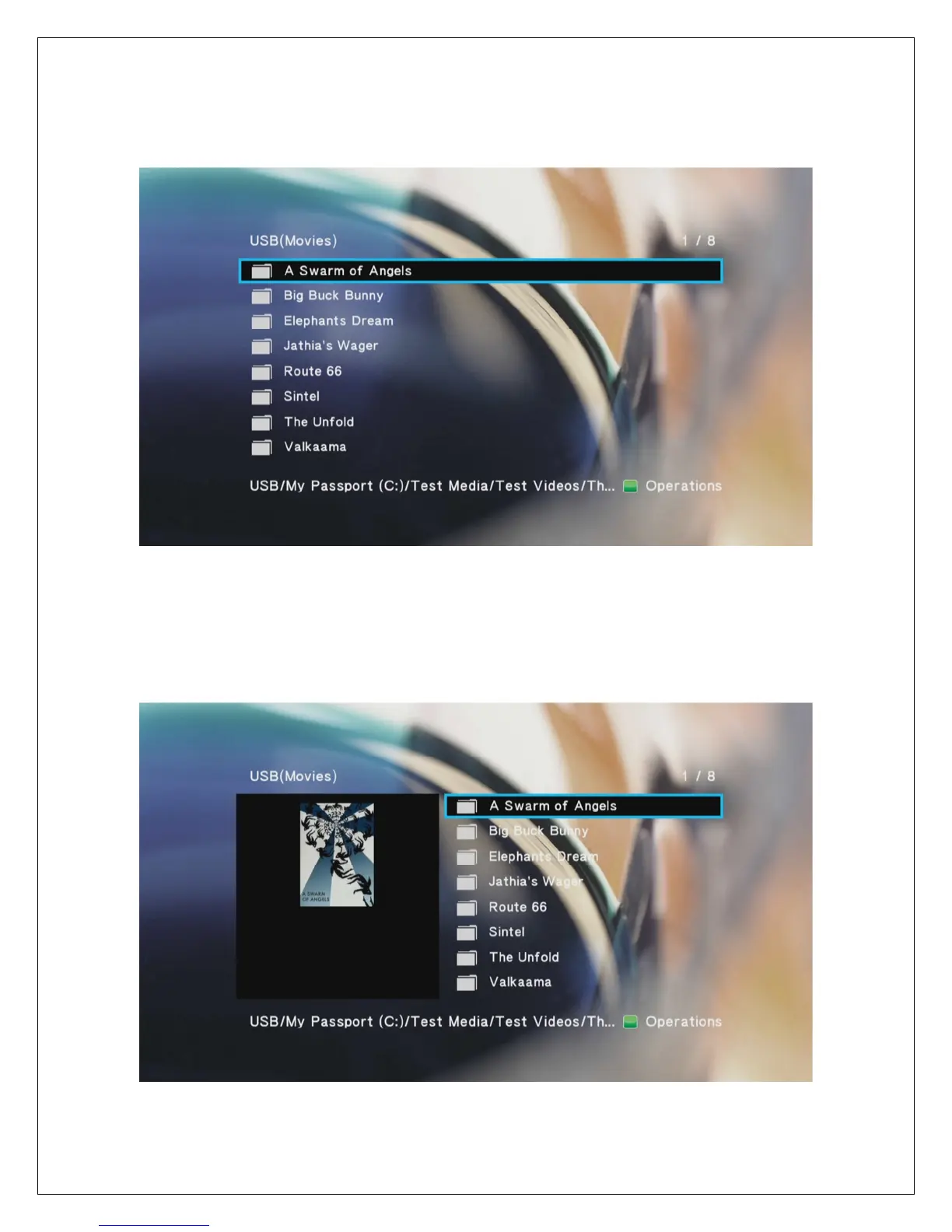
The list view displays folder and media files as a simple list with the full file name displayed. This
view loads faster and is suitable for navigating large collections of folders and files.
5.1.3 Preview
In preview mode, folders and media files are displayed as a list on the right side of the screen
and a preview window on the left side. When a folder or media file is highlighted in the list, the
preview window displays a thumbnail or video preview. The player will use the first JPG image
file found in each folder as its thumbnail.



 To Next Page