Copyright © 2009-2016 Micca. All rights reserved. Page | 13
4 Usage
Basic operation of the OriGen+ is simple, just turn on the OriGen+ and adjust the volume knob
to the desired playback volume. This section describes the features of the OriGen+ in additional
detail, along with recommendations on how to maximize performance and listening enjoyment.
4.1 Signal Display Grid
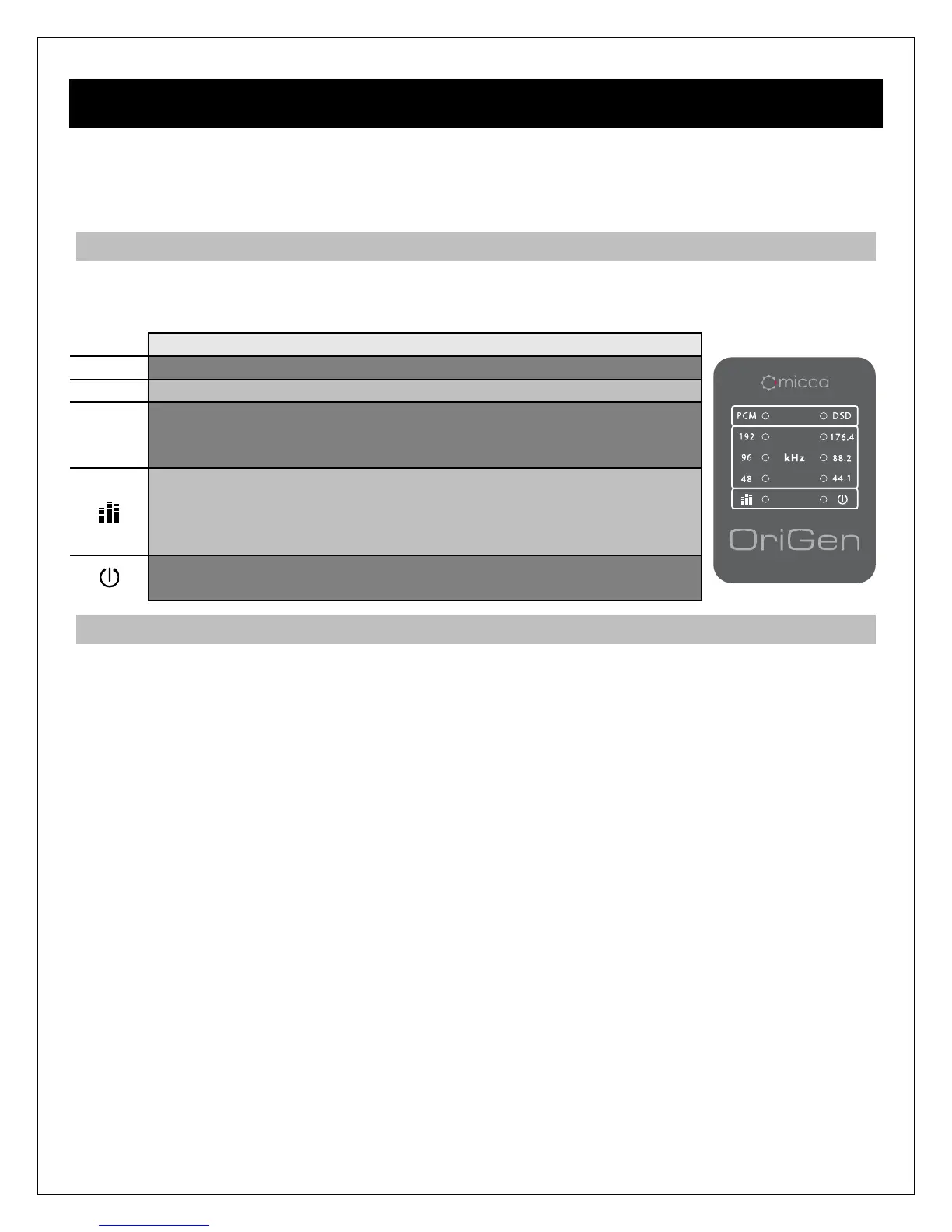
To help indicate the current operating status, the OriGen+ has a grid of 10 display lights above
the volume control knob. The following describes the information conveyed by each status light.
The USB input signal type is PCM. No display for Optical input.
The USB input signal type is DSD. No display for Optical input.
-
192
These group of six lights indicate the sampling rate of the current
USB input audio signal, including 44.1kHz, 48kHz, 88.2kHz,
96kHz, 176.4kHz, and 192kHz. No display for optical input.
Volume level indicator light. This light has a blue and a red
component, corresponding to the left and right channels. When
both channels have a signal, the light will be purple. At relatively
low playback volumes, the light may not appear to turn on at all.
Power indicator. Turns blue when a valid signal is detected, red
when a valid signal is not detected. No light when turned off.
4.2 Knobs and Switches
4.2.1 Volume Control
The volume knob on the OriGen+ is also the power on/off switch. Always start each use with the
volume knob no higher than the 9 o’clock position. Adjust to the desired listening level. If you
switch output devices or headphones during use, remember to lower the volume to the 9 o’clock
position first.
The OriGen+ does not need to be turned off when not in use. Some computers will continue to
supply power to the USB port when shut down. In this case, the LED indicator lights on the
OriGen+ will continue to be illuminated even when the computer is off. This is normal and will
not cause any issues.
4.2.2 Input Selector Switch
The input selector switch toggles between USB and the Optical S/PDIF input. Both inputs can
be connected at the same time, though only one will be selected for use as the input signal.
4.2.3 Output Selector Switch
The output selector switch is used to output signal to either the rear analog stereo output, or the
front headphone jacks. Both cannot be used at the same time. If there is a need to output signal
to a downstream amplifier and a pair of headphones at the same time, this can be accomplished
by connecting both the amplifier and headphones to the front headphone jacks.



 To Next Page