Copyright © 2009-2016 Micca. All rights reserved. Page | 4
2 Product Overview
2.1 Connections and Controls
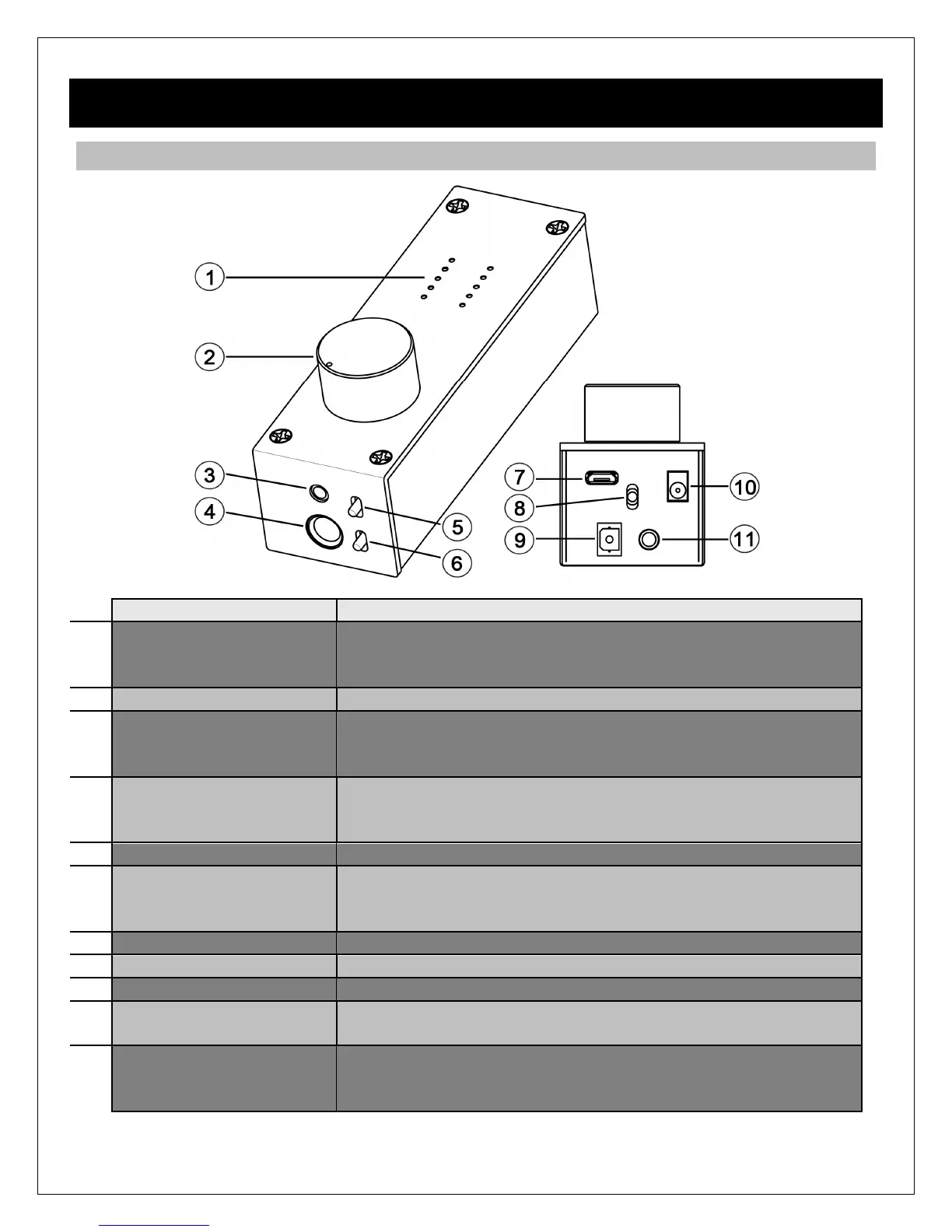
Audio Info Display LED grid for indicating USB audio stream type (PCM, DSD),
sampling rate, playback volume, and power indicator. Stream
type and sampling rate info for USB only and not Optical.
Volume, On/Off Switch Combination power on/off switch and volume control.
3.5mm Headphone Jack Output jack for connecting 3.5mm headphones. If using low
impedance or high sensitivity headphones, be sure to set the
gain switch to -10dB.
6.3mm (1/4”)
Headphone Jack
Output jack for connecting 6.3mm (1/4”) headphones. If using
low impedance or high sensitivity headphones, be sure to set
the gain switch to -10dB.
Output Selector Switch Selects between headphone or rear analog stereo output.
Gain Switch Selects normal or -10dB gain. The -10dB gain should be
used for low impedance or sensitive headphones, such as
IEMs. Always start with the -10dB gain setting.
USB Jack Digital audio input interface from a computer’s USB host port.
Input Selector Switch Selects between USB or Optical input.
S/PDIF Optical Input Digital audio input from an optical output source.
DC 5V Required to provide power to the OriGen+ when used with an
Android device via USB OTG. Power adapter not included.
Analog Stereo and
S/PDIF Optical Output
Two-in-one analog stereo output and S/PDIF optical digital
output. The analog stereo output is volume controlled by the
volume knob and gain switch.



 To Next Page