Copyright © 2009-2016 Micca. All rights reserved. Page | 6
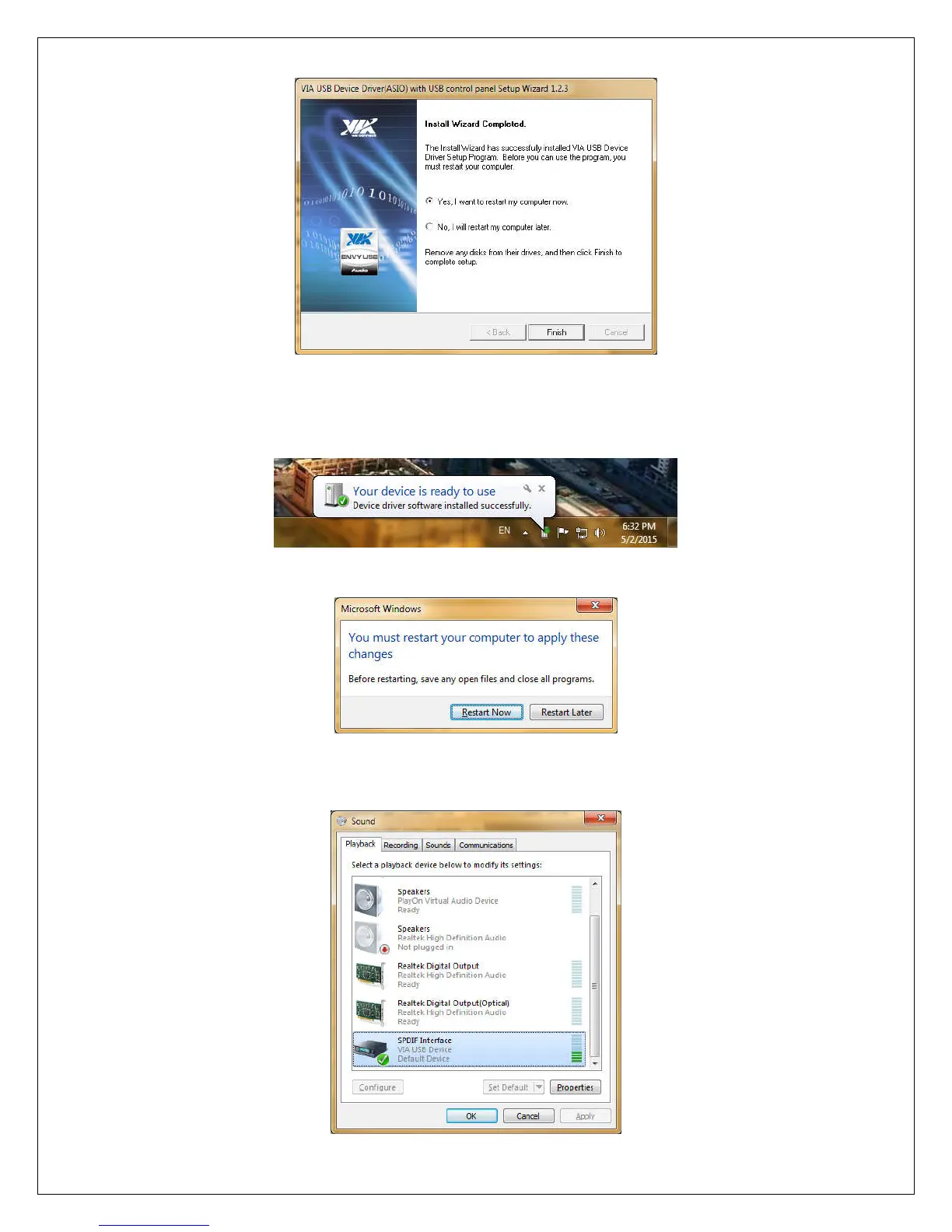
8) Once the computer has restarted, connect the OriGen+ to your computer’s USB port and
turn it on using the volume knob. The new device installation bubble will pop up, and
confirm that the device is ready to use:
9) The installer may ask again to restart the computer, click “Restart Now” to finish.
10) Once the computer is restarted, the OriGen+ will be added to the list of playback
devices as “SPDIF Interface - VIA USB Device”.



 To Next Page