7
within 33’ (10m) of the Miccus® Mini-jack
TX.
3. During transmission the Blue LED light will
ash slowly, indicating connection.
4. Volume and playback can be controlled from
your audio source just as if it was a hard wired
connection.
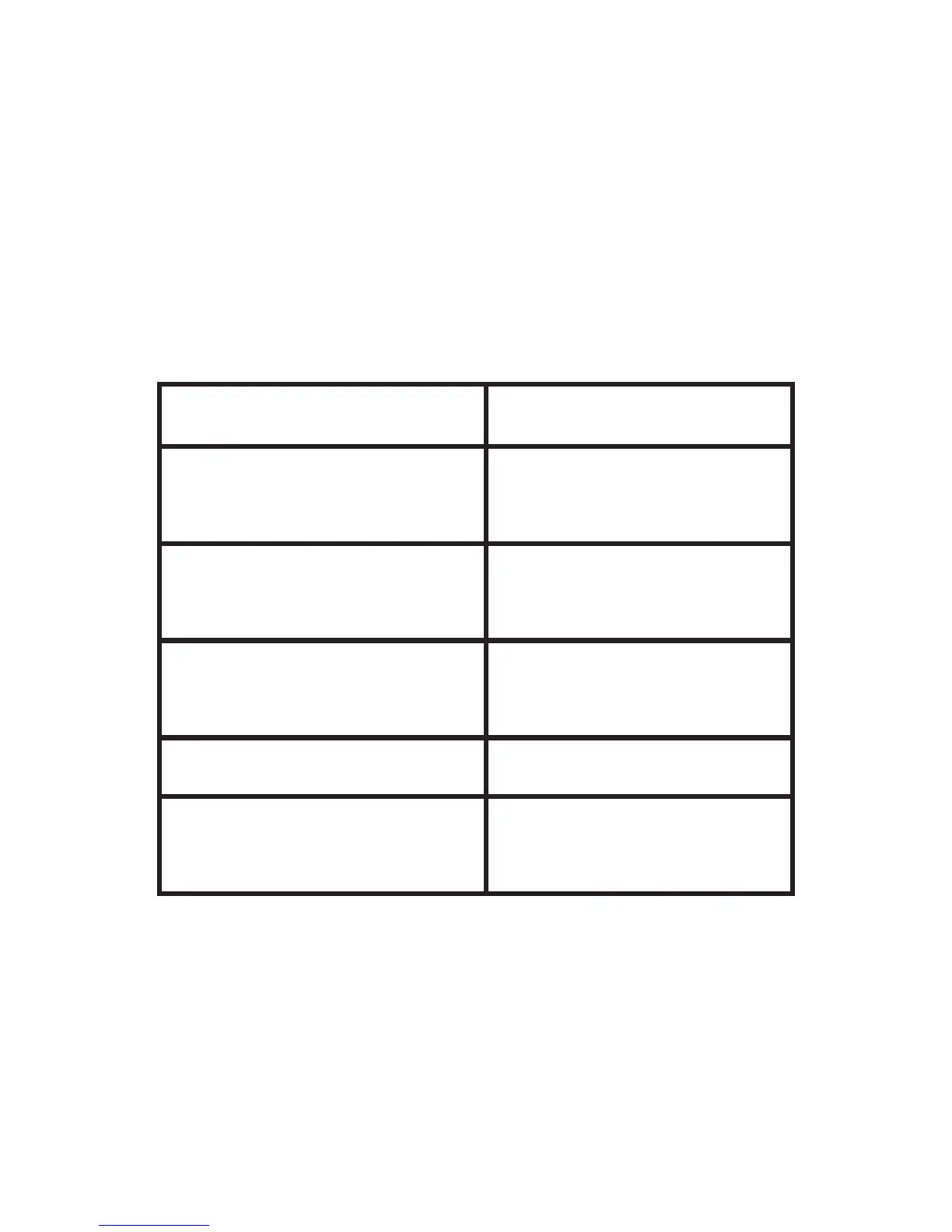
Visual Indicators
State of the device State of the LED
Pairing or establishing
a connection
The red and blue LED
ash alternately
Connected and playing
The blue LED ashes
once every 3 seconds
Sleep mode
The blue LED ashes
once every 5 seconds
Charging Solid red
Charging and connected
Solid red with slow
ashing blue
Troubleshooting
The connection between the mini-jack and
receiver is established once the pairing process
is complete. The connection can break for the
following reasons:
a. The distance between the devices is greater
than 33’ (10m), or there are obstacles


 To Next Page