EasyManua.ls Logo

MICRO-AIR EasyTouch - Fan Speed Settings; Temperature Calibration and Units

Default Icon
39 pages
Print Icon
To Next Page IconTo Next Page
To Previous Page IconTo Previous Page
Loading...
Micro-Air, Inc. Page 17 EasyTouch 2.5 Operations Manual
Rev 1.0 8/27/14
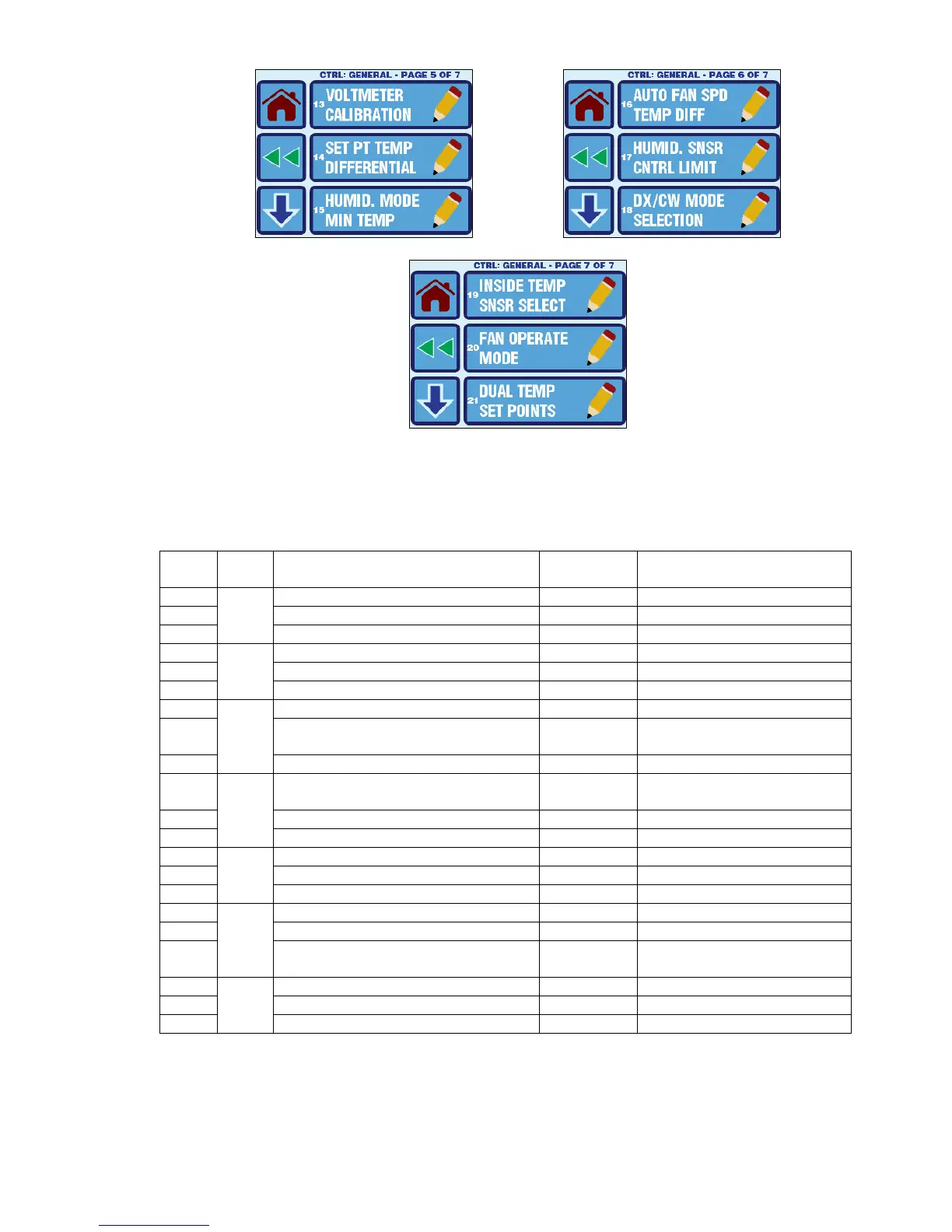
Figure 13 EasyTouch General Settings Menu Screens
Refer to Table 1 for a quick reference to the General Settings. Refer to the sections that follow for
further details on each setting.
Table 1 General Settings Parameters
No.
Page
Description
Factory
Default
Parameter Range
1
1
High Fan Speed
95
35-95
2
Medium Fan Speed
61
32-85
3
Low Fan Speed
50
30-75
4
2
Inside Temperature Calibration
0
±50°F or ±25°C
5
Temperature Units
Auto
Auto / °F / °C
6
Reversed Fan Speed in Heat
On
Off / On
7
3
Electric Heat Option
Off
Off / On
8
Fan Motor Type
Split
Capacitor
Shaded Pole or
Split Capacitor
9
Filter Hours Setting
Off
Off / 100-2500 Hours
10
4
Filter Hours Reset
n/a
(Resets reminder & clears
hours only)
11
CAN Bus Unit ID
1
1
1-255
12
CAN Bus Group ID
1
100
1-255
13
5
Voltmeter Calibration
0 (none)
70-140VAC or 170-260VAC
14
Set Point Temp Differential
2°F/1°C
1 or 2°F / 0.5 or 1.0°C
15
Humidity Mode Min Temp
50°F/10°C
40-75°F or 5-25°C
16
6
Auto Fan Speed Temp Differential
2°F/1°C
1-3°F or 0.5-1.5°C
17
Relative Humidity Set Point
2
60% RH
45-85% RH
18
DX/CW Mode Selection
Set by
Jumper
Set by Jumper / DX
Override / CW Override
19
7
Inside Temp Sensor Selection
Auto
Auto / Display / Alt. Air
20
Fan Operational Mode
Continuous
Continuous or Cycled
21
Dual Temp Set Points
Off
Off / On
1
CAN Bus is an FX2 option only and is not currently supported by EasyTouch
2
Relative Humidity control is an FX2 CW option only.

Table of Contents

Other manuals for MICRO-AIR EasyTouch

Related product manuals