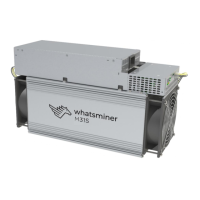
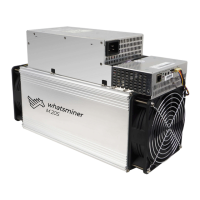
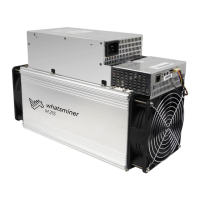
This document outlines the operation and maintenance procedures for the WhatsMiner M30S, a blockchain server artifact designed for cryptocurrency mining. The manual provides comprehensive guidance on connecting, configuring, and maintaining the device, ensuring safe and efficient operation.
Function Description
The WhatsMiner M30S serves as a dedicated blockchain server, primarily used for cryptocurrency mining. Its core function is to perform complex computational tasks, known as "hashing," to validate transactions and add new blocks to a blockchain. This process, often referred to as "mining," rewards the operator with cryptocurrency. The device is designed to operate continuously, contributing to the security and integrity of the blockchain network. Its robust design and specialized hardware are optimized for high-performance hashing, making it an essential tool for professional mining operations. The miner connects to a network and a mining pool, where it receives tasks and submits its computational work.
Usage Features
The WhatsMiner M30S is designed for ease of connection and configuration, although careful attention to detail is required for optimal performance and safety.
Connection and Pre-Power Check:
Before powering on the device, it is crucial to perform a thorough pre-power check. This involves:
- Physical Inspection: Shaking the machine gently to ensure no internal components, such as radiators, are loose. Loose components can cause damage during operation.
- Wiring Verification: Confirming that all power control wires, adapter board control wires, and fan control wires are correctly and securely connected. Incorrect wiring can lead to hardware damage, which is not covered by the warranty.
- Fan Connection: Ensuring the fan wiring is securely connected to the control board. A loose or disconnected fan can lead to overheating, throttling of the power board, and reduced mining power.
- Copper Busbar Connection: Verifying that the power supply copper busbar is connected to the hash board with correct polarity. The screw washers of the fixed copper bar must be aligned parallel to the edge of the copper bar, and all screws must be tightened to prevent short-circuits and poor contact.
- Control Board Power Control: Confirming that the power control wiring between the control board and the power supply is connected. This ensures proper voltage output control and prevents low power calculation.
Network Environment and Configuration:
The miner defaults to DHCP for obtaining a dynamic IP address, necessitating a DHCP server or a router with DHCP enabled on the network. The device relies on NTP (Network Time Protocol) for accurate time synchronization, which is critical for correct calculation statistics.
- IP Address Query: The WhatsMinerTools software is used to detect the miner's dynamic IP address. By pressing the IPFOUND button on the control panel for more than 5 seconds, the miner broadcasts its IP and MAC address to the network, which can then be queried by the software.
- Pool & Worker Data Configuration: The mining pool address, worker name, and password are configured via the web interface under the "CGMiner Configuration" page. After modifications, "Save & Apply" must be clicked, and CGMiner or the control panel restarted for changes to take effect.
- NTP Server Address Modification (Optional): Users can modify or add NTP server addresses through the system configuration interface to improve time precision and speed up network time acquisition.
- Static IP Address Configuration (Optional): The miner's IP address can be changed from dynamic to static via the web interface. This involves selecting "Static address" for the protocol and entering the desired IP address, netmask, gateway, broadcast address, and DNS address. After saving, the miner must be accessed using the newly set static IP.
Operation Status Check:
After connecting to the network, the miner's running status can be monitored through the web interface under "CGMiner Status."
- Monitoring Parameters: This interface displays the overall calculation power, front and rear fan speeds, connection status to the mining pool, single board computing power, and board temperature.
- Frequency Search Test: Upon power-on, the miner performs a frequency search test for approximately 15 minutes before entering the formal mining stage. During this test, computing power may be lower.
- Temperature and Fan Speed Monitoring: High power board temperatures (above 85 degrees Celsius) and fan speeds above 6100 RPM indicate potential overheating, leading to reduced frequency and power. Adequate ventilation and cooling are essential.
- Fan Wiring Check: If the fan speed in the interface is 0, it suggests unreliable fan wiring, which can cause overheating and reduced computing power.
- Power Board Temperature Detection: If the power board temperature is not detected, the miner should be powered off, and the power and data cables of the corresponding power board re-plugged to ensure a reliable connection.
Maintenance Features
The manual provides detailed instructions for disassembling and installing key components, which is essential for troubleshooting, repairs, or upgrades.
Control Panel Disassembly and Installation:
- Disassembly: Involves unplugging the fan cable and removing four screws securing the control panel to the chassis. Subsequently, the power control cable and adapter board control cable are unplugged, and four screws fixing the control panel to its bracket are removed.
- Installation: The process is reversed, starting with fixing the control board to its bracket, inserting the power and adapter board control cables, securing the bracket to the chassis, and finally plugging in the fan cable.
Power Supply Disassembly and Installation:
- Disassembly: Requires removing four screws securing the power supply to the chassis, six screws securing the copper bars, and unplugging the fan cable. The power supply is then gently pulled out, ensuring the power control cable remains connected to the control panel initially. Finally, the power control cable is unplugged from the control panel to fully remove the power supply.
- Installation: Involves plugging the power control cable into the control panel, connecting the positive and negative terminals of the power supply to the copper row with six screws (ensuring correct alignment of washers and tightening), and finally tightening the four screws that fix the power supply to the chassis.
Hash Board Disassembly and Installation:
- Disassembly: Before removing a hash board, the control board and inlet fan must be removed. Then, the adapter plate and copper bar fixed to the control panel are removed. The faulty hash board can then be extracted. It is crucial to record the serial number of the hash board for after-sales support.
- Installation: The hash board is loaded into the chassis slot. The adapter board is installed, ensuring its socket and the hash board's pin are correctly aligned to prevent contact issues. Finally, the copper bar is installed, with careful attention to polarity and screw tightening to avoid short-circuits and ensure proper contact.
Batch Data Configuration and Firmware Upgrade:
The WhatsMinerTool software can be used for batch data configuration, status checks, and firmware upgrades, simplifying maintenance for multiple units. Detailed instructions for these advanced features are available in the "Whats Miner WhatsMinerTool Operation Guide."

 Need help?
 General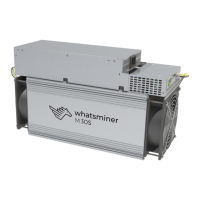

 To Next Page