RESET SLEEP
ST-BY
FRONT/L CENTER FRONT/R
SUR/L SUB-W SUR/R
C D AUX
5.1CH MODE
VOL+
BAL/L BAL/R
VOL-
TREBLE BASS
8
1 2
3
4
5
7
6
9
11
12
10
1
12
11
10
9
8
7
6
5
4
3
2
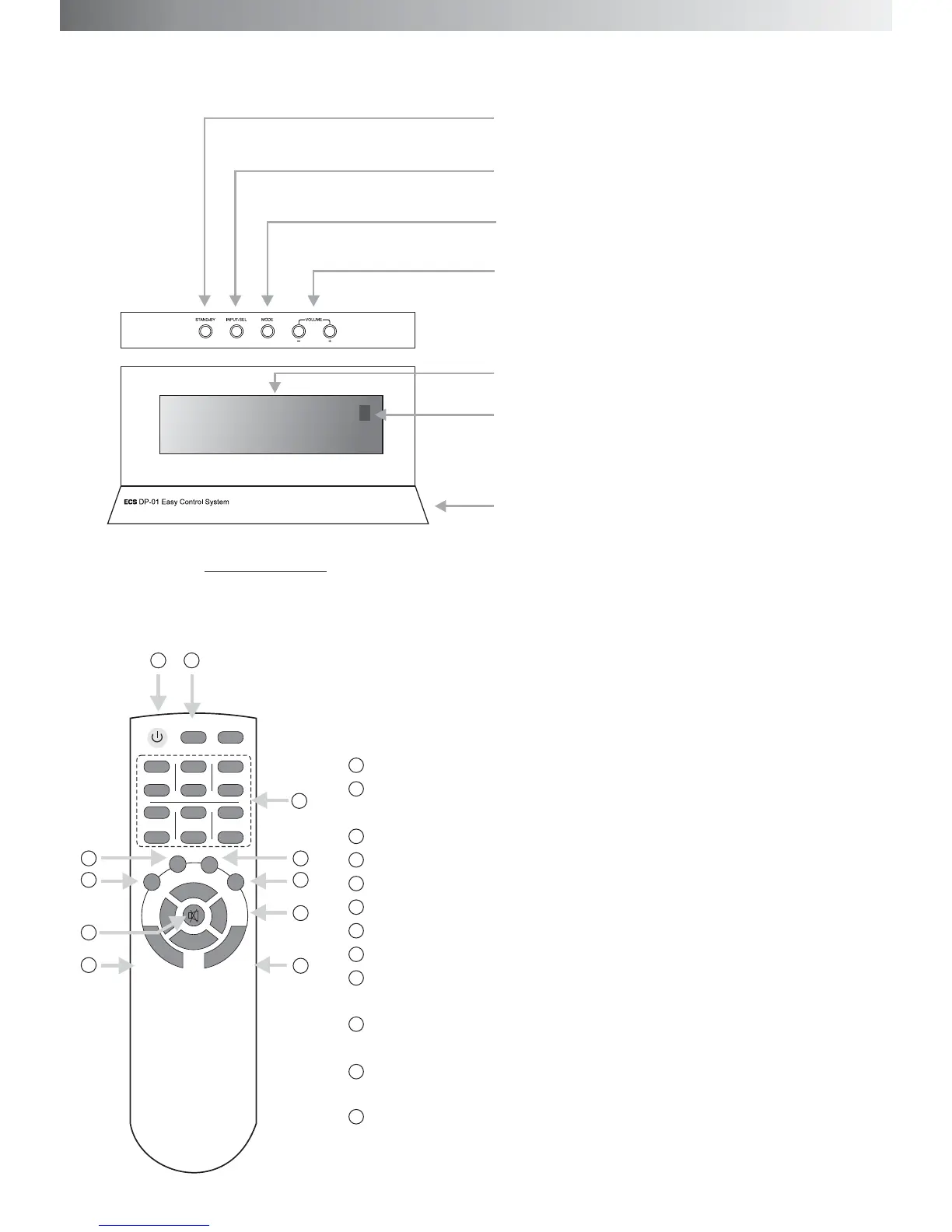
ST-BY: Stand by
Input-Sel: press the key to select audio input
signal from CD, AUX and 5.1CH.
ST-BY: Stand by
RESET: press this key to make the system come back to the Start
situation
Channel volume keys, between +/- 6dB
5.1CH, press this key for 5.1CH input
CD key, press this key for CD input
AUX key, press this key for AUX input
MODE key, press this key to select 2.1CH or 5.1CH output.
VOL +/- key, press this key to adjust master volume.
BAL/R, BAL/L, adjust the balance of front speaker, at +/- 4dB, start
at 0
TREBLE+/-key, adjust the treble of front speaker, at +/- 7dB, start
at 0
BASS +/-key, adjust the bass of the front speakers, at +/- 7dB, start
at 0
Mute: press the key to make the system in muting. The VFD display is
showing MUTING. Press it again or press volume key to release.
trimming
dB
dB
dB
CONTROL UNIT
MODE: Press this key to change the output
between 2.1CH and 5.1CH.
Volume: press the key to adjust the volume
of the system.
Control system: VFD Display
Remote sensor
Base


 To Next Page